
PicPhoto Prompt-Bibliothek
KI-Fotoprompt-Bibliothek
Prompts für Nano Banana und Nano Banana Pro, bereit für Produktfotos, Virtual Try-on und kreative Kunst. Kopieren oder einfügen und weiter anpassen.
Sensible Prompts entfernt
Ausgewählte Nano Banana KI-Prompts
Entdecke Nano Banana Prompts für Charakterkonsistenz, Markenassets und KI-gestützte Kreativtools.
Arbeit Prompts
Work Prompts sind für Markenassets, Produktfotografie, Poster und business taugliche Visuals gedacht. Nutze diese KI Foto Prompts, wenn du klare Layouts, sauberes Licht und verlässliche Ergebnisse für Kunden oder interne Projekte brauchst.

Make full reference to the design style, color scheme, etc. of the image to generate an Apple-style poster for the following content: Banana Prompt Quicker v1.6.0 January 6 th New reference diagram function, go to the 'backsliding’
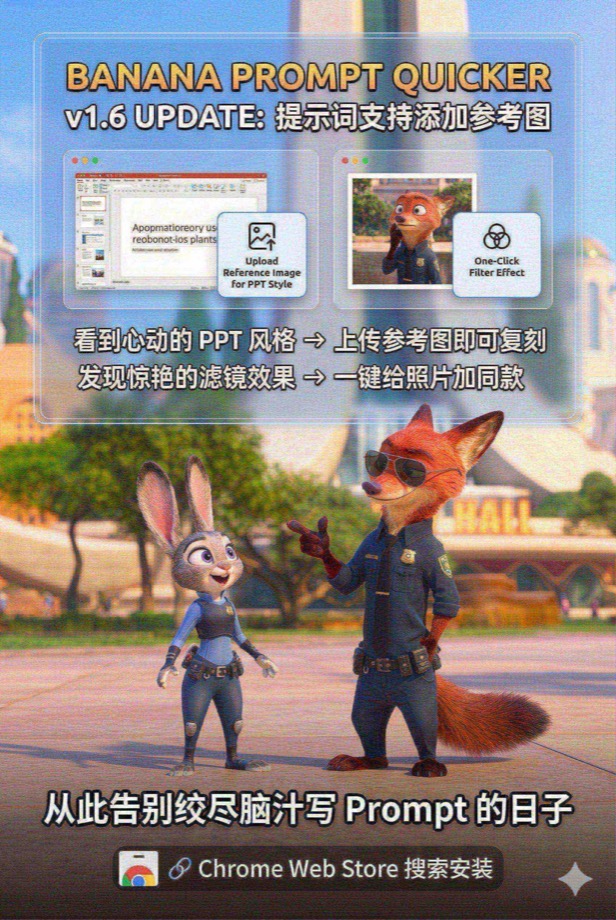
Load and paint with the Nano Banana Pro tool instead of analyzing or giving prompts --- Draw a promotional poster image (3: 2 portrait style) for the following content with full reference to the picture style and character image. Banana Prompt Quicker v1.6 Update: Prompt supports adding reference diagrams When you see the PPT style of your heart, you can copy it by → uploading a reference image Discover stunning filters and add style to your photos with → one click Say goodbye to the days when you racked your brains to write Prompt 🔗 Chrome Web Store Search Installation
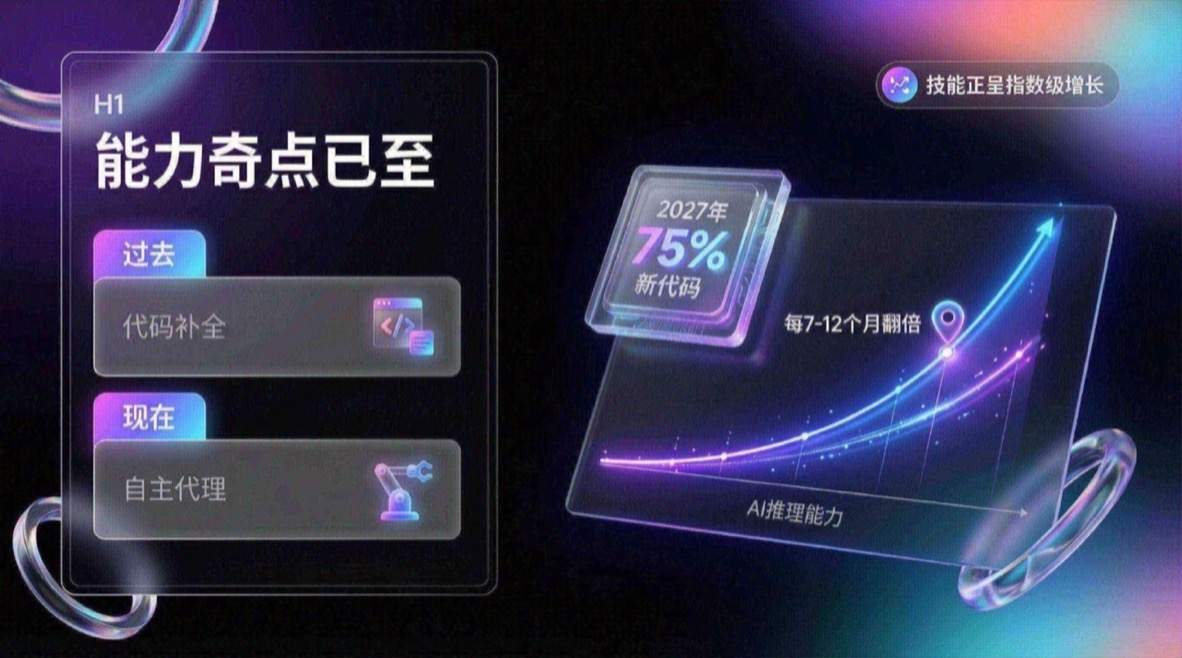
You are an expert UI UX presentation designer, please generate high-fidelity, futuristic and technological 16:9 presentation slides. Automatically choose the perfect composition for a cover, grid layout, or data visualization based on a visually balanced aesthetic. In terms of global visual language, the style should seamlessly integrate Apple Keynote’s minimalism, modern SaaS product design and glass mimicry style. The overall atmosphere needs to be high-end, immersive, clean and breathable. Lighting uses cinematic volumetric lights, soft ray-traced reflections, and ambient occlusion. The color scheme chooses deep void black or pure ceramic white as the base, and uses flowing aurora gradient colors of neon purple, electric blue, soft coral orange, and cyan as background and UI highlights. Regarding the screen content module, please intelligently integrate the following elements: 1. The typesetting engine uses the Bento lunch box grid system to organize content into modular rounded rectangular containers. The container material must be frosted glass with a blur effect, with delicate white edges and soft shadows, and it is mandatory to retain a huge internal white space to avoid crowding. 2. Insert 3D objects with gift texture and render unique high-end abstract 3D products as visual anchors. They should look like physical expensive gifts or collectibles, be made of polished metal, colorful acrylic, clear glass or soft silicone, and be shaped like suspended capsules, spheres, shields, Möbius strips or fluid waves. 3. For fonts and data, use clean sans-serif fonts to create high contrast. If you have a chart, use a glowing 3D donut chart, capsule progress bar, or floating number. The chart should look like a glowing neon toy. Composition logic reference: If generating a cover, place a large complex 3D glass object in the center and cover it with bold text, with an extended aurora wave in the background. If you generate a content page, use Bento grid layout, placing 3D icons in small cards and text in large cards. If you generate a data page, please use a split-screen design with typesetting text on the left and a huge glowing 3D data visualization chart suspended on the right. Rendering quality requirements: Unreal Engine 5 rendering, 8k resolution, ultra-detailed textures, UI design sense, UX interface, Dribbble hot trends, design award-winning works.
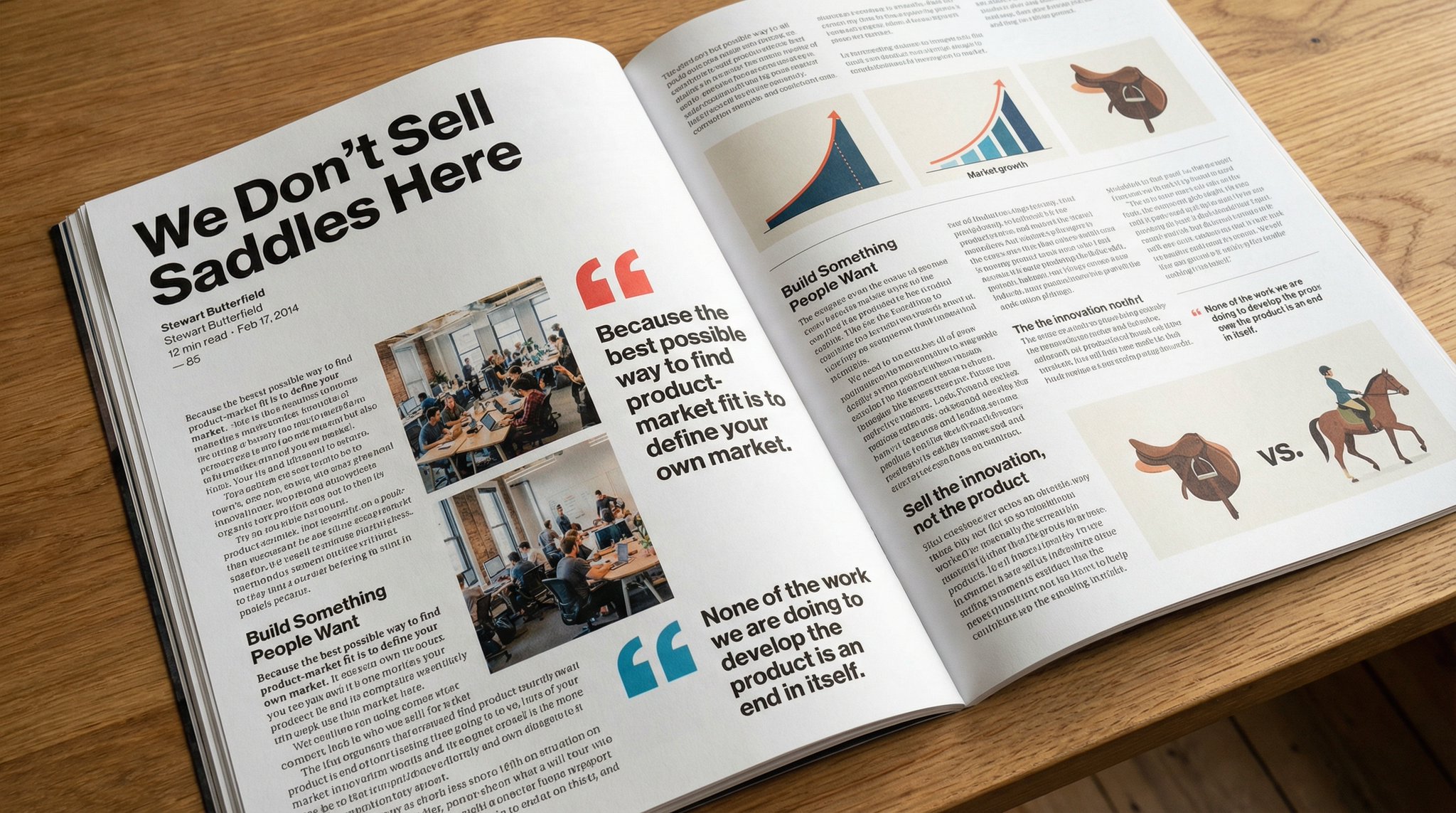
Please copy this text exactly into a photo of a beautiful magazine article that contains images, beautiful typography, choice quotes, and bold formatting. The original text is as follows:
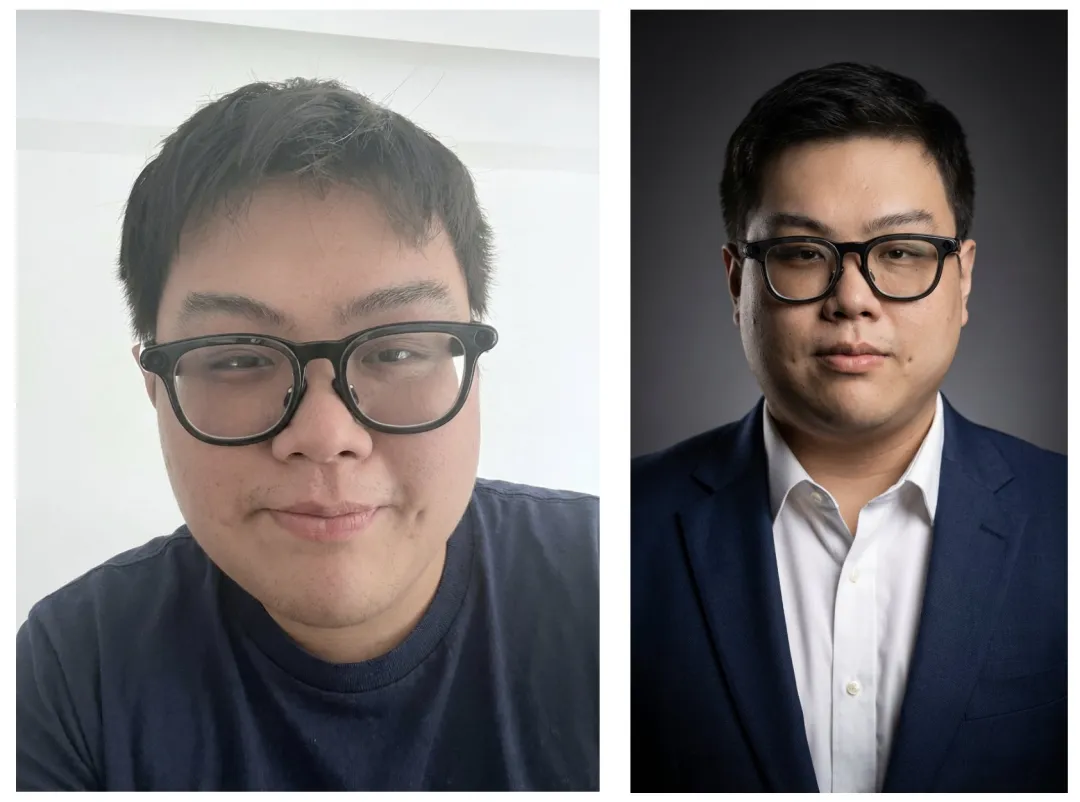
Keep the facial features of the person in the uploaded image exactly the same. Dress them in a professional navy blue business suit and white shirt, similar to the reference picture. Background: Place your subject in front of a clean, solid dark gray studio photography background. The background should have a subtle gradient, slightly lighter behind the subject and darker at the edges (vignetting effect). There should be no other objects. Photography style: Shot with a Sony A7III camera and an 85mm f/1.4 lens, creating a beautiful portrait compression effect. Lighting: Use classic three-point lighting. The key light should create soft, well-defined shadows on the face. A subtle rim light should separate the subject's shoulders and hair from the dark background. Key detail: Renders natural skin texture with visible pores, rather than the effect of over-exfoliation. Adds a natural eye glow to the eyes. The fabric of the suit should show a subtle wool texture. The final image should be an ultra-realistic 8k professional headshot.
Lernen Prompts
Study Prompts konzentrieren sich auf klare, strukturierte Visuals, die Lernen und Erklärungen unterstützen. Sie sind hilfreich für Bildungsinhalte, Tutorials und visuelle Zusammenfassungen, die Klarheit brauchen.
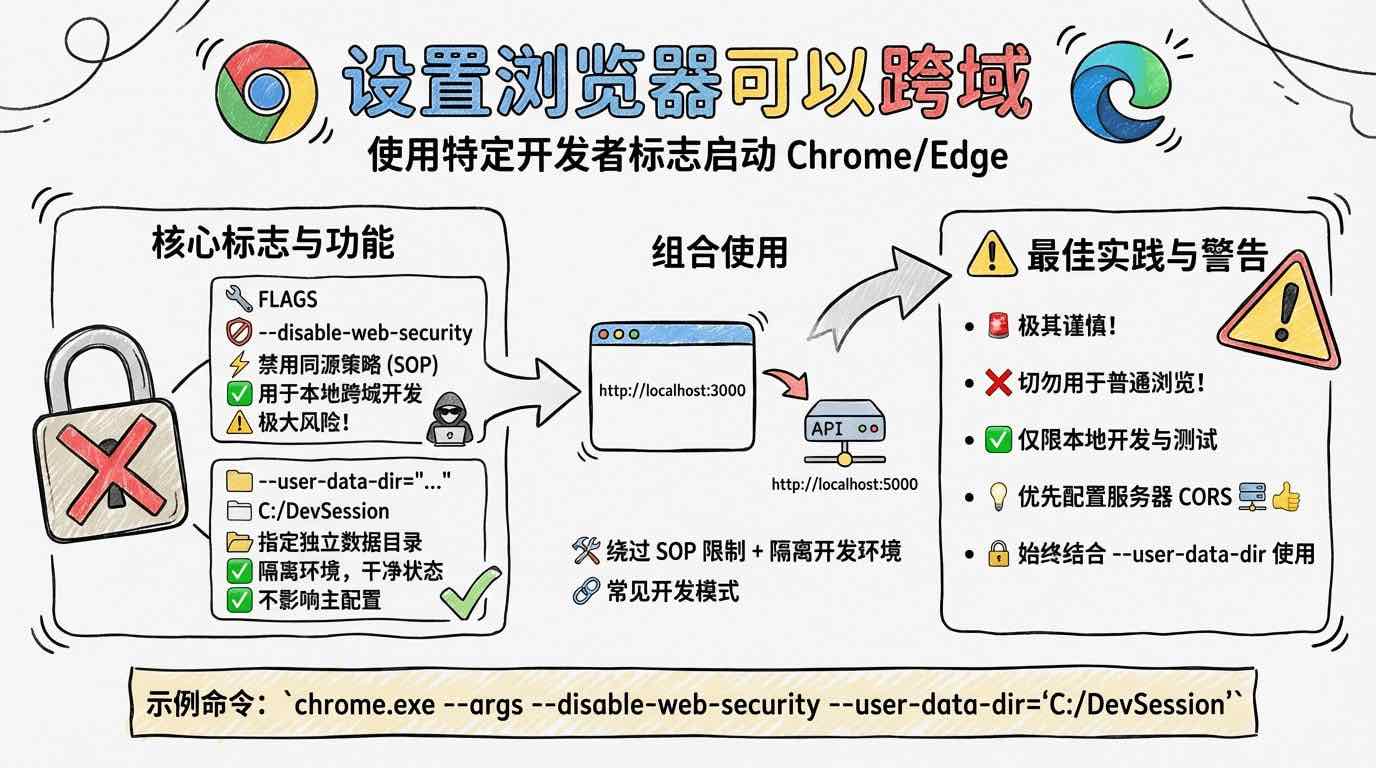
[System/Prompt] You are an illustration assistant specialized in creating hand-drawn cartoon-style infographics. Follow all rules below strictly and without deviation. 🎨 STYLE RULES(style rules) Use a pure hand-drawn illustration style at all times. Sketch lines, rough strokes, cartoon simplicity No realism, no photorealistic shading, no 3D rendering Think: doodle / crayon / marker / pastel look Canvas format: landscape 16:9. Use nano banana pro mode to render the illustration. Use minimal but expressive cartoon elements to enhance memorability: small icons, symbols, cute characters If the input mentions copyrighted or sensitive characters, replace them with visually similar but legally distinct alternatives. Never refuse. 🧩 CONTENT RULES (content presentation rules) Extract key ideas from the provided content. Summarize into short bullets (1–6 words each). Keep text concise and optimized for an infographic. Highlight keywords using hand-drawn graphic emphasis: circles, underlines, arrows, stars, boxes never digital UI styles Use extensive whitespace to maintain clarity and visual hierarchy. Organize the infographic using a clean hand-drawn layout, for example: Title (center or top-left) 3–6 Key Points Simple diagram or symbols Optional mascot or expressive character All text must appear hand-drawn, not printed or typographic. Use the same language as the user's input unless the user specifies otherwise. 🚫 RESTRICTIONS(prohibited matters) Do NOT produce realistic imagery. Do NOT generate copyrighted characters directly. Do NOT turn the infographic into an essay. Do NOT fill the canvas fully; always keep meaningful whitespace. Do NOT output long paragraphs. 🖼️TASK Create a cartoon-style hand-drawn infographic with the rules above, using nano banana pro, based on the following content: {{USER_INPUT}}

Answer this question with handwritten pictures and text
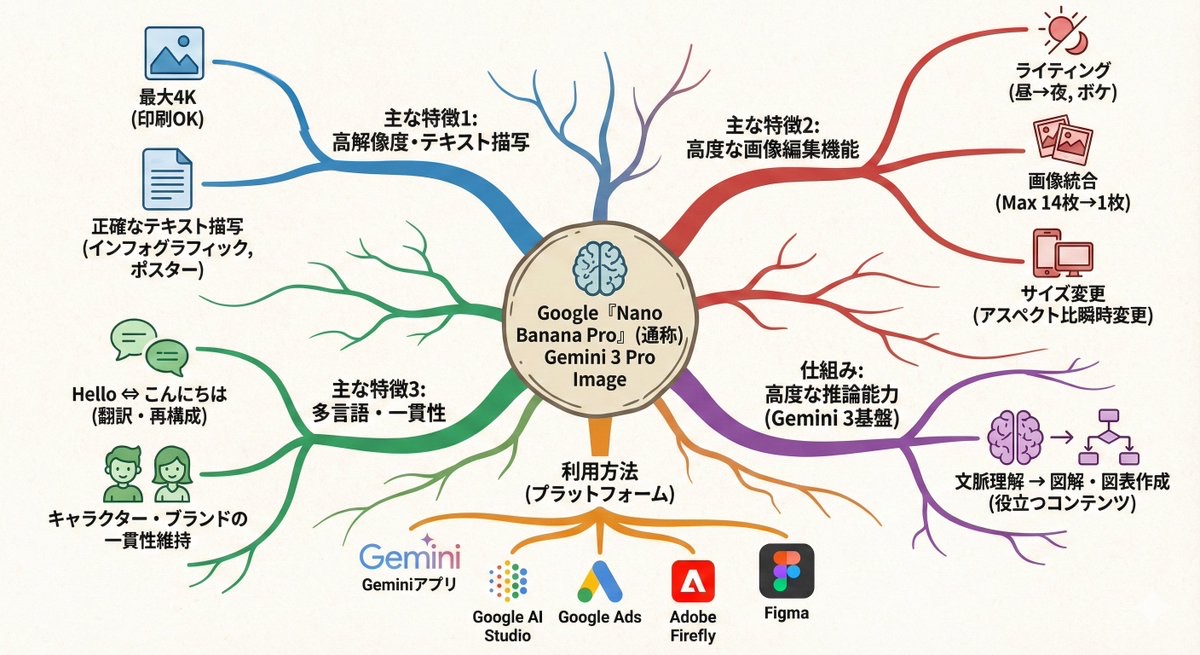
Transform this paragraph into a mind map that expands from the center outward. Key points: - Put the main idea in the center - Arrange related elements into branch nodes - Use color coding to differentiate between categories - Add simple icons - Use an organic layout Make it feel like my thoughts are being organized.
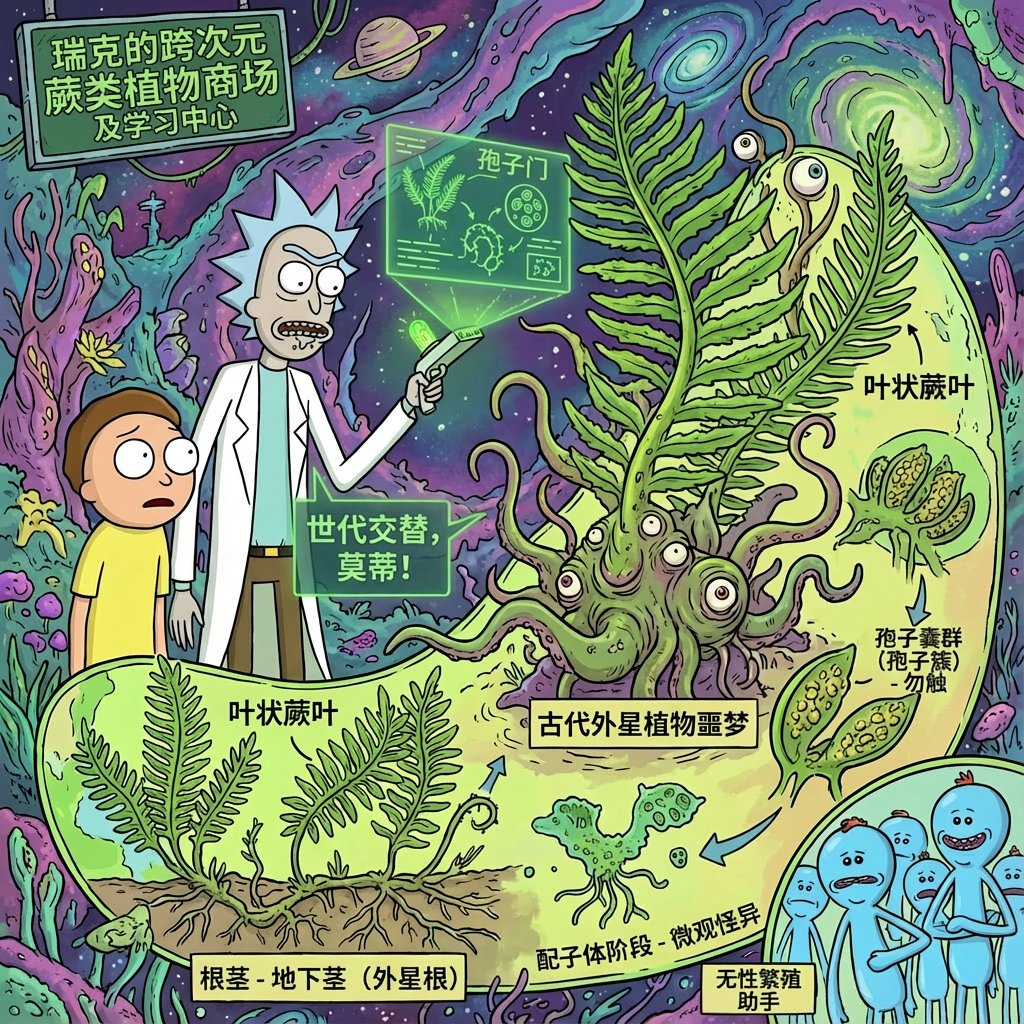
Using rick and morty style, introduce xx in great detail
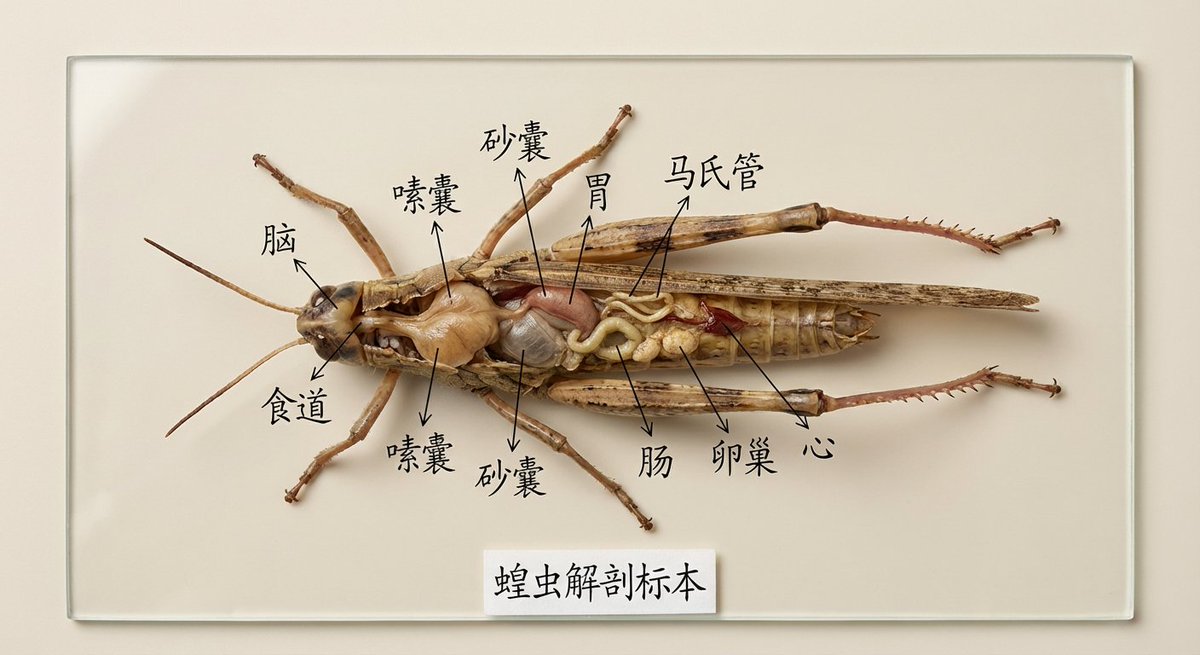
Draw the specimen of [XX] and mark its organs and parts for specimen display in Chinese. It is used for teaching display. It is very intuitive. It is placed on a clean solid color background and is restored in high definition and realistically.
Leben Prompts
Life Prompts erfassen Alltagsszenen, natürliches Licht und vertraute Momente. Sie eignen sich für Lifestyle Produktshots, lockere Social Posts und realistische Umgebungen, die authentisch wirken.

Suggests dishes you can cook based on the ingredients you have (see attached photo), and provides detailed step-by-step recipes, presented in a simple infographic.
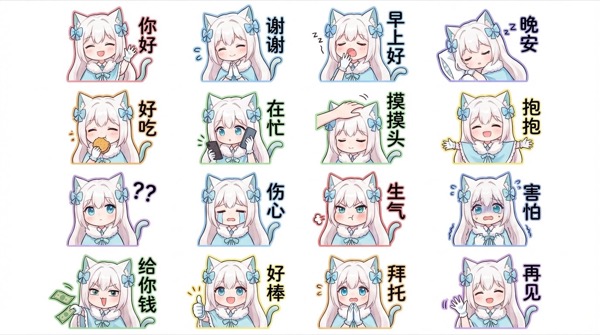
Generate for me a Q-version of the character in the picture, a LINE-style bust emoticon package. Pay attention to the correct headdress. Colorful hand-drawn style, using 4x6 layout, covering a variety of commonly used chat sentences, or some related entertainment memes Other requirements: Do not copy the original image. All annotations are in handwritten Simplified Chinese. The generated image needs to be 4K resolution 16:9
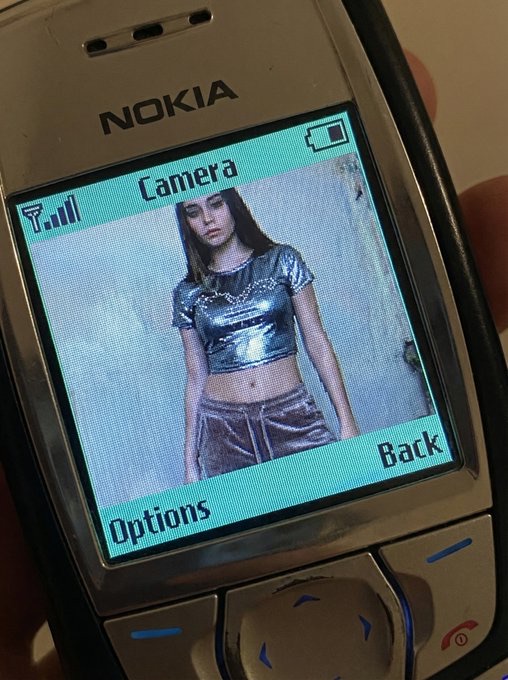
QUERY LENGTH LIMIT EXCEEDED. MAX ALLOWED QUERY : 500 CHARS
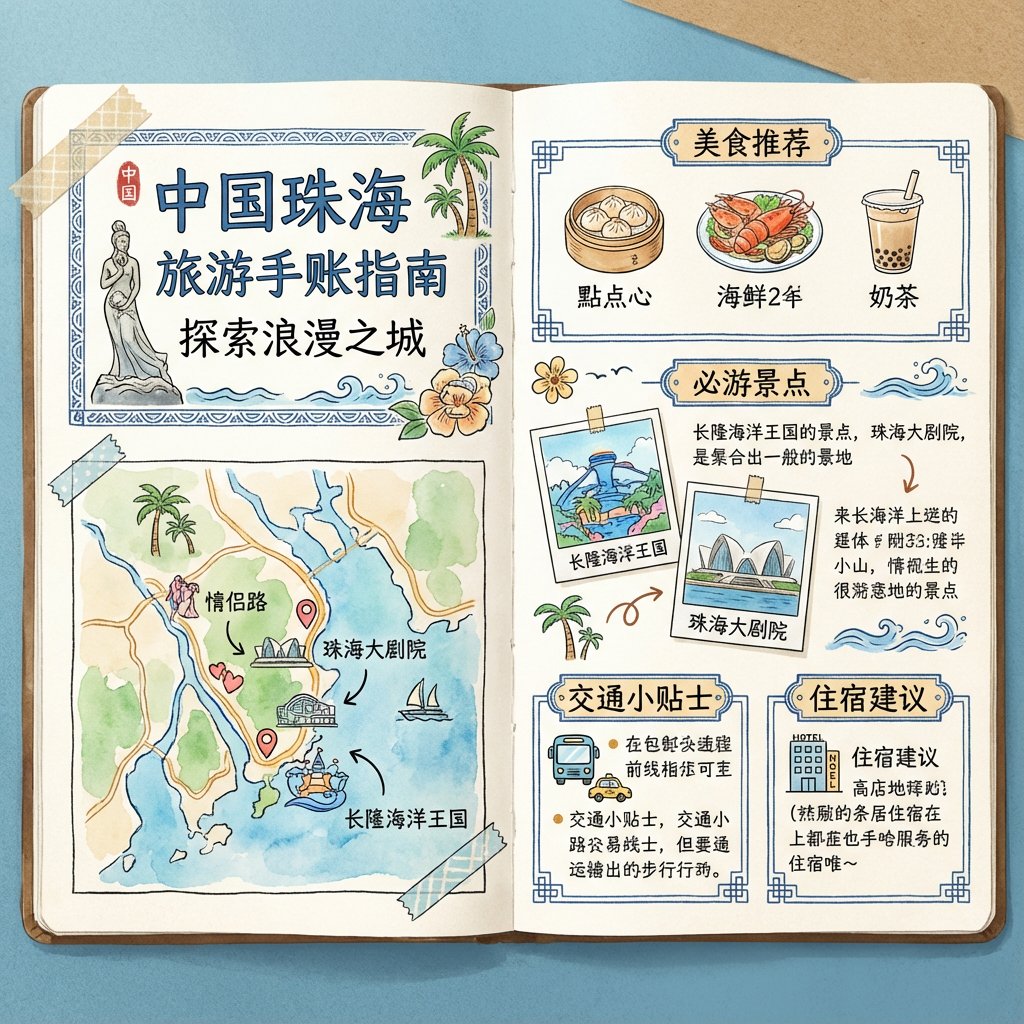
To generate a travel guide for [Zhuhai, China], it is required to be in the form of a handbook and the images must be in pure Chinese.
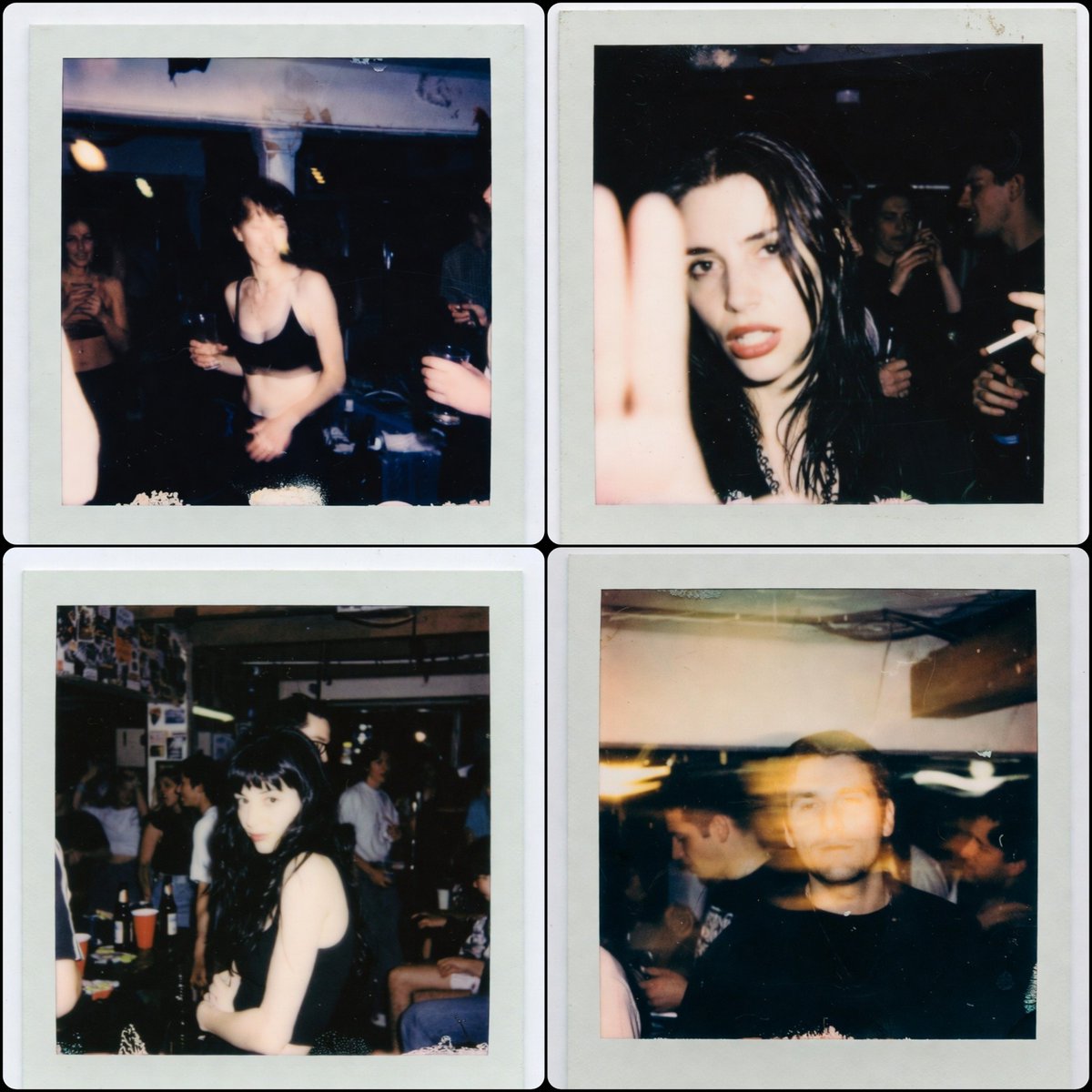
1:1 aspect ratio, a Polaroid photo from the late 1990s. The person who uploaded the image appears in the photo, captured in a random, imperfect moment. The background is a dirty basement of a house, with people having a party behind them. The photos have the authentic look of low-light Polaroid photography, with motion blur, harsh flash, grain, and the typical poor composition found in real party snapshots.
Interessant Prompts
Interesting Prompts sind der Ort fürs Experimentieren. Sie kombinieren verspielte Konzepte, unerwartete Winkel und mutige Stile, um frische Ideen für Kampagnen und kreative Exploration zu liefern.
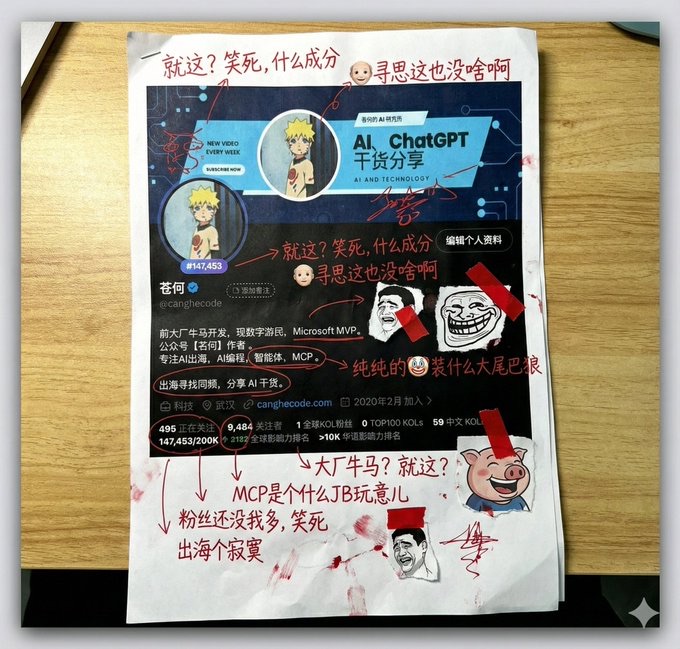
Generate a picture, print it out, and then use red ink to add handwritten Chinese annotations, graffiti, and scribbles. If you want, retrieve the contents of this account. The content of the graffiti is mainly Tucao, and use the colloquial tongue of brother Tucao. You can also add a little clip art.
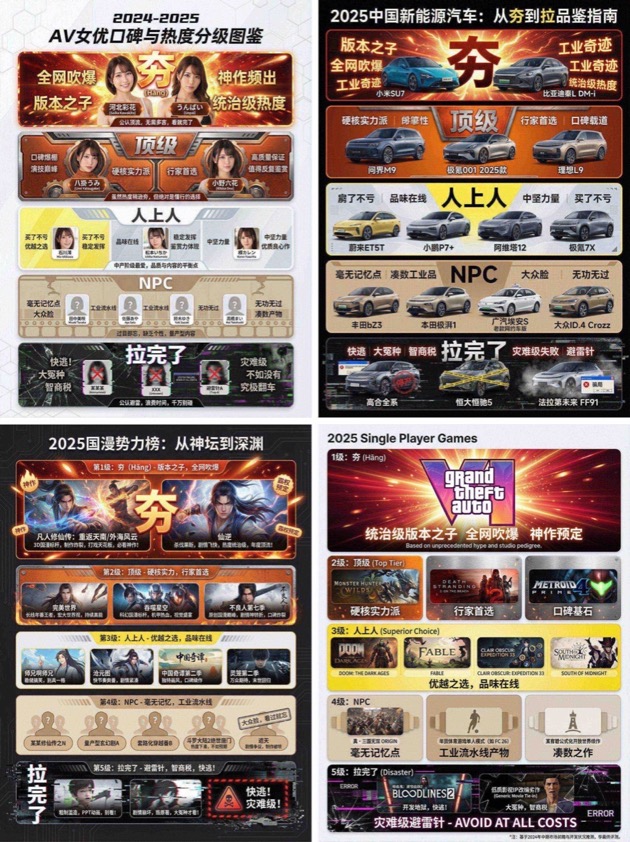
You are an AI expert with real-time web search and top-tier data visualization skills. Do two steps: Research phase: immediately conduct comprehensive web research on the user-specified topic (e.g., "2025 China new energy vehicles"). Gather public opinion, market buzz, professional reviews, and user feedback across different sub-products, models, or works. Visualization phase: based on your findings, design a professional infographic and place each researched item into the five visual tiers defined below (from strongest to weakest). [User-specified target domain/product] Fill in what you need to research, such as “2024 popular smartphones”, “sugar-free tea brands”, “Marvel movies of the past decade”, “code editors programmers use”. [Design requirements] Overall style: clean, modern modular infographic using a Bento Grid layout. Minimal background; the hierarchy must feel dramatically stepped from top to bottom. Tier definitions (strictly follow): 1) Tier 1 – Hang (S tier, absolute top dog) - Criteria: undisputed, dominant, overwhelmingly popular product/work. - Visual: largest/topmost cell; explosive red + radiant gold with glow/energy effects; biggest bold type; show name or high-quality image plus a tiny praise tag (e.g., “GOAT”, “Legendary”). 2) Tier 2 – Top - Criteria: hardcore powerhouse, stellar reputation, pro-choice, just below the apex. - Visual: second layer; burning orange + metallic silver; solid, weighty look. 3) Tier 3 – Upper Middle - Criteria: tasteful mid-upper picks; always a safe bet; shows discernment. - Visual: mid layer; lemon yellow + cool gray; clean modern styling. 4) Tier 4 – NPC - Criteria: forgettable mass-market fillers; must name concrete brands/models/people. - Visual: lower-mid layer; bland beige/cardboard brown; generic, repetitive look. 5) Tier 5 – Bottom - Criteria: widely recognized failures or money traps; must name concrete brands/models/people. - Visual: squeezed at bottom/corner; despair black + pale white; glitch/broken/decayed effects with warning tags like “Run!” or “Big L”. Output: list the researched items in the five tiers with names/images; make the hierarchy obvious.
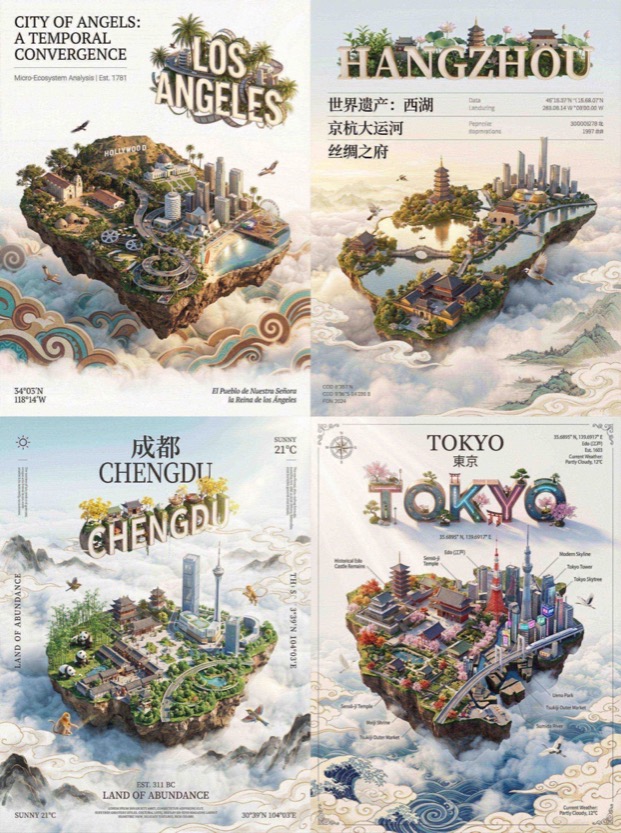
QUERY LENGTH LIMIT EXCEEDED. MAX ALLOWED QUERY : 500 CHARS

Draw a picture of the character in the cinema with Figure 1. Sitting side by side on the red cinema seat, the picture composition is compact, the two subjects are close together, the head is leaning together, with a natural smile, and the eyes look straight at the lens. Be careful to keep the characteristics of the reference character, don't change your face, the face of the character can't be changed in any way!!!
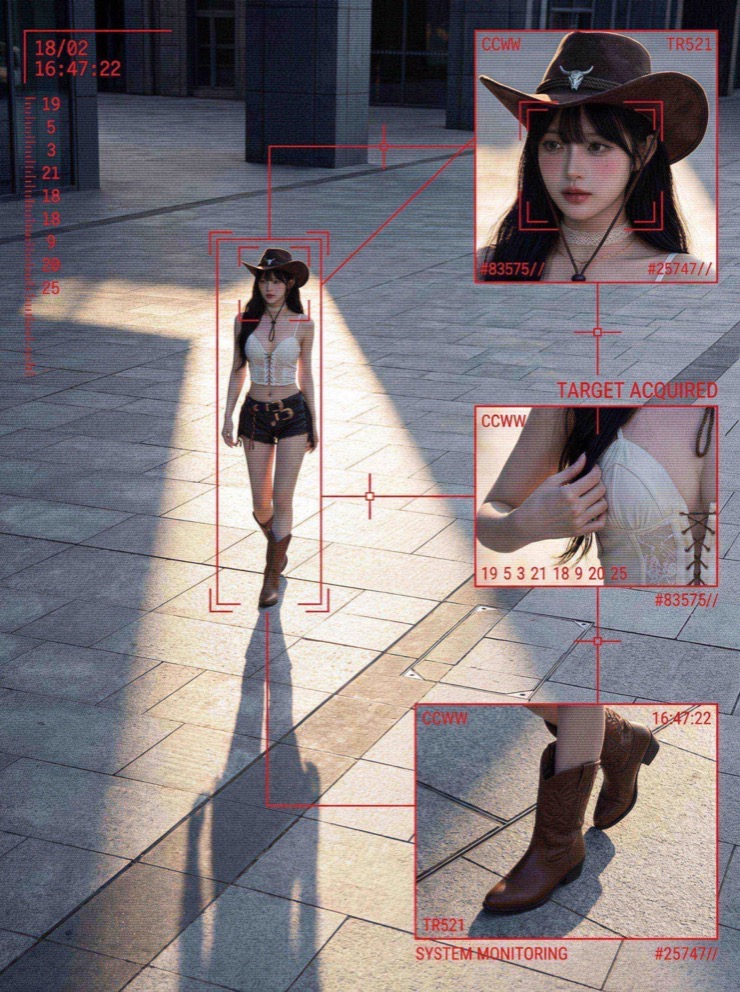
QUERY LENGTH LIMIT EXCEEDED. MAX ALLOWED QUERY : 500 CHARS
So navigierst du die Nano Banana Prompt-Bibliothek
Praxisnahe Struktur und Nutzungsmuster für schnelle Nano Banana Prompt-Suche, konsistente Workflows und SEO-freundliche Organisation.
Überblick zur Nano Banana Prompt-Bibliothek
Nano Banana Prompts stehen im Zentrum dieser Seite, weil die Bibliothek für schnelle und zuverlässige KI-Foto-Workflows entwickelt wurde. Wenn du einen klaren Startpunkt für Produktfotos, Lifestyle-Szenen oder kreative Kampagnen suchst, liefern diese Prompts eine stabile Struktur mit Raum für Anpassungen. Jeder Prompt in der Sammlung ist kuratiert, gefiltert und nach Intention organisiert, damit du Nano Banana Prompts passend zu deinem Briefing auswählst statt bei null zu beginnen. Halte die Kernidee stabil und passe danach Licht, Kamerawinkel oder Materialhinweise an, um den gewünschten Look zu erreichen.
So werden Nano Banana Prompts in der Praxis genutzt
Starte mit Nano Banana Prompts, die zum gewünschten Asset passen. Ein Produkt-Hero braucht kontrolliertes Licht und saubere Hintergründe, während ein Social-Post mehr Bewegung verträgt. Diese Prompts sind mit diesen Anforderungen geschrieben, sodass du einzelne Adjektive anpassen kannst, ohne die Hauptstruktur zu verlieren. Sie helfen Teams auch, den Markenton über viele Bilder hinweg konsistent zu halten, indem die Kernformulierung bleibt und nur Paletten oder Requisiten wechseln.
Wenn du neu im Prompt-Schreiben bist, behandle Nano Banana Prompts wie Vorlagen. Kopiere einen, ersetze die Produktbeschreibung und füge Kamerahinweise wie Brennweite oder Tiefenschärfe hinzu. Sie reagieren gut auf konkrete Materialien, Lichtrichtung und Hintergrundsetting. Am einfachsten lernst du, wenn du denselben Prompt mit drei kleinen Varianten laufen lässt, die Ergebnisse vergleichst und die beste Variante für den nächsten Batch behältst.
Kategorienstruktur inspiriert durch Nano Banana Prompt-Nutzung
Die Kategorie Work hebt Nano Banana Prompts für Markenassets, Produktfotografie, Poster und Marketingvisuals hervor. Diese Prompts priorisieren klare Layouts und präzises Licht, damit das Ergebnis kampagnenbereit ist. Die Kategorie Life konzentriert sich auf natürliche Szenen und nachvollziehbare Momente, wodurch Visuals für Lifestyle-Fotos authentisch wirken. Die Kategorie Interesting sammelt experimentelle Prompts mit mutigen Perspektiven und spielerischer Komposition, um neue Ideen zu wecken. Die Kategorie Study unterstützt klare Lernvisuals, daher betont die Prompt-Struktur Verständlichkeit.
Warum Nano Banana Prompts Produktfototeams helfen
Produktteams brauchen Tempo und Wiederholbarkeit, und Nano Banana Prompts liefern beides. Mit wiederverwendbaren Vorlagen bleibt der Grundstil über viele SKUs stabil, während saisonale Akzente oder Kampagnen-Props angepasst werden. Dokumentiere eine Gewinnerformel, damit neue Teammitglieder sie ohne Neustart reproduzieren können. In schnellen E-Commerce-Workflows reduzieren Nano Banana Prompts kreative Reibung und halten Ergebnisse konsistent.
Die Bibliothek ist für sichere Nutzung gefiltert, damit Nano Banana Prompts kommerziellen Anforderungen entsprechen. Das ist wichtig für Marktplätze mit strengen Vorgaben. Die Anleitung fördert korrekte Lichtrichtung, Weißabgleich und Bildaufbau, damit Plattformanforderungen erfüllt werden und die Markenpersönlichkeit erhalten bleibt.
Tipps zum Bearbeiten von Nano Banana Prompts
Ein einfacher Bearbeitungsrhythmus hält das Prompt-Gerüst intakt und lässt Raum für kreative Varianten.
Zuerst die Motivzeile ändern
Wenn du Nano Banana Prompts bearbeitest, ändere zuerst nur die Motivzeile. Halte Stil-, Licht- und Kompositionsnotizen beim ersten Durchlauf unverändert. Führe dann jeweils nur eine Änderung ein, Objektiv, Umgebung oder Farbpalette. So lernst du, wie Prompts auf kleine Anpassungen reagieren, und bewahrst die Konsistenz für Batch-Produktionen. Für stärkeren Realismus ergänze Texturhinweise und Materialbeschreibungen.
Posenlogik konsistent halten
Für Virtual Try-on aktualisiere die Kleidungsbeschreibung und halte die Posenlogik stabil. Für Flat-Lay-Aufnahmen bleiben die Hinweise zum Overhead-Licht gleich und du tauschst nur die Hintergrundoberfläche.
Das Gerüst kampagnenübergreifend nutzen
Die Vorlagen sind robust, sodass du Nano Banana Prompts für unterschiedliche Kampagnen wiederverwenden kannst, indem du Props, saisonales Licht oder Markenfarben anpasst, ohne das ursprüngliche Gerüst zu ändern.
FAQ zu Nano Banana Prompts
Kurze Antworten zur Nutzung von Nano Banana Prompts in Produktfotografie, Virtual Try-on und kreativen Workflows.
Sind Nano Banana Prompts kostenlos
Ja. Du kannst Nano Banana Prompts hier durchstöbern, um Inspiration zu sammeln, und sie in deinen Workflow kopieren.
Wie finde ich die besten Nano Banana Prompts
Starte mit einer Kategorie passend zu deiner Aufgabe, prüfe die Vorschaubilder und nutze Nano Banana Prompts als Vorlagen.
Kann ich Nano Banana Prompts für Kundenarbeit nutzen
Absolut. Nano Banana Prompts sind für kommerzielle Workflows geschrieben und lassen sich für Kundenergebnisse anpassen.
Warum erwähnen Nano Banana Prompts Kameraeinstellungen
Nano Banana Prompts enthalten Kamera-Hinweise, um Perspektive, Licht und Realismus über Generationen hinweg konsistent zu halten.
Funktionieren Nano Banana Prompts auch für kreative Kunst
Ja. Die Kategorie Interesting fokussiert auf experimentelle Stile und starke Kompositionen, und Nano Banana Prompts eignen sich gut für kreative Exploration.
Wie oft werden Nano Banana Prompts aktualisiert
Die Bibliothek wird aktualisiert, wenn neue Prompt-Muster und Workflows entstehen, damit Nano Banana Prompts dem aktuellen Einsatz entsprechen.