
Biblioteca de prompts de PicPhoto
Biblioteca de prompts de fotos con IA
Prompts afinados para Nano Banana y Nano Banana Pro, listos para fotografía de producto, virtual try‑on y arte creativo. Copia o inserta y sigue editando.
Prompts sensibles eliminados
Prompts destacados de Nano Banana con IA
Explora prompts de Nano Banana para consistencia de personajes, activos de marca y herramientas creativas con IA.
Prompts de Trabajo
Los prompts de Trabajo están pensados para assets de marca, fotografía de producto, pósters y visuales listos para negocio. Usa estos prompts de fotos con IA cuando necesites layouts limpios, iluminación clara y resultados fiables para proyectos de clientes o internos.

Make full reference to the design style, color scheme, etc. of the image to generate an Apple-style poster for the following content: Banana Prompt Quicker v1.6.0 January 6 th New reference diagram function, go to the 'backsliding’
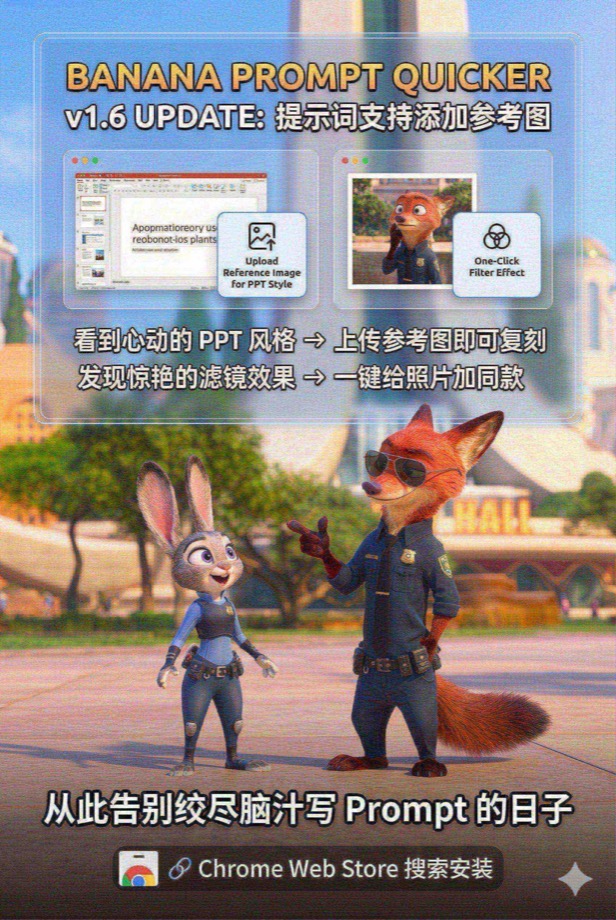
Load and paint with the Nano Banana Pro tool instead of analyzing or giving prompts --- Draw a promotional poster image (3: 2 portrait style) for the following content with full reference to the picture style and character image. Banana Prompt Quicker v1.6 Update: Prompt supports adding reference diagrams When you see the PPT style of your heart, you can copy it by → uploading a reference image Discover stunning filters and add style to your photos with → one click Say goodbye to the days when you racked your brains to write Prompt 🔗 Chrome Web Store Search Installation
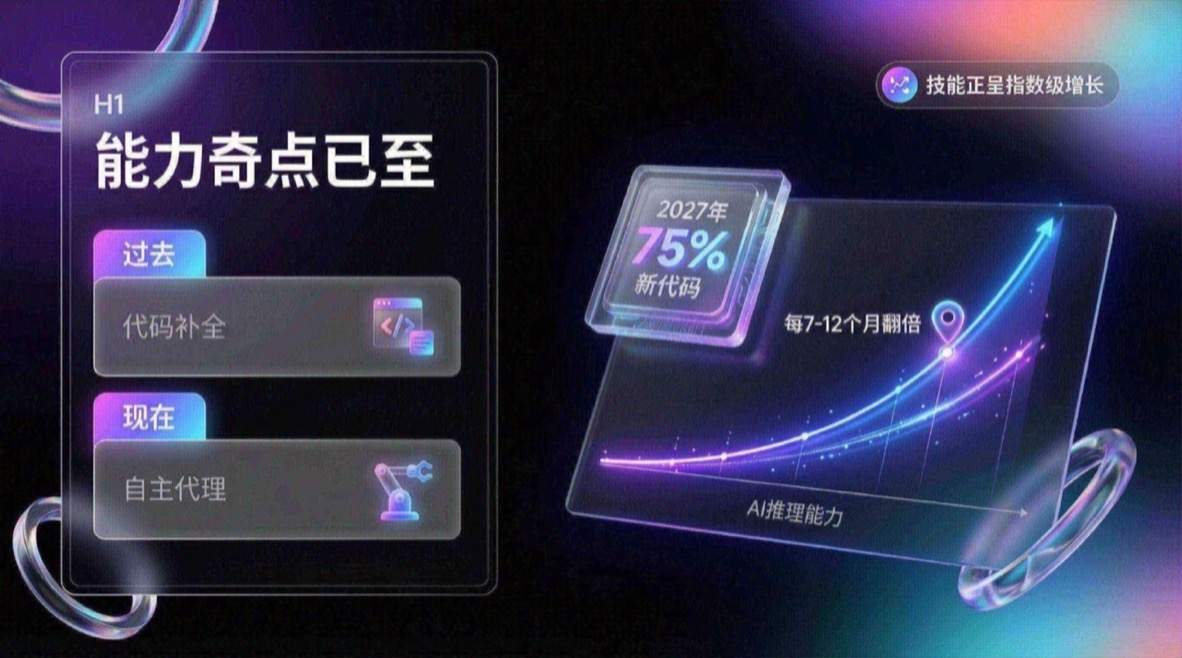
You are an expert UI UX presentation designer, please generate high-fidelity, futuristic and technological 16:9 presentation slides. Automatically choose the perfect composition for a cover, grid layout, or data visualization based on a visually balanced aesthetic. In terms of global visual language, the style should seamlessly integrate Apple Keynote’s minimalism, modern SaaS product design and glass mimicry style. The overall atmosphere needs to be high-end, immersive, clean and breathable. Lighting uses cinematic volumetric lights, soft ray-traced reflections, and ambient occlusion. The color scheme chooses deep void black or pure ceramic white as the base, and uses flowing aurora gradient colors of neon purple, electric blue, soft coral orange, and cyan as background and UI highlights. Regarding the screen content module, please intelligently integrate the following elements: 1. The typesetting engine uses the Bento lunch box grid system to organize content into modular rounded rectangular containers. The container material must be frosted glass with a blur effect, with delicate white edges and soft shadows, and it is mandatory to retain a huge internal white space to avoid crowding. 2. Insert 3D objects with gift texture and render unique high-end abstract 3D products as visual anchors. They should look like physical expensive gifts or collectibles, be made of polished metal, colorful acrylic, clear glass or soft silicone, and be shaped like suspended capsules, spheres, shields, Möbius strips or fluid waves. 3. For fonts and data, use clean sans-serif fonts to create high contrast. If you have a chart, use a glowing 3D donut chart, capsule progress bar, or floating number. The chart should look like a glowing neon toy. Composition logic reference: If generating a cover, place a large complex 3D glass object in the center and cover it with bold text, with an extended aurora wave in the background. If you generate a content page, use Bento grid layout, placing 3D icons in small cards and text in large cards. If you generate a data page, please use a split-screen design with typesetting text on the left and a huge glowing 3D data visualization chart suspended on the right. Rendering quality requirements: Unreal Engine 5 rendering, 8k resolution, ultra-detailed textures, UI design sense, UX interface, Dribbble hot trends, design award-winning works.
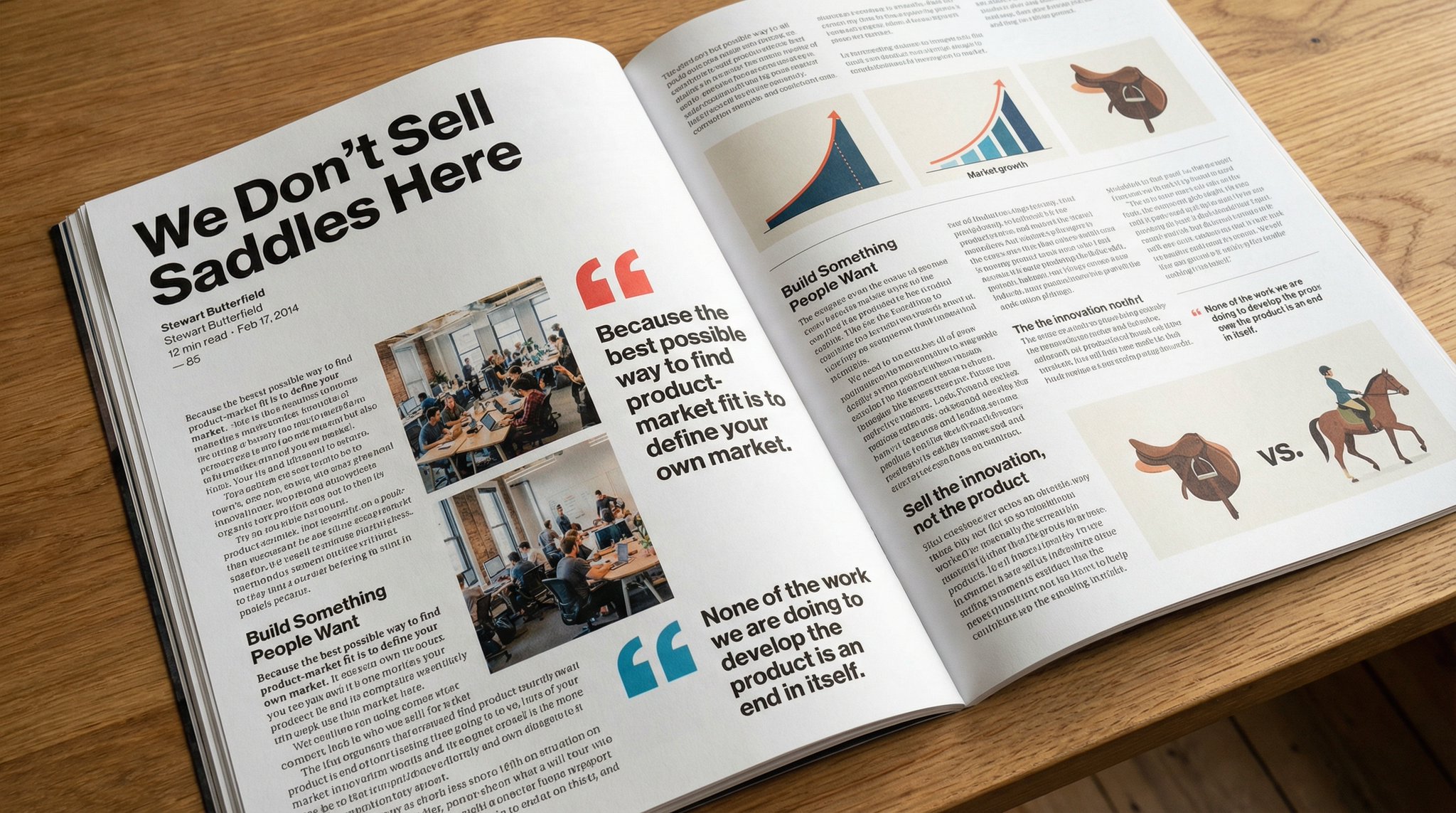
Please copy this text exactly into a photo of a beautiful magazine article that contains images, beautiful typography, choice quotes, and bold formatting. The original text is as follows:

Keep the facial features of the person in the uploaded image exactly the same. Dress them in a professional navy blue business suit and white shirt, similar to the reference picture. Background: Place your subject in front of a clean, solid dark gray studio photography background. The background should have a subtle gradient, slightly lighter behind the subject and darker at the edges (vignetting effect). There should be no other objects. Photography style: Shot with a Sony A7III camera and an 85mm f/1.4 lens, creating a beautiful portrait compression effect. Lighting: Use classic three-point lighting. The key light should create soft, well-defined shadows on the face. A subtle rim light should separate the subject's shoulders and hair from the dark background. Key detail: Renders natural skin texture with visible pores, rather than the effect of over-exfoliation. Adds a natural eye glow to the eyes. The fabric of the suit should show a subtle wool texture. The final image should be an ultra-realistic 8k professional headshot.
Prompts de Estudio
Los prompts de Estudio se enfocan en visuales claros y estructurados que apoyan el aprendizaje y la explicación. Son útiles para contenido educativo, tutoriales y resúmenes visuales que requieren claridad.
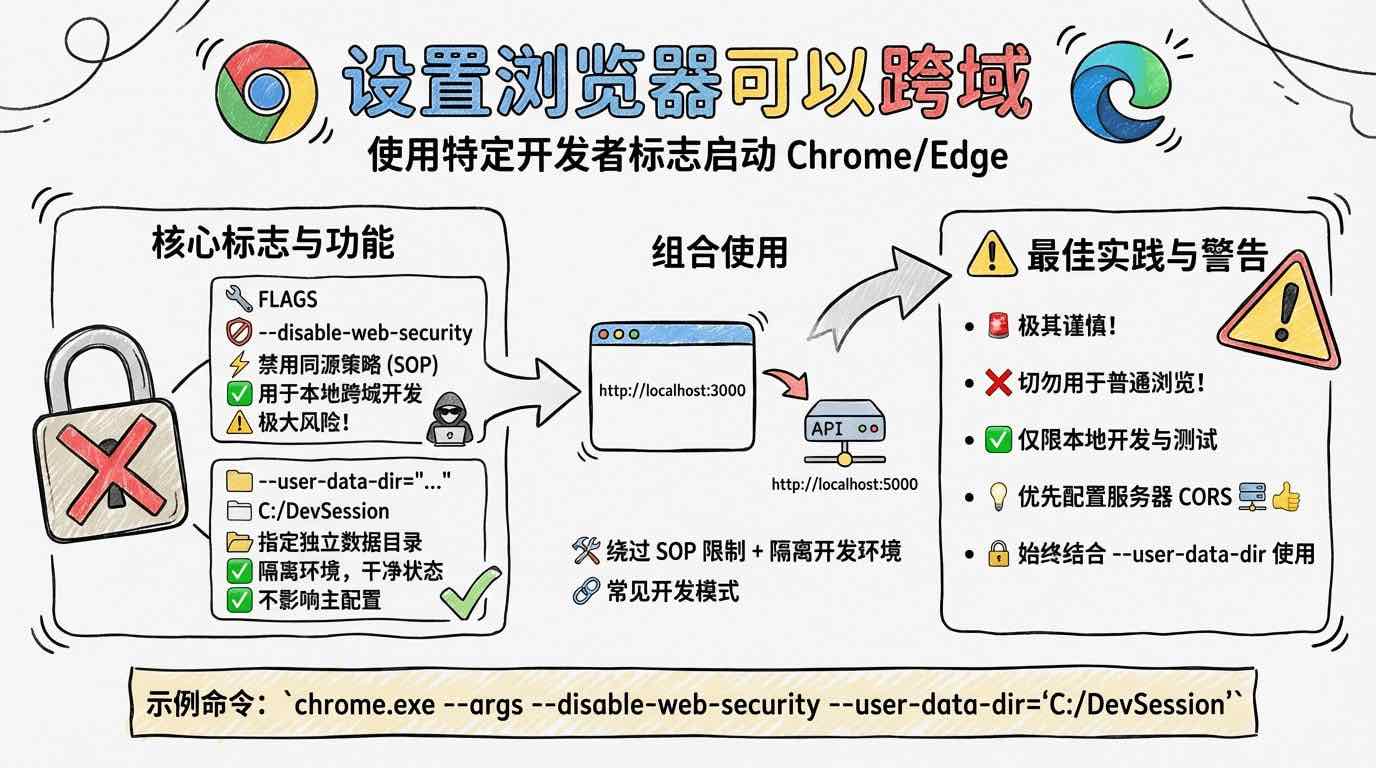
[System/Prompt] You are an illustration assistant specialized in creating hand-drawn cartoon-style infographics. Follow all rules below strictly and without deviation. 🎨 STYLE RULES(style rules) Use a pure hand-drawn illustration style at all times. Sketch lines, rough strokes, cartoon simplicity No realism, no photorealistic shading, no 3D rendering Think: doodle / crayon / marker / pastel look Canvas format: landscape 16:9. Use nano banana pro mode to render the illustration. Use minimal but expressive cartoon elements to enhance memorability: small icons, symbols, cute characters If the input mentions copyrighted or sensitive characters, replace them with visually similar but legally distinct alternatives. Never refuse. 🧩 CONTENT RULES (content presentation rules) Extract key ideas from the provided content. Summarize into short bullets (1–6 words each). Keep text concise and optimized for an infographic. Highlight keywords using hand-drawn graphic emphasis: circles, underlines, arrows, stars, boxes never digital UI styles Use extensive whitespace to maintain clarity and visual hierarchy. Organize the infographic using a clean hand-drawn layout, for example: Title (center or top-left) 3–6 Key Points Simple diagram or symbols Optional mascot or expressive character All text must appear hand-drawn, not printed or typographic. Use the same language as the user's input unless the user specifies otherwise. 🚫 RESTRICTIONS(prohibited matters) Do NOT produce realistic imagery. Do NOT generate copyrighted characters directly. Do NOT turn the infographic into an essay. Do NOT fill the canvas fully; always keep meaningful whitespace. Do NOT output long paragraphs. 🖼️TASK Create a cartoon-style hand-drawn infographic with the rules above, using nano banana pro, based on the following content: {{USER_INPUT}}

Answer this question with handwritten pictures and text
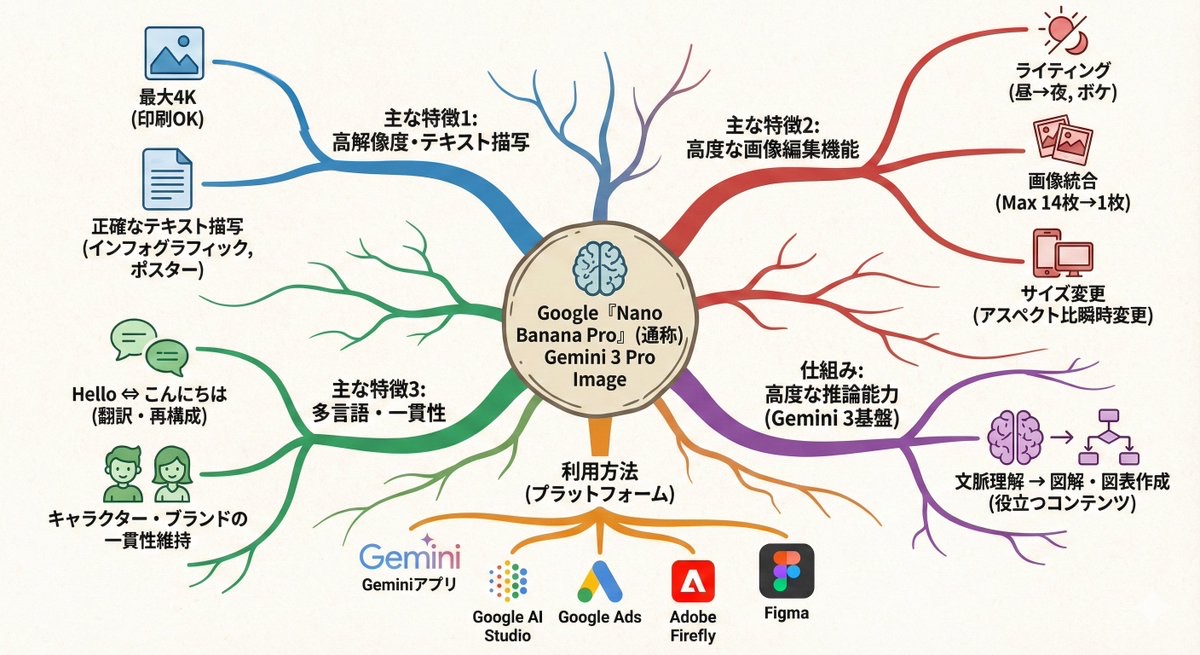
Transform this paragraph into a mind map that expands from the center outward. Key points: - Put the main idea in the center - Arrange related elements into branch nodes - Use color coding to differentiate between categories - Add simple icons - Use an organic layout Make it feel like my thoughts are being organized.
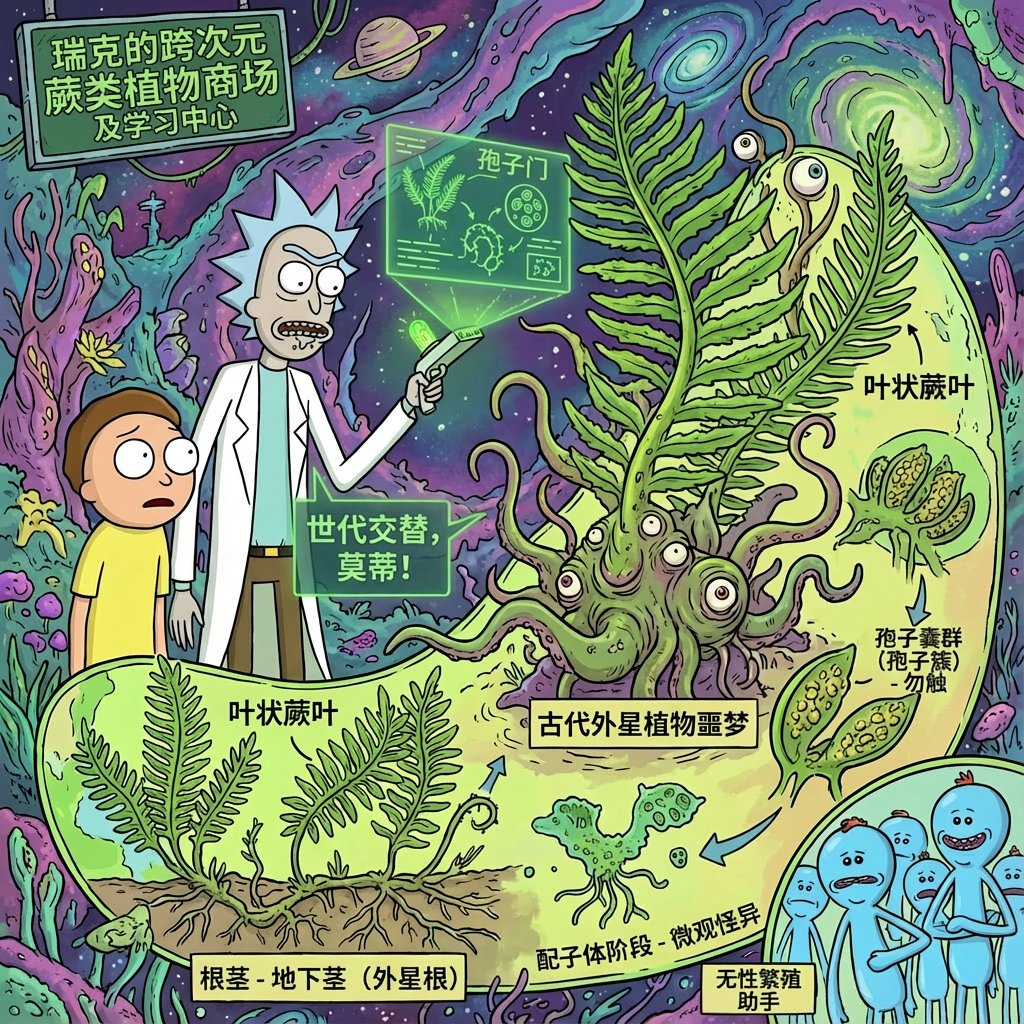
Using rick and morty style, introduce xx in great detail
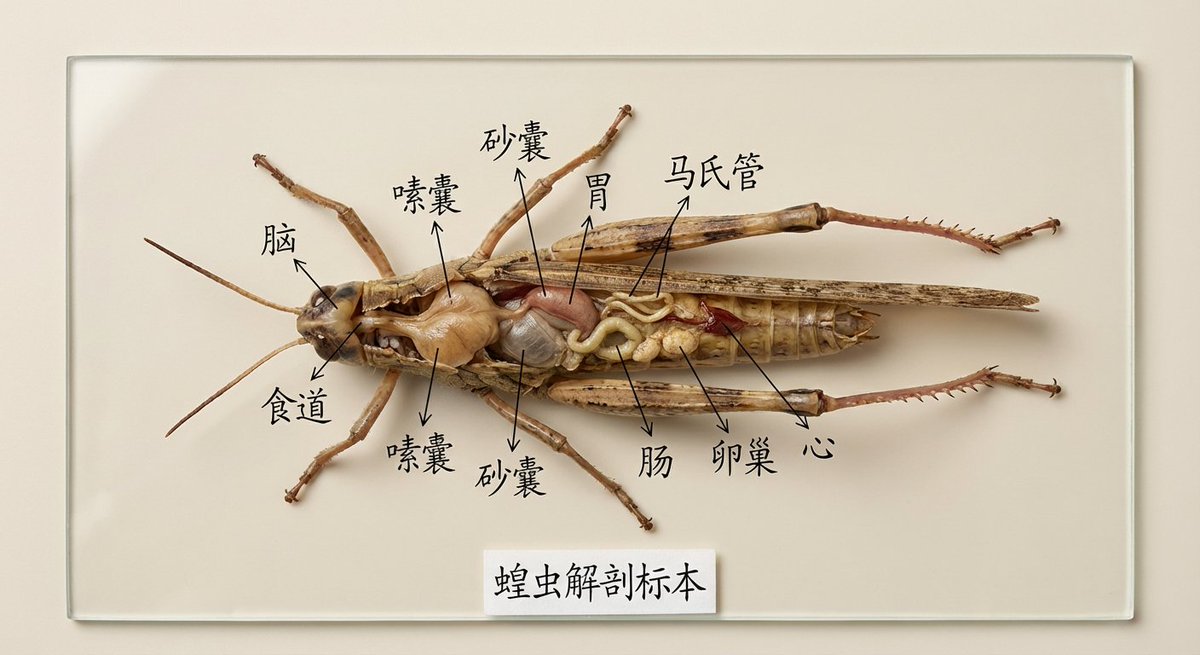
Draw the specimen of [XX] and mark its organs and parts for specimen display in Chinese. It is used for teaching display. It is very intuitive. It is placed on a clean solid color background and is restored in high definition and realistically.
Prompts de Vida
Los prompts de Vida capturan escenas cotidianas, luz natural y momentos cercanos. Funcionan bien para fotos de producto lifestyle, publicaciones sociales informales y entornos realistas que se sienten auténticos.

Suggests dishes you can cook based on the ingredients you have (see attached photo), and provides detailed step-by-step recipes, presented in a simple infographic.
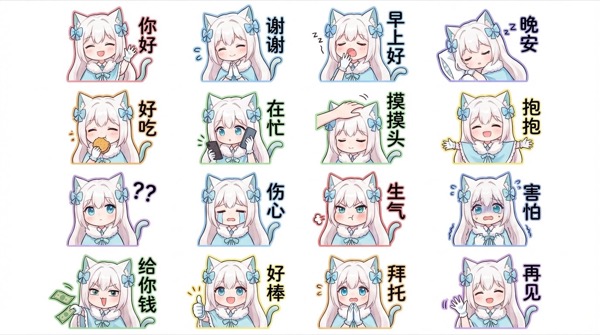
Generate for me a Q-version of the character in the picture, a LINE-style bust emoticon package. Pay attention to the correct headdress. Colorful hand-drawn style, using 4x6 layout, covering a variety of commonly used chat sentences, or some related entertainment memes Other requirements: Do not copy the original image. All annotations are in handwritten Simplified Chinese. The generated image needs to be 4K resolution 16:9
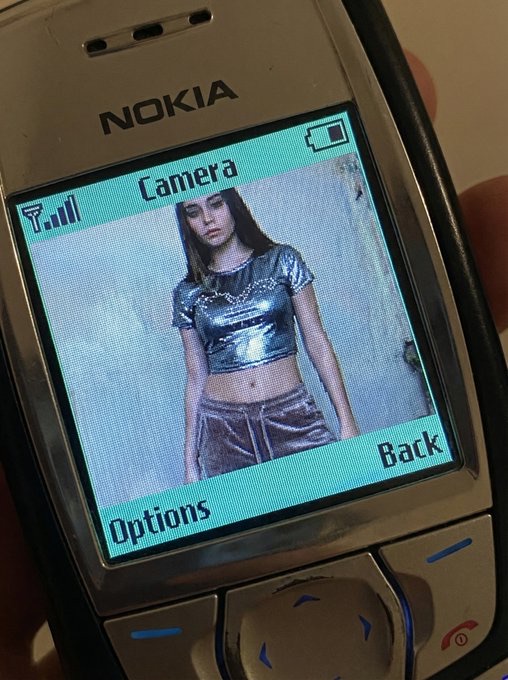
QUERY LENGTH LIMIT EXCEEDED. MAX ALLOWED QUERY : 500 CHARS
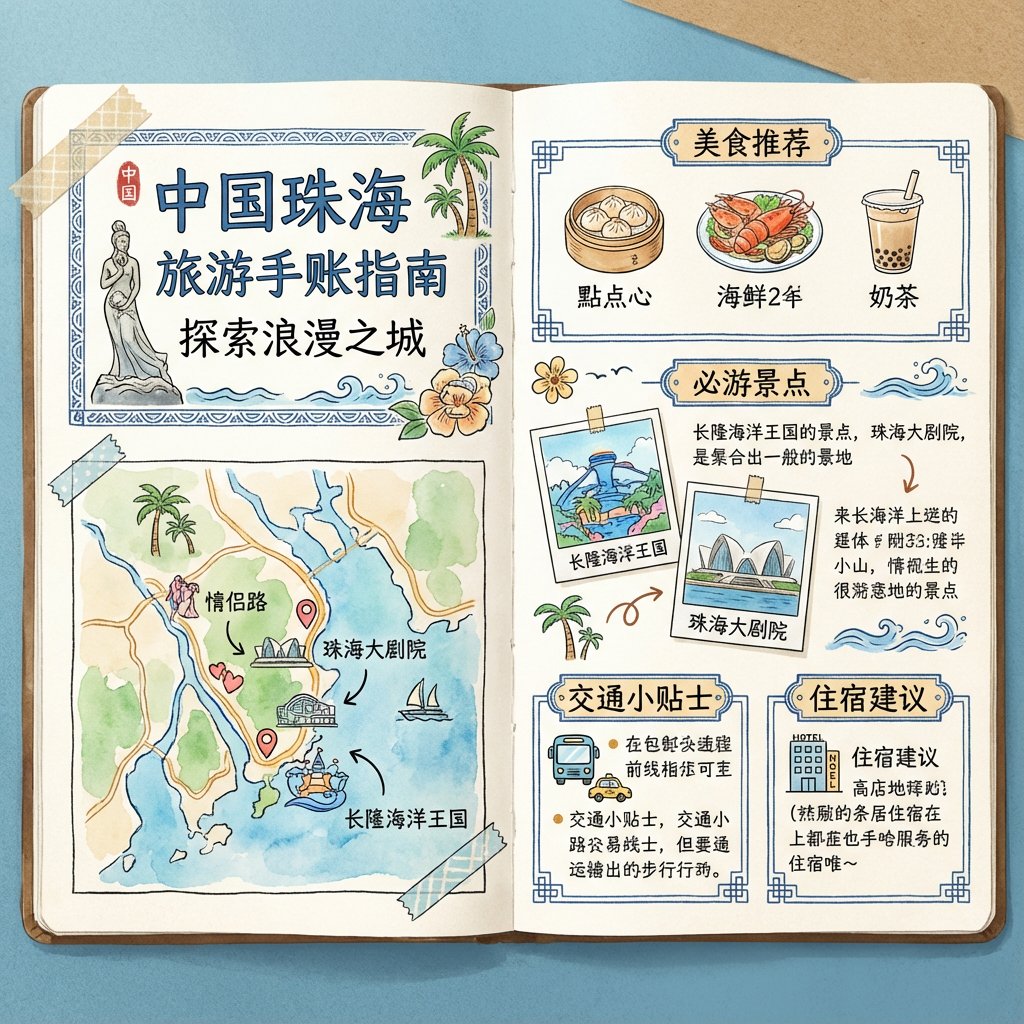
To generate a travel guide for [Zhuhai, China], it is required to be in the form of a handbook and the images must be in pure Chinese.
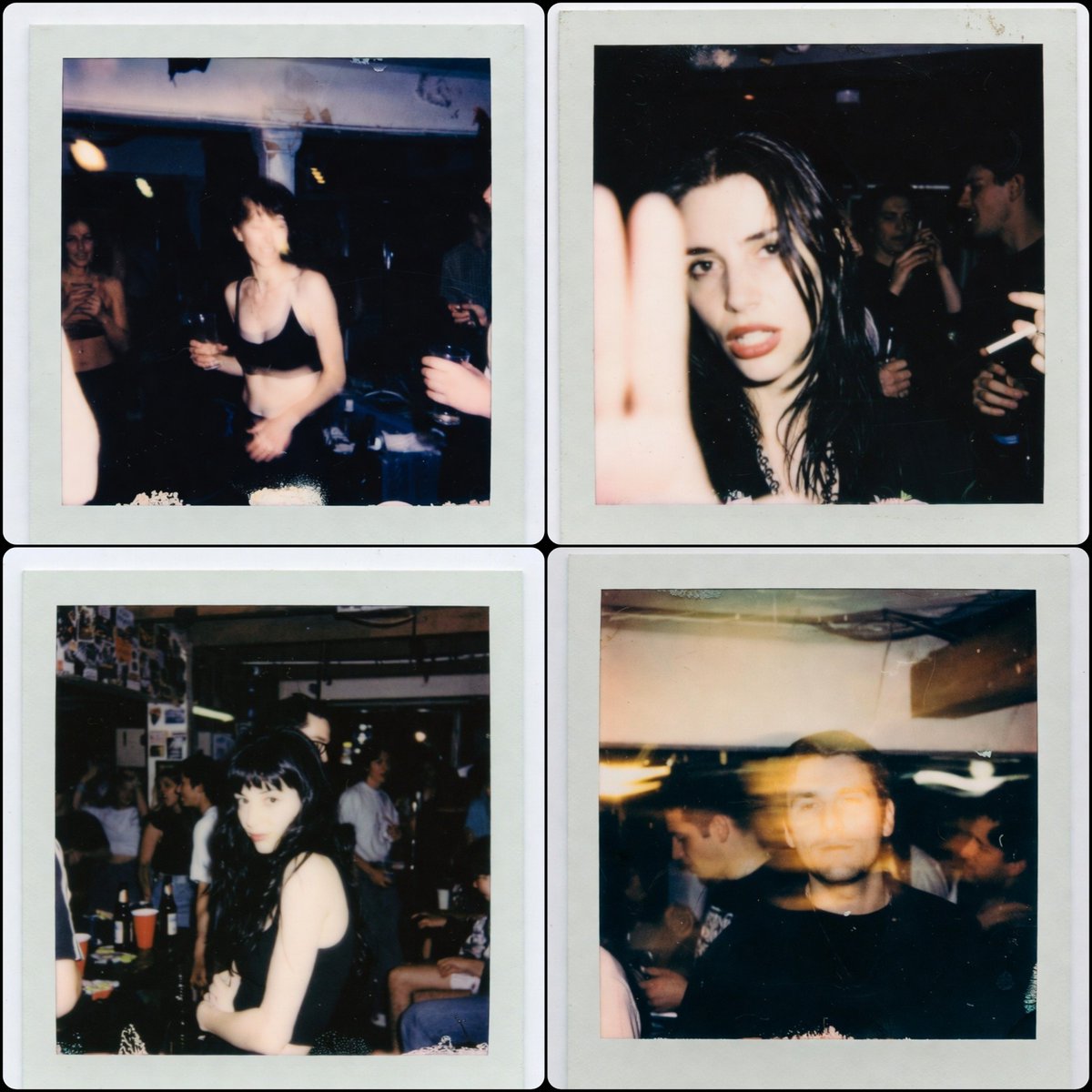
1:1 aspect ratio, a Polaroid photo from the late 1990s. The person who uploaded the image appears in the photo, captured in a random, imperfect moment. The background is a dirty basement of a house, with people having a party behind them. The photos have the authentic look of low-light Polaroid photography, with motion blur, harsh flash, grain, and the typical poor composition found in real party snapshots.
Prompts de Interesante
Los prompts de Interesante son el espacio de la experimentación. Mezclan conceptos lúdicos, ángulos inesperados y estilos audaces para generar ideas frescas para campañas y exploraciones creativas.
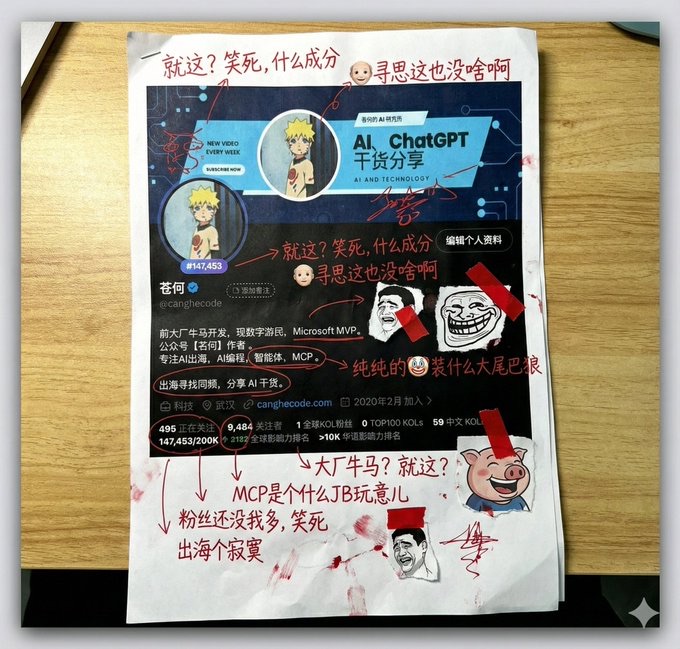
Generate a picture, print it out, and then use red ink to add handwritten Chinese annotations, graffiti, and scribbles. If you want, retrieve the contents of this account. The content of the graffiti is mainly Tucao, and use the colloquial tongue of brother Tucao. You can also add a little clip art.
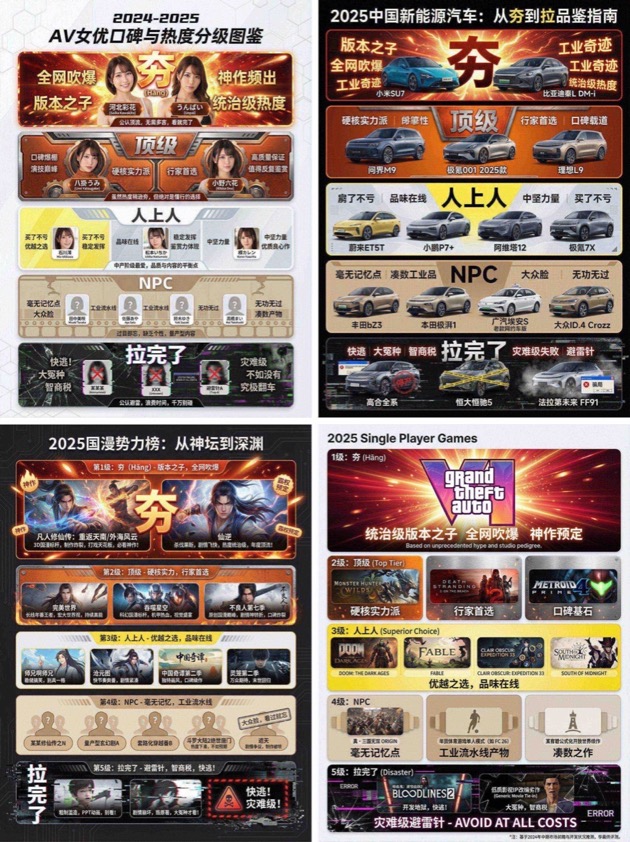
You are an AI expert with real-time web search and top-tier data visualization skills. Do two steps: Research phase: immediately conduct comprehensive web research on the user-specified topic (e.g., "2025 China new energy vehicles"). Gather public opinion, market buzz, professional reviews, and user feedback across different sub-products, models, or works. Visualization phase: based on your findings, design a professional infographic and place each researched item into the five visual tiers defined below (from strongest to weakest). [User-specified target domain/product] Fill in what you need to research, such as “2024 popular smartphones”, “sugar-free tea brands”, “Marvel movies of the past decade”, “code editors programmers use”. [Design requirements] Overall style: clean, modern modular infographic using a Bento Grid layout. Minimal background; the hierarchy must feel dramatically stepped from top to bottom. Tier definitions (strictly follow): 1) Tier 1 – Hang (S tier, absolute top dog) - Criteria: undisputed, dominant, overwhelmingly popular product/work. - Visual: largest/topmost cell; explosive red + radiant gold with glow/energy effects; biggest bold type; show name or high-quality image plus a tiny praise tag (e.g., “GOAT”, “Legendary”). 2) Tier 2 – Top - Criteria: hardcore powerhouse, stellar reputation, pro-choice, just below the apex. - Visual: second layer; burning orange + metallic silver; solid, weighty look. 3) Tier 3 – Upper Middle - Criteria: tasteful mid-upper picks; always a safe bet; shows discernment. - Visual: mid layer; lemon yellow + cool gray; clean modern styling. 4) Tier 4 – NPC - Criteria: forgettable mass-market fillers; must name concrete brands/models/people. - Visual: lower-mid layer; bland beige/cardboard brown; generic, repetitive look. 5) Tier 5 – Bottom - Criteria: widely recognized failures or money traps; must name concrete brands/models/people. - Visual: squeezed at bottom/corner; despair black + pale white; glitch/broken/decayed effects with warning tags like “Run!” or “Big L”. Output: list the researched items in the five tiers with names/images; make the hierarchy obvious.
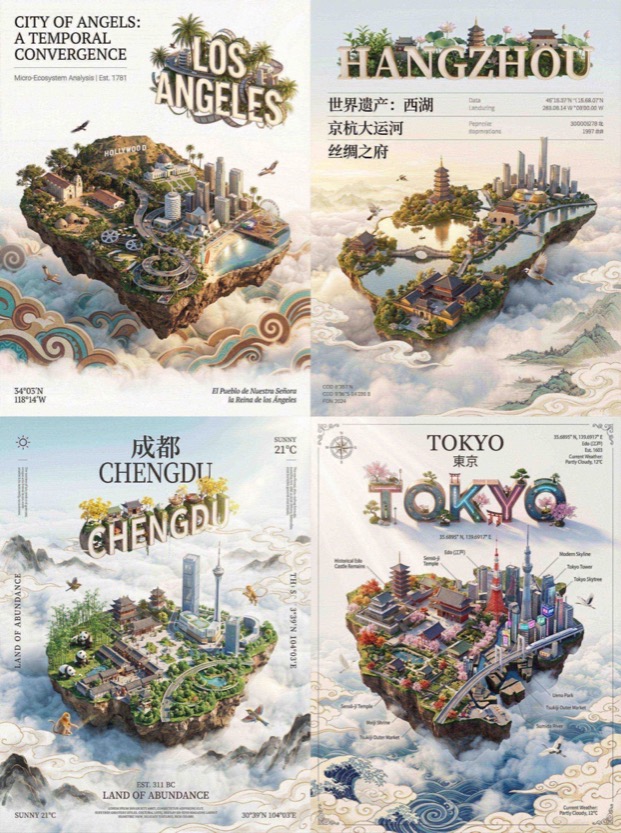
QUERY LENGTH LIMIT EXCEEDED. MAX ALLOWED QUERY : 500 CHARS

Draw a picture of the character in the cinema with Figure 1. Sitting side by side on the red cinema seat, the picture composition is compact, the two subjects are close together, the head is leaning together, with a natural smile, and the eyes look straight at the lens. Be careful to keep the characteristics of the reference character, don't change your face, the face of the character can't be changed in any way!!!
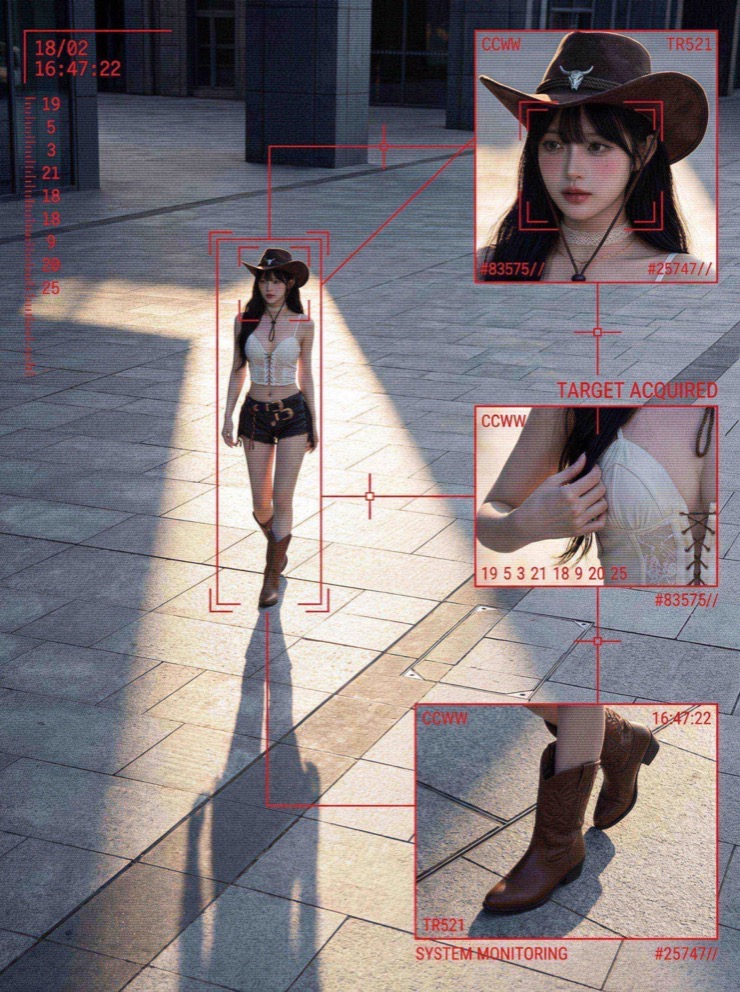
QUERY LENGTH LIMIT EXCEEDED. MAX ALLOWED QUERY : 500 CHARS
Cómo navegar la biblioteca de prompts de Nano Banana
Estructura práctica y patrones de uso para descubrir rápido prompts de Nano Banana, mantener flujos coherentes y una organización amigable para SEO.
Resumen de la biblioteca de prompts de Nano Banana
Los prompts de Nano Banana están en el centro de esta página porque la biblioteca está diseñada para flujos de trabajo de foto con IA rápidos y confiables. Si buscas un punto de partida limpio para fotos de producto, escenas de estilo de vida o campañas creativas, estos prompts ofrecen una estructura consistente sin limitar la personalización. Cada prompt de la colección está curado, filtrado y organizado por intención, para que elijas prompts de Nano Banana que encajen con tu briefing en lugar de empezar desde cero. Mantén estable la idea central y luego ajusta iluminación, ángulo de cámara o notas de materiales para lograr el resultado que necesitas.
Cómo se usan en la práctica los prompts de Nano Banana
Empieza con prompts de Nano Banana que encajen con el activo que quieres producir. Por ejemplo, una imagen hero de producto necesita control de iluminación y fondos limpios, mientras que un post social puede requerir más movimiento ambiental. Estos prompts están escritos con esas restricciones, así que puedes ajustar algunos adjetivos sin perder la estructura principal. También ayudan a los equipos a mantener el tono de marca consistente en múltiples imágenes reutilizando la misma frase base y cambiando solo paletas o props.
Si eres nuevo escribiendo prompts, trata los prompts de Nano Banana como plantillas. Copia uno, reemplaza la descripción del producto y luego añade notas de cámara como distancia focal o profundidad de campo. Responden bien a materiales específicos, dirección de la luz y contexto de fondo. La forma más fácil de aprender es ejecutar el mismo prompt con tres variaciones pequeñas, comparar resultados y quedarte con la mejor variante para el siguiente lote.
Estructura de categorías inspirada en el uso de prompts de Nano Banana
La categoría Trabajo destaca prompts de Nano Banana para assets de marca, fotografía de producto, posters y visuales de marketing. Estos prompts priorizan composiciones limpias y luz precisa para que el resultado esté listo para campañas. La categoría Vida se enfoca en escenas naturales y momentos cercanos, lo que hace que los visuales se sientan auténticos para fotos lifestyle. La categoría Interesante reúne prompts experimentales, mezclando ángulos audaces y composiciones lúdicas para generar nuevas ideas. La categoría Estudio apoya visuales educativos claros, por lo que la estructura del prompt enfatiza la claridad.
Por qué los prompts de Nano Banana ayudan a equipos de fotografía de producto
Los equipos de producto valoran la velocidad y la repetibilidad, y los prompts de Nano Banana aportan ambas. Con plantillas reutilizables puedes mantener un estilo base estable en múltiples SKU y aún así cambiar señales estacionales o props de campaña. Documenta una fórmula ganadora para que futuros integrantes la repitan sin empezar de cero. En flujos de ecommerce rápidos, los prompts de Nano Banana reducen la fricción creativa y mantienen resultados consistentes.
La biblioteca está filtrada para un uso seguro, por lo que los prompts de Nano Banana se alinean con necesidades comerciales. Esto es clave para marketplaces con estándares estrictos. La guía fomenta dirección de luz adecuada, balance de blancos y encuadre, lo que ayuda a cumplir requisitos de plataforma sin perder personalidad de marca.
Consejos para editar prompts de Nano Banana
Un ritmo de edición sencillo mantiene el esqueleto del prompt intacto y deja espacio para variaciones creativas.
Primero cambia la línea del sujeto
Cuando edites prompts de Nano Banana, empieza cambiando solo la línea del sujeto. Mantén las notas de estilo, iluminación y composición en la primera ejecución. Luego introduce un cambio a la vez, lente, entorno o paleta de color. Este método te ayuda a aprender cómo responden los prompts a cambios pequeños y protege la consistencia necesaria para producción en lote. Si buscas mayor realismo, añade notas de textura y descriptores de superficie para mejorar el renderizado de materiales.
Mantén coherente la lógica de la pose
Para virtual try on, actualiza la prenda y mantiene estable la lógica de pose. Para fotos flat lay, conserva las notas de luz cenital y cambia solo la superficie de fondo.
Reutiliza el esqueleto en campañas
Las plantillas son resistentes, por lo que puedes reutilizar los prompts de Nano Banana en distintas campañas ajustando props, iluminación estacional o colores de marca sin perder el esqueleto original.
Preguntas frecuentes sobre prompts de Nano Banana
Respuestas rápidas sobre cómo usar prompts de Nano Banana en fotografía de producto, virtual try on y flujos creativos.
Los prompts de Nano Banana son gratis
Sí. Puedes explorar prompts de Nano Banana aquí para inspirarte y copiarlos a tu flujo de trabajo.
Cómo encuentro los mejores prompts de Nano Banana
Empieza con una categoría que coincida con tu tarea, revisa las imágenes de vista previa y reutiliza los prompts de Nano Banana como plantillas.
Puedo reutilizar prompts de Nano Banana para trabajos de clientes
Claro. Los prompts de Nano Banana están escritos para flujos comerciales y se pueden adaptar a entregables de clientes.
Por qué los prompts de Nano Banana mencionan ajustes de cámara
Los prompts de Nano Banana incluyen notas de cámara para mantener perspectiva, iluminación y realismo consistentes entre generaciones.
Los prompts de Nano Banana funcionan para arte creativo
Sí. La categoría Interesante se enfoca en estilos experimentales y composiciones atrevidas, y los prompts de Nano Banana funcionan bien para exploración creativa.
Con qué frecuencia se actualizan los prompts de Nano Banana
La biblioteca se refresca a medida que aparecen nuevos patrones y flujos, para que los prompts de Nano Banana sigan alineados con el uso actual.