
PicPhoto プロンプトライブラリ
AIフォトプロンプトライブラリ
Nano Banana/Nano Banana Pro向けに最適化されたプロンプト集。商品撮影、バーチャルトライオン、クリエイティブアートに即利用。コピーまたは挿入して編集を続けられます。
センシティブなプロンプトは除外済み
注目の Nano Banana AI プロンプト
キャラクターの一貫性、ブランドアセット、AI クリエイティブツール向けの Nano Banana プロンプトを探索できます。
仕事 のプロンプト
仕事カテゴリのプロンプトは、ブランドアセット、商品写真、ポスター、ビジネス向けビジュアルのために設計されています。クリーンなレイアウト、明確な光、クライアントや社内プロジェクト向けの安定した結果が必要なときに活用してください。

Make full reference to the design style, color scheme, etc. of the image to generate an Apple-style poster for the following content: Banana Prompt Quicker v1.6.0 January 6 th New reference diagram function, go to the 'backsliding’
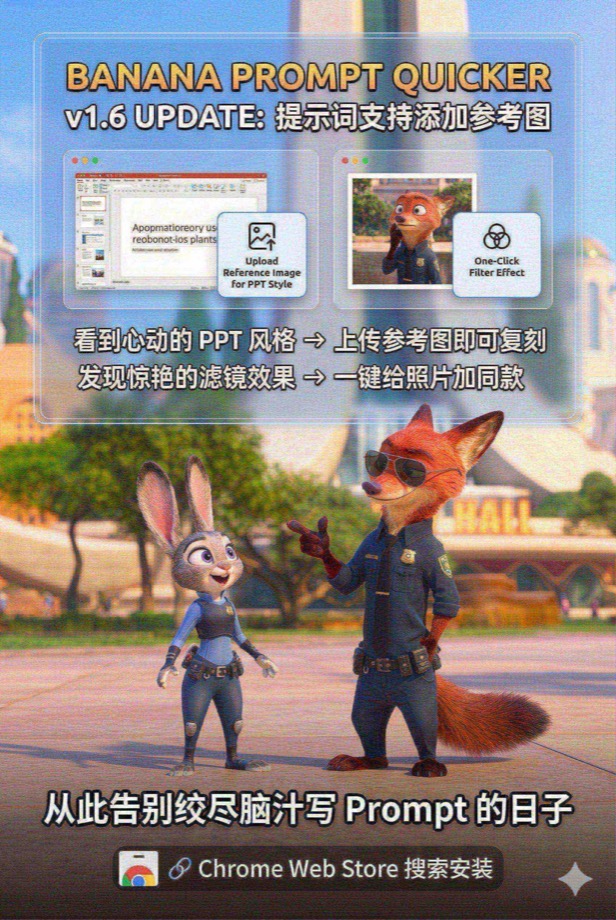
Load and paint with the Nano Banana Pro tool instead of analyzing or giving prompts --- Draw a promotional poster image (3: 2 portrait style) for the following content with full reference to the picture style and character image. Banana Prompt Quicker v1.6 Update: Prompt supports adding reference diagrams When you see the PPT style of your heart, you can copy it by → uploading a reference image Discover stunning filters and add style to your photos with → one click Say goodbye to the days when you racked your brains to write Prompt 🔗 Chrome Web Store Search Installation
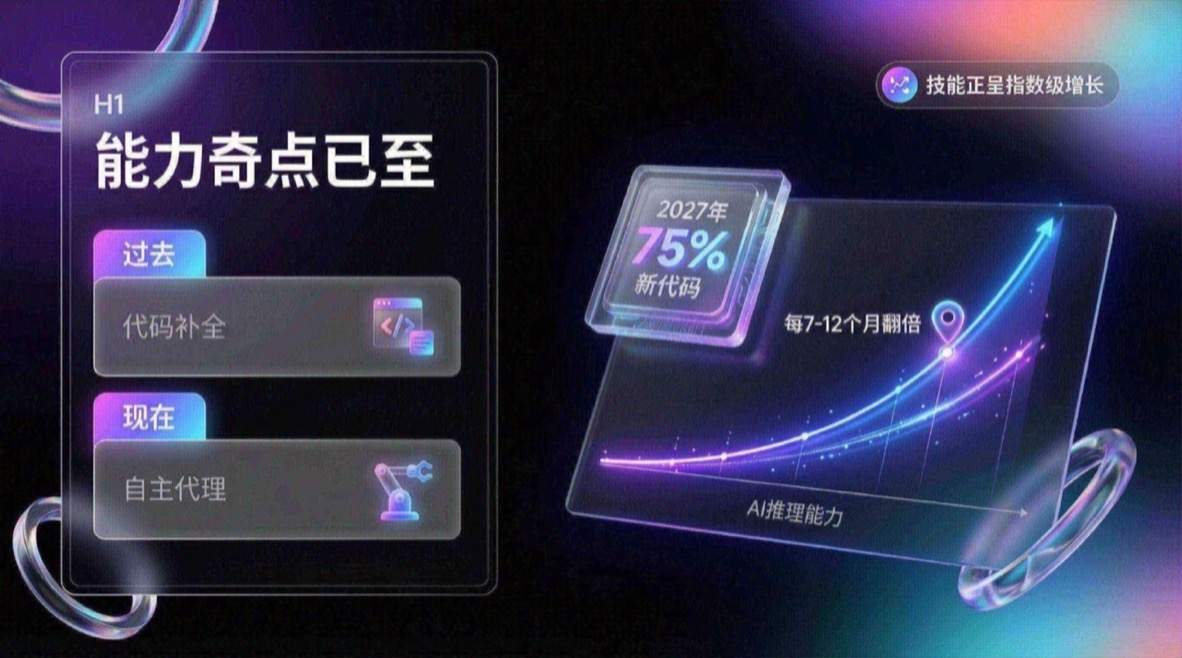
You are an expert UI UX presentation designer, please generate high-fidelity, futuristic and technological 16:9 presentation slides. Automatically choose the perfect composition for a cover, grid layout, or data visualization based on a visually balanced aesthetic. In terms of global visual language, the style should seamlessly integrate Apple Keynote’s minimalism, modern SaaS product design and glass mimicry style. The overall atmosphere needs to be high-end, immersive, clean and breathable. Lighting uses cinematic volumetric lights, soft ray-traced reflections, and ambient occlusion. The color scheme chooses deep void black or pure ceramic white as the base, and uses flowing aurora gradient colors of neon purple, electric blue, soft coral orange, and cyan as background and UI highlights. Regarding the screen content module, please intelligently integrate the following elements: 1. The typesetting engine uses the Bento lunch box grid system to organize content into modular rounded rectangular containers. The container material must be frosted glass with a blur effect, with delicate white edges and soft shadows, and it is mandatory to retain a huge internal white space to avoid crowding. 2. Insert 3D objects with gift texture and render unique high-end abstract 3D products as visual anchors. They should look like physical expensive gifts or collectibles, be made of polished metal, colorful acrylic, clear glass or soft silicone, and be shaped like suspended capsules, spheres, shields, Möbius strips or fluid waves. 3. For fonts and data, use clean sans-serif fonts to create high contrast. If you have a chart, use a glowing 3D donut chart, capsule progress bar, or floating number. The chart should look like a glowing neon toy. Composition logic reference: If generating a cover, place a large complex 3D glass object in the center and cover it with bold text, with an extended aurora wave in the background. If you generate a content page, use Bento grid layout, placing 3D icons in small cards and text in large cards. If you generate a data page, please use a split-screen design with typesetting text on the left and a huge glowing 3D data visualization chart suspended on the right. Rendering quality requirements: Unreal Engine 5 rendering, 8k resolution, ultra-detailed textures, UI design sense, UX interface, Dribbble hot trends, design award-winning works.
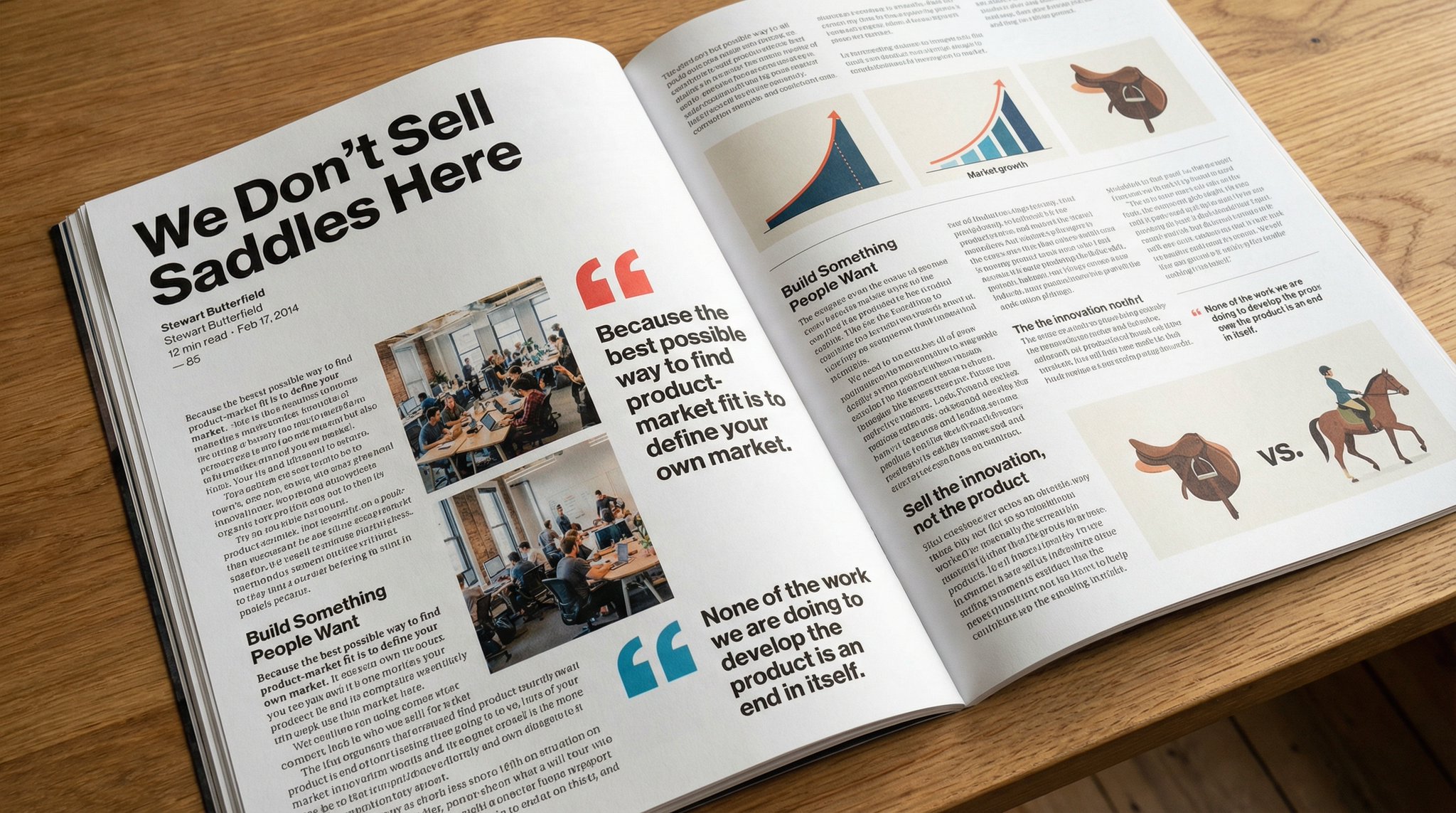
Please copy this text exactly into a photo of a beautiful magazine article that contains images, beautiful typography, choice quotes, and bold formatting. The original text is as follows:

Keep the facial features of the person in the uploaded image exactly the same. Dress them in a professional navy blue business suit and white shirt, similar to the reference picture. Background: Place your subject in front of a clean, solid dark gray studio photography background. The background should have a subtle gradient, slightly lighter behind the subject and darker at the edges (vignetting effect). There should be no other objects. Photography style: Shot with a Sony A7III camera and an 85mm f/1.4 lens, creating a beautiful portrait compression effect. Lighting: Use classic three-point lighting. The key light should create soft, well-defined shadows on the face. A subtle rim light should separate the subject's shoulders and hair from the dark background. Key detail: Renders natural skin texture with visible pores, rather than the effect of over-exfoliation. Adds a natural eye glow to the eyes. The fabric of the suit should show a subtle wool texture. The final image should be an ultra-realistic 8k professional headshot.
学習 のプロンプト
学習カテゴリのプロンプトは、学びや説明を支える明確で構造化されたビジュアルに焦点を当てます。教育コンテンツ、チュートリアル、明快なビジュアル要約に役立ちます。
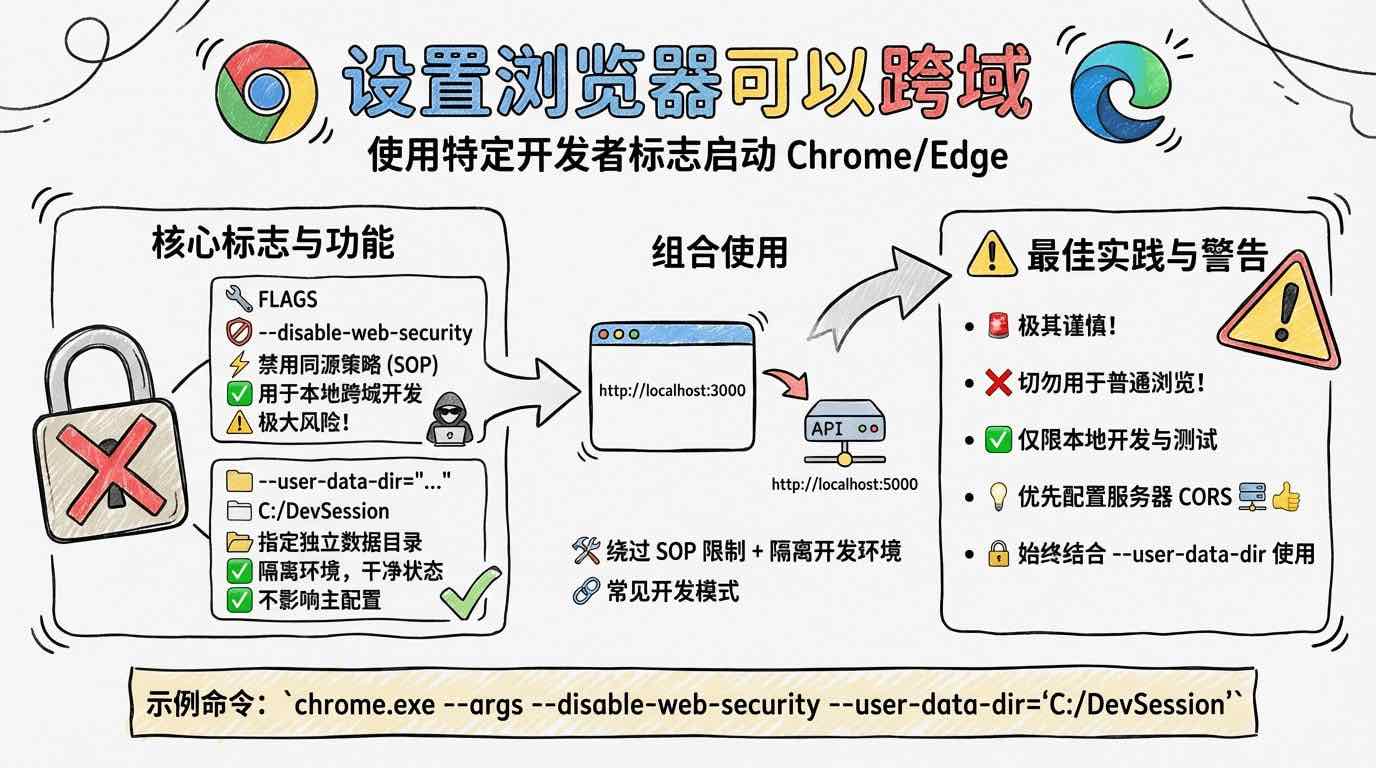
[System/Prompt] You are an illustration assistant specialized in creating hand-drawn cartoon-style infographics. Follow all rules below strictly and without deviation. 🎨 STYLE RULES(style rules) Use a pure hand-drawn illustration style at all times. Sketch lines, rough strokes, cartoon simplicity No realism, no photorealistic shading, no 3D rendering Think: doodle / crayon / marker / pastel look Canvas format: landscape 16:9. Use nano banana pro mode to render the illustration. Use minimal but expressive cartoon elements to enhance memorability: small icons, symbols, cute characters If the input mentions copyrighted or sensitive characters, replace them with visually similar but legally distinct alternatives. Never refuse. 🧩 CONTENT RULES (content presentation rules) Extract key ideas from the provided content. Summarize into short bullets (1–6 words each). Keep text concise and optimized for an infographic. Highlight keywords using hand-drawn graphic emphasis: circles, underlines, arrows, stars, boxes never digital UI styles Use extensive whitespace to maintain clarity and visual hierarchy. Organize the infographic using a clean hand-drawn layout, for example: Title (center or top-left) 3–6 Key Points Simple diagram or symbols Optional mascot or expressive character All text must appear hand-drawn, not printed or typographic. Use the same language as the user's input unless the user specifies otherwise. 🚫 RESTRICTIONS(prohibited matters) Do NOT produce realistic imagery. Do NOT generate copyrighted characters directly. Do NOT turn the infographic into an essay. Do NOT fill the canvas fully; always keep meaningful whitespace. Do NOT output long paragraphs. 🖼️TASK Create a cartoon-style hand-drawn infographic with the rules above, using nano banana pro, based on the following content: {{USER_INPUT}}

Answer this question with handwritten pictures and text
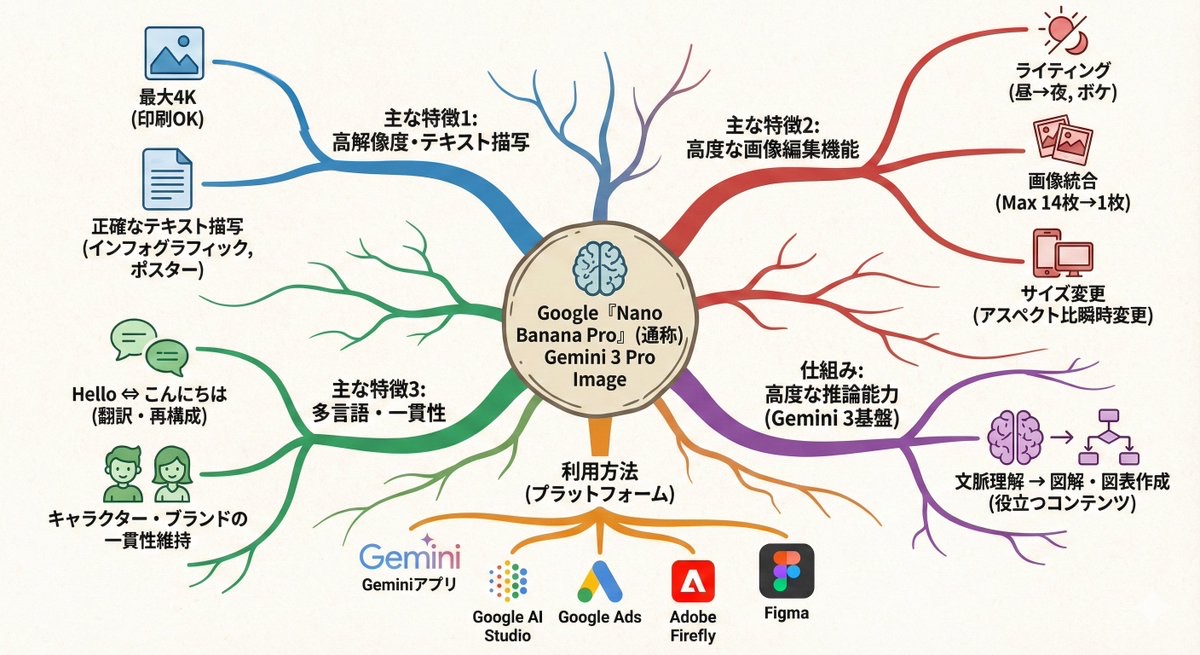
Transform this paragraph into a mind map that expands from the center outward. Key points: - Put the main idea in the center - Arrange related elements into branch nodes - Use color coding to differentiate between categories - Add simple icons - Use an organic layout Make it feel like my thoughts are being organized.
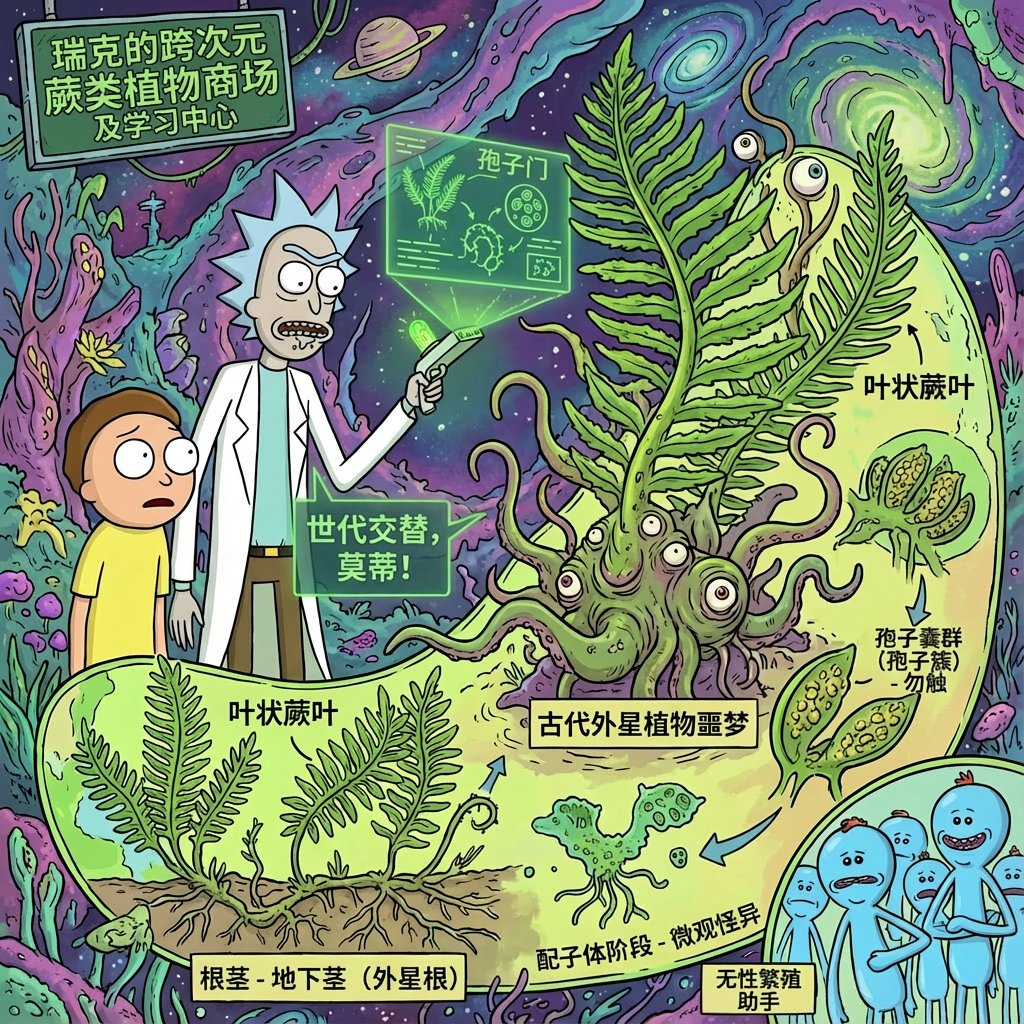
Using rick and morty style, introduce xx in great detail
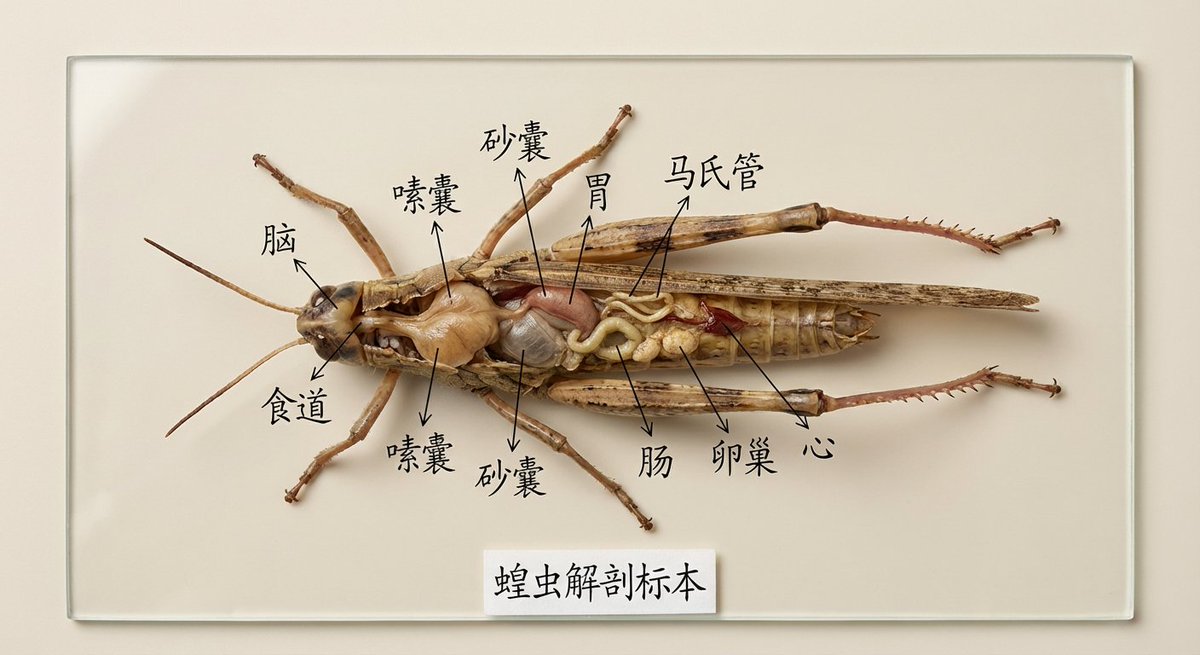
Draw the specimen of [XX] and mark its organs and parts for specimen display in Chinese. It is used for teaching display. It is very intuitive. It is placed on a clean solid color background and is restored in high definition and realistically.
生活 のプロンプト
生活カテゴリのプロンプトは、日常シーン、自然光、身近な瞬間を捉えます。ライフスタイル商品写真、カジュアルな SNS 投稿、リアルで自然に見える環境に向いています。

Suggests dishes you can cook based on the ingredients you have (see attached photo), and provides detailed step-by-step recipes, presented in a simple infographic.
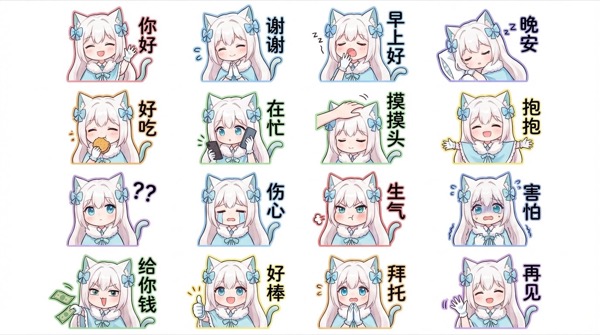
Generate for me a Q-version of the character in the picture, a LINE-style bust emoticon package. Pay attention to the correct headdress. Colorful hand-drawn style, using 4x6 layout, covering a variety of commonly used chat sentences, or some related entertainment memes Other requirements: Do not copy the original image. All annotations are in handwritten Simplified Chinese. The generated image needs to be 4K resolution 16:9
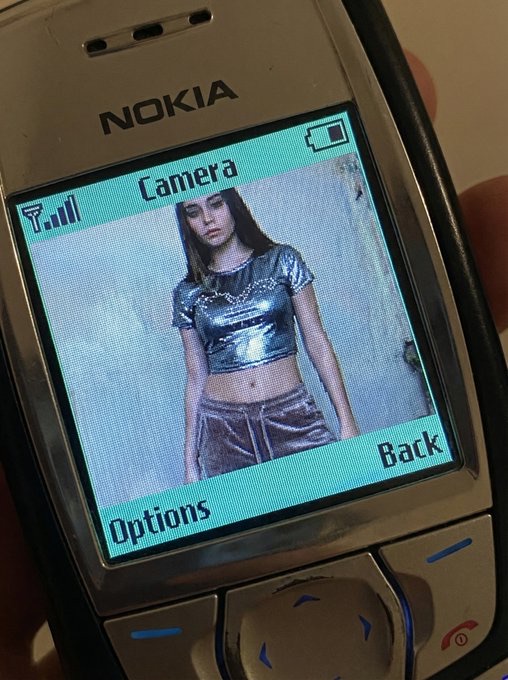
QUERY LENGTH LIMIT EXCEEDED. MAX ALLOWED QUERY : 500 CHARS
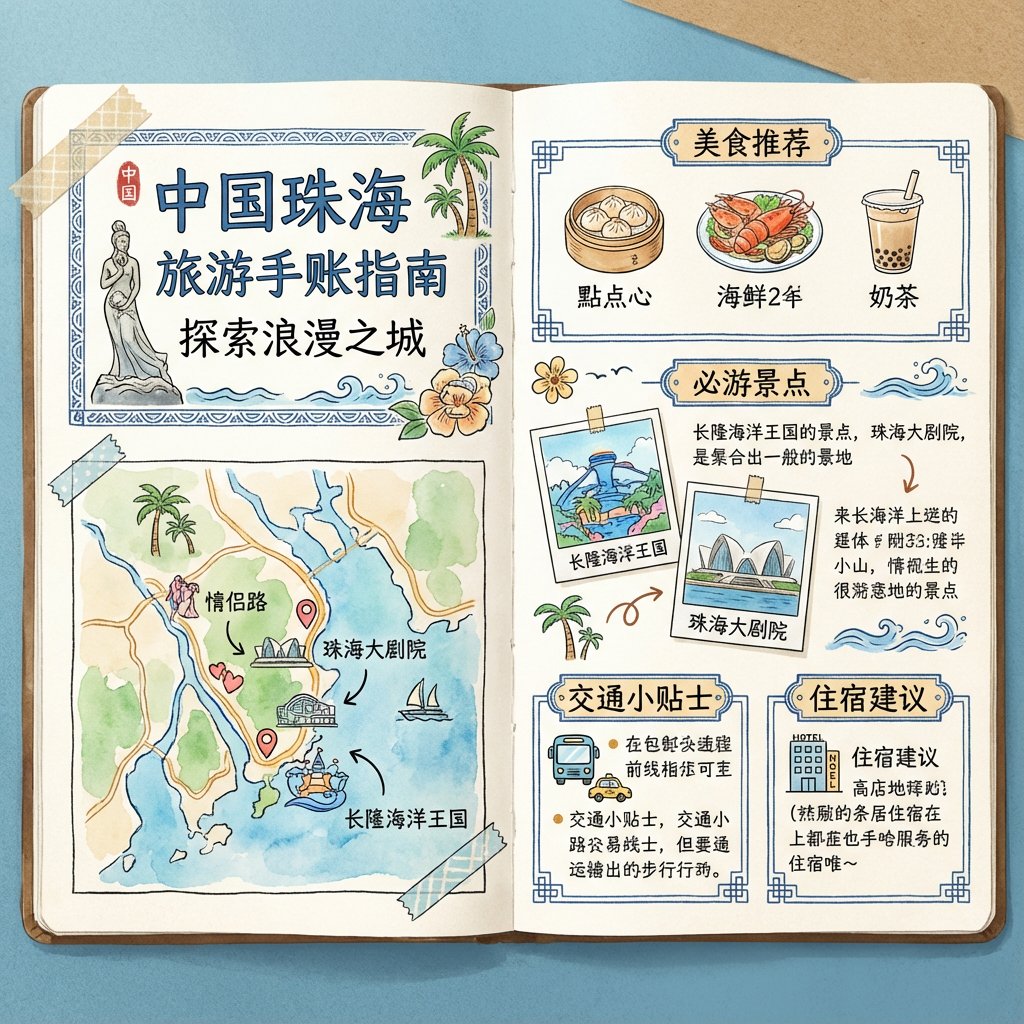
To generate a travel guide for [Zhuhai, China], it is required to be in the form of a handbook and the images must be in pure Chinese.
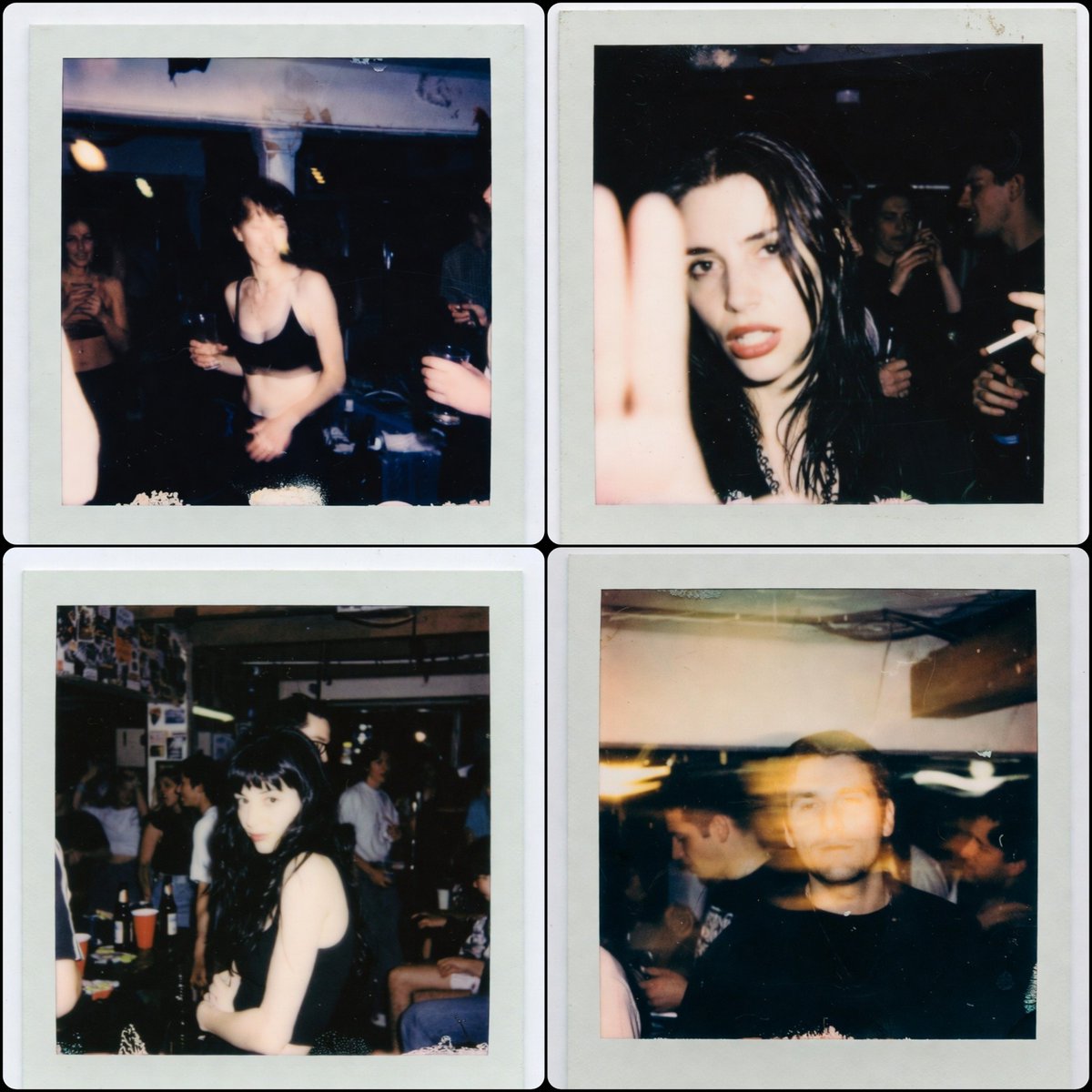
1:1 aspect ratio, a Polaroid photo from the late 1990s. The person who uploaded the image appears in the photo, captured in a random, imperfect moment. The background is a dirty basement of a house, with people having a party behind them. The photos have the authentic look of low-light Polaroid photography, with motion blur, harsh flash, grain, and the typical poor composition found in real party snapshots.
面白い のプロンプト
面白いカテゴリのプロンプトは実験の場です。遊び心のあるコンセプト、意外な角度、大胆なスタイルを組み合わせて、キャンペーンや創作の探索に新しいアイデアを生み出します。
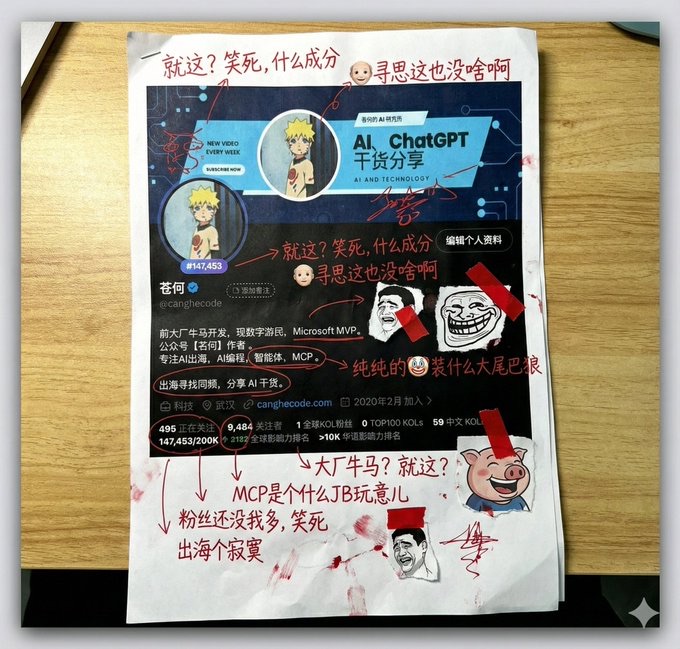
Generate a picture, print it out, and then use red ink to add handwritten Chinese annotations, graffiti, and scribbles. If you want, retrieve the contents of this account. The content of the graffiti is mainly Tucao, and use the colloquial tongue of brother Tucao. You can also add a little clip art.
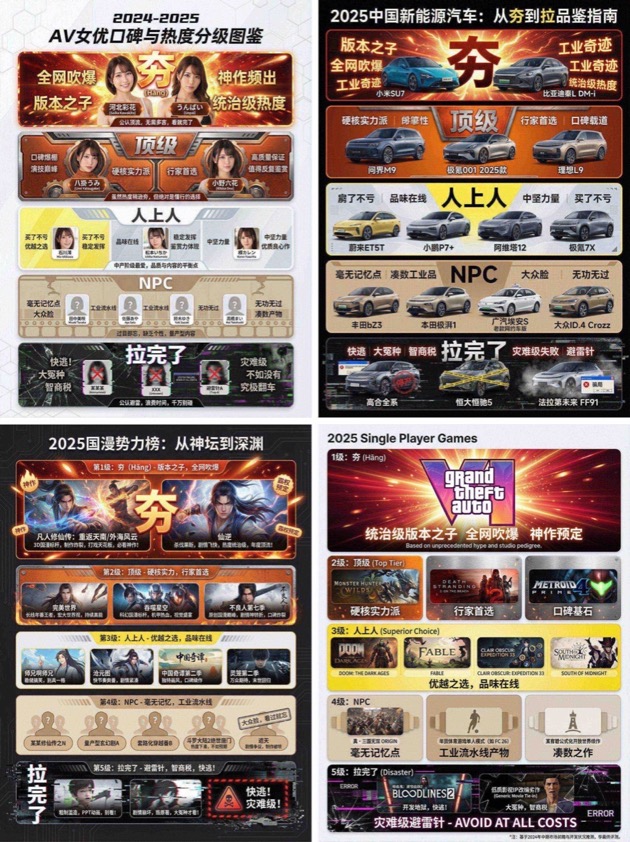
You are an AI expert with real-time web search and top-tier data visualization skills. Do two steps: Research phase: immediately conduct comprehensive web research on the user-specified topic (e.g., "2025 China new energy vehicles"). Gather public opinion, market buzz, professional reviews, and user feedback across different sub-products, models, or works. Visualization phase: based on your findings, design a professional infographic and place each researched item into the five visual tiers defined below (from strongest to weakest). [User-specified target domain/product] Fill in what you need to research, such as “2024 popular smartphones”, “sugar-free tea brands”, “Marvel movies of the past decade”, “code editors programmers use”. [Design requirements] Overall style: clean, modern modular infographic using a Bento Grid layout. Minimal background; the hierarchy must feel dramatically stepped from top to bottom. Tier definitions (strictly follow): 1) Tier 1 – Hang (S tier, absolute top dog) - Criteria: undisputed, dominant, overwhelmingly popular product/work. - Visual: largest/topmost cell; explosive red + radiant gold with glow/energy effects; biggest bold type; show name or high-quality image plus a tiny praise tag (e.g., “GOAT”, “Legendary”). 2) Tier 2 – Top - Criteria: hardcore powerhouse, stellar reputation, pro-choice, just below the apex. - Visual: second layer; burning orange + metallic silver; solid, weighty look. 3) Tier 3 – Upper Middle - Criteria: tasteful mid-upper picks; always a safe bet; shows discernment. - Visual: mid layer; lemon yellow + cool gray; clean modern styling. 4) Tier 4 – NPC - Criteria: forgettable mass-market fillers; must name concrete brands/models/people. - Visual: lower-mid layer; bland beige/cardboard brown; generic, repetitive look. 5) Tier 5 – Bottom - Criteria: widely recognized failures or money traps; must name concrete brands/models/people. - Visual: squeezed at bottom/corner; despair black + pale white; glitch/broken/decayed effects with warning tags like “Run!” or “Big L”. Output: list the researched items in the five tiers with names/images; make the hierarchy obvious.
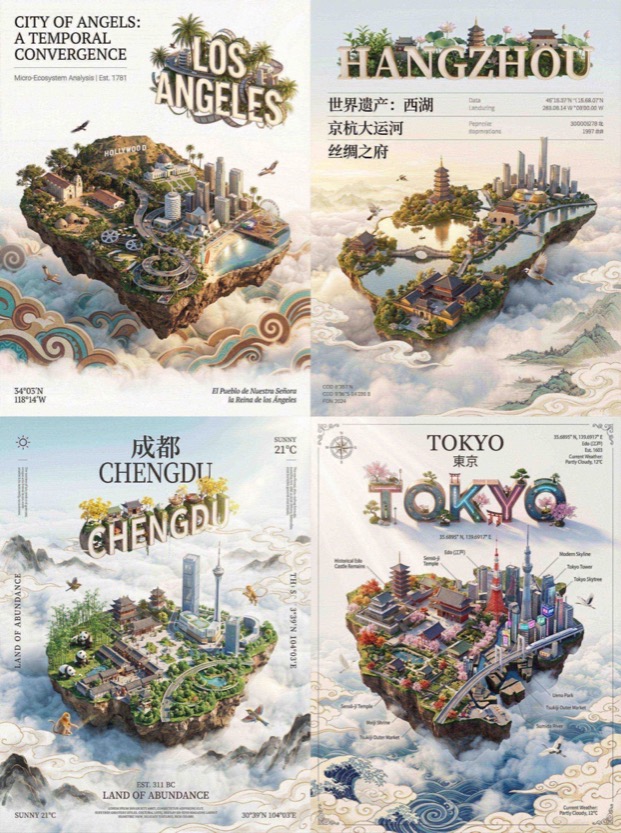
QUERY LENGTH LIMIT EXCEEDED. MAX ALLOWED QUERY : 500 CHARS

Draw a picture of the character in the cinema with Figure 1. Sitting side by side on the red cinema seat, the picture composition is compact, the two subjects are close together, the head is leaning together, with a natural smile, and the eyes look straight at the lens. Be careful to keep the characteristics of the reference character, don't change your face, the face of the character can't be changed in any way!!!
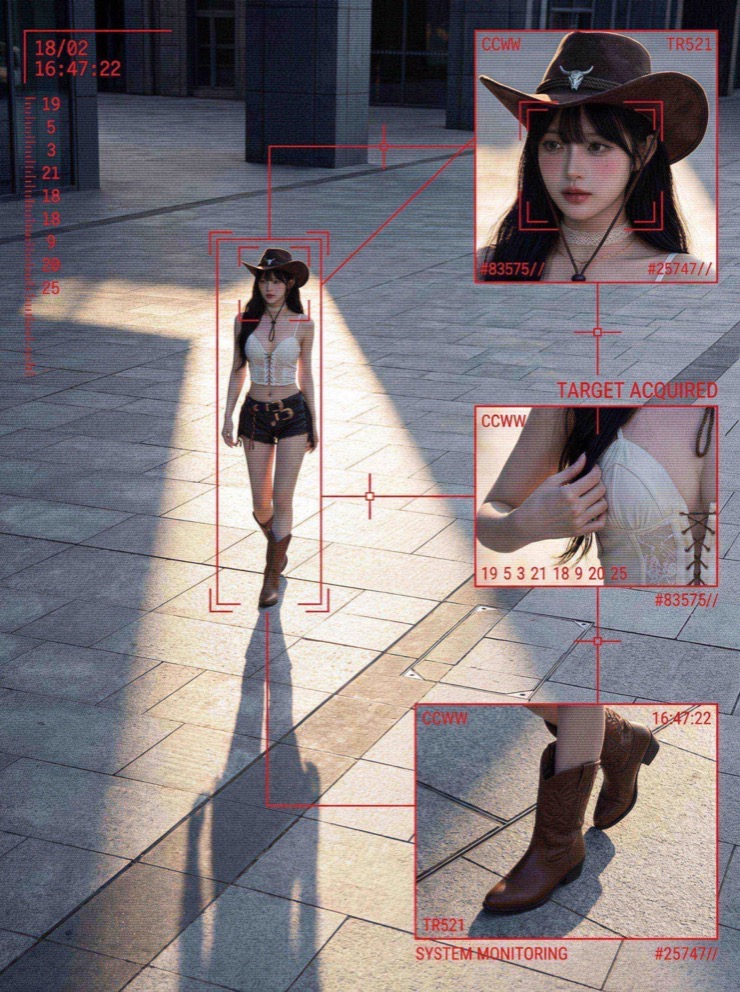
QUERY LENGTH LIMIT EXCEEDED. MAX ALLOWED QUERY : 500 CHARS
Nano Banana プロンプトライブラリの使い方
Nano Banana プロンプトを素早く見つけ、ワークフローを一貫させ、SEO に強い構成にするための実用的な構造と使い方。
Nano Banana プロンプトライブラリの概要
Nano Banana プロンプトはこのページの中心にあります。ライブラリが高速で信頼できる AI 写真ワークフローのために設計されているからです。商品写真やライフスタイルのシーン、クリエイティブなキャンペーンにクリーンな出発点が必要なら、これらのプロンプトが一貫した構造を提供しつつカスタマイズの余地を残します。コレクション内の各プロンプトはキュレーションとフィルタリングを行い、意図別に整理されています。つまりゼロから書く代わりに、ブリーフに合った Nano Banana プロンプトを選べます。中心のアイデアを保ったまま、光、カメラ角度、素材メモを調整して理想の見た目に近づけてください。
Nano Banana プロンプトの実務での使われ方
作りたい成果物に合う Nano Banana プロンプトから始めてください。商品ヒーロー画像には光の制御とクリーンな背景が必要ですが、SNS 投稿には動きのある雰囲気が合うこともあります。これらのプロンプトはその制約を前提に書かれているため、いくつかの形容詞を変えても主要構造を崩しません。同じコアフレーズを使い続け、パレットや小物だけを変えることで、チームのブランドトーンを複数画像で一貫させる助けにもなります。
プロンプト作成に慣れていない場合は、Nano Banana プロンプトをテンプレートとして扱いましょう。1つコピーして商品説明を差し替え、焦点距離や被写界深度などのカメラメモを追加します。素材指定や光の方向、背景設定に対して良く反応します。学習の近道は同じプロンプトを3つの小さなバリエーションで実行し、結果を比較して次のバッチに最適なものを残すことです。
Nano Banana プロンプトの使い方に基づくカテゴリ構成
Work カテゴリはブランドアセット、商品写真、ポスター、マーケティングビジュアル向けの Nano Banana プロンプトを強調します。これらのプロンプトは整ったレイアウトと正確な光を重視し、キャンペーンに使える仕上がりを狙います。Life カテゴリは自然なシーンや共感できる瞬間に焦点を当て、ライフスタイル写真で本物らしさを高めます。Interesting カテゴリは実験的なプロンプトが集まり、大胆なアングルや遊び心のある構図で新しいアイデアを引き出します。Study カテゴリは教育向けの明瞭なビジュアルを支援するため、プロンプト構造が明確さを重視します。
Nano Banana プロンプトが商品撮影チームに役立つ理由
商品チームはスピードと再現性を重視しますが、Nano Banana プロンプトはその両方を提供します。再利用可能なテンプレートを使えば、多数の SKU でベースのスタイルを維持しつつ、季節の演出やキャンペーン小物を変えられます。勝ちパターンを記録しておけば、将来のメンバーがゼロからやり直さず再現できます。動きの速い e コマースのワークフローでは、Nano Banana プロンプトがクリエイティブの摩擦を減らし、一貫した出力を保ちます。
このライブラリは安全利用のためにフィルタリングされており、Nano Banana プロンプトは商用要件に沿っています。厳しい基準のマーケットプレイスでは特に重要です。適切な光の方向、ホワイトバランス、フレーミングを促し、プラットフォーム要件を満たしつつブランドの個性を保てます。
Nano Banana プロンプトを編集するコツ
シンプルな編集リズムでプロンプトの骨格を保ちながら、クリエイティブな変化を加えられます。
最初に被写体の行を入れ替える
Nano Banana プロンプトを編集するときは、最初に被写体の行だけを入れ替えます。最初の実行ではスタイル、光、構図のメモを維持しましょう。その後、レンズ、環境、色のパレットのように一つずつ変更を入れます。この方法は小さな変更への反応を学びながら、バッチ生成に必要な一貫性を守れます。より写実的にしたい場合は、テクスチャのメモや表面の描写を追加して素材表現を強化します。
ポーズのロジックを保つ
Virtual try on では衣服の説明を更新しつつ、ポーズのロジックを安定させます。フラットレイでは上からの光のメモを維持し、背景面だけを変更します。
キャンペーン間で骨格を再利用する
テンプレートは堅牢なので、Nano Banana プロンプトを複数のキャンペーンで再利用できます。小物や季節の光、ブランドカラーを調整しても元の骨格は保てます。
Nano Banana プロンプトのよくある質問
商品写真、バーチャルトライオン、クリエイティブ制作での Nano Banana プロンプトの使い方を簡潔に解説。
Nano Banana のプロンプトは無料ですか
はい。ここで Nano Banana プロンプトを閲覧してインスピレーションを得て、ワークフローにコピーできます。
最適な Nano Banana プロンプトを見つける方法
作業に合うカテゴリから始め、プレビュー画像を確認して Nano Banana プロンプトをテンプレートとして使ってください。
Nano Banana プロンプトをクライアント案件で使えますか
もちろんです。Nano Banana プロンプトは商用ワークフロー向けに書かれており、クライアントの成果物に合わせて調整できます。
Nano Banana プロンプトにカメラ設定がある理由
Nano Banana プロンプトには、世代を跨いで視点、光、リアリズムを揃えるためのカメラメモが含まれます。
Nano Banana プロンプトは創作アートにも使えますか
はい。Interesting カテゴリは実験的なスタイルと大胆な構図に焦点を当て、Nano Banana プロンプトは創作の探索にも適しています。
Nano Banana プロンプトの更新頻度はどれくらいですか
新しいプロンプトのパターンやワークフローが生まれるたびにライブラリを更新し、Nano Banana プロンプトを最新の使い方に合わせています。