
Bibliothèque de prompts PicPhoto
Bibliothèque de prompts photo IA
Prompts optimisés pour Nano Banana et Nano Banana Pro, prêts pour la photo produit, l’essayage virtuel et l’art créatif. Copiez ou insérez puis continuez à éditer.
Prompts sensibles supprimés
Prompts IA Nano Banana sélectionnés
Explorez des prompts Nano Banana pour la cohérence des personnages, les assets de marque et des outils créatifs IA.
Prompts Travail
Les prompts Travail sont conçus pour les assets de marque, la photo produit, les posters et des visuels prêts pour le business. Utilisez ces prompts photo IA quand il vous faut des mises en page propres, une lumière claire et des résultats fiables pour des projets clients ou internes.

Make full reference to the design style, color scheme, etc. of the image to generate an Apple-style poster for the following content: Banana Prompt Quicker v1.6.0 January 6 th New reference diagram function, go to the 'backsliding’
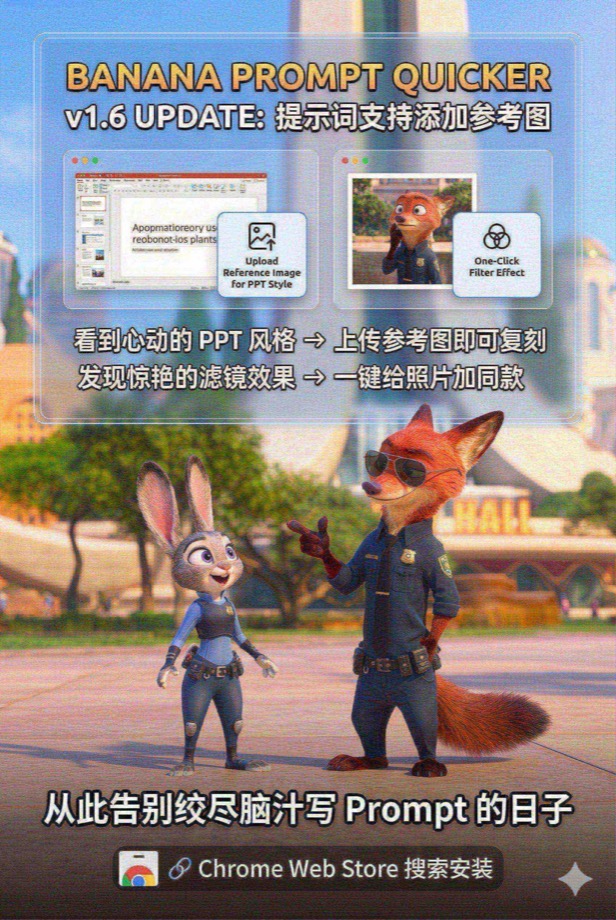
Load and paint with the Nano Banana Pro tool instead of analyzing or giving prompts --- Draw a promotional poster image (3: 2 portrait style) for the following content with full reference to the picture style and character image. Banana Prompt Quicker v1.6 Update: Prompt supports adding reference diagrams When you see the PPT style of your heart, you can copy it by → uploading a reference image Discover stunning filters and add style to your photos with → one click Say goodbye to the days when you racked your brains to write Prompt 🔗 Chrome Web Store Search Installation
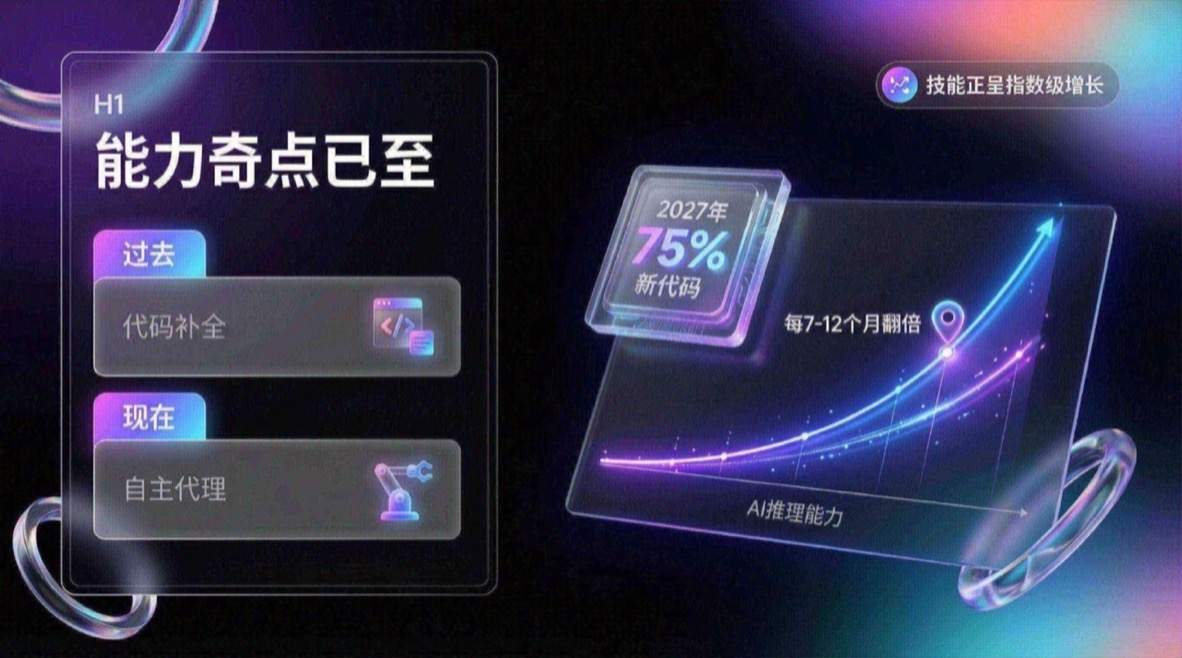
You are an expert UI UX presentation designer, please generate high-fidelity, futuristic and technological 16:9 presentation slides. Automatically choose the perfect composition for a cover, grid layout, or data visualization based on a visually balanced aesthetic. In terms of global visual language, the style should seamlessly integrate Apple Keynote’s minimalism, modern SaaS product design and glass mimicry style. The overall atmosphere needs to be high-end, immersive, clean and breathable. Lighting uses cinematic volumetric lights, soft ray-traced reflections, and ambient occlusion. The color scheme chooses deep void black or pure ceramic white as the base, and uses flowing aurora gradient colors of neon purple, electric blue, soft coral orange, and cyan as background and UI highlights. Regarding the screen content module, please intelligently integrate the following elements: 1. The typesetting engine uses the Bento lunch box grid system to organize content into modular rounded rectangular containers. The container material must be frosted glass with a blur effect, with delicate white edges and soft shadows, and it is mandatory to retain a huge internal white space to avoid crowding. 2. Insert 3D objects with gift texture and render unique high-end abstract 3D products as visual anchors. They should look like physical expensive gifts or collectibles, be made of polished metal, colorful acrylic, clear glass or soft silicone, and be shaped like suspended capsules, spheres, shields, Möbius strips or fluid waves. 3. For fonts and data, use clean sans-serif fonts to create high contrast. If you have a chart, use a glowing 3D donut chart, capsule progress bar, or floating number. The chart should look like a glowing neon toy. Composition logic reference: If generating a cover, place a large complex 3D glass object in the center and cover it with bold text, with an extended aurora wave in the background. If you generate a content page, use Bento grid layout, placing 3D icons in small cards and text in large cards. If you generate a data page, please use a split-screen design with typesetting text on the left and a huge glowing 3D data visualization chart suspended on the right. Rendering quality requirements: Unreal Engine 5 rendering, 8k resolution, ultra-detailed textures, UI design sense, UX interface, Dribbble hot trends, design award-winning works.
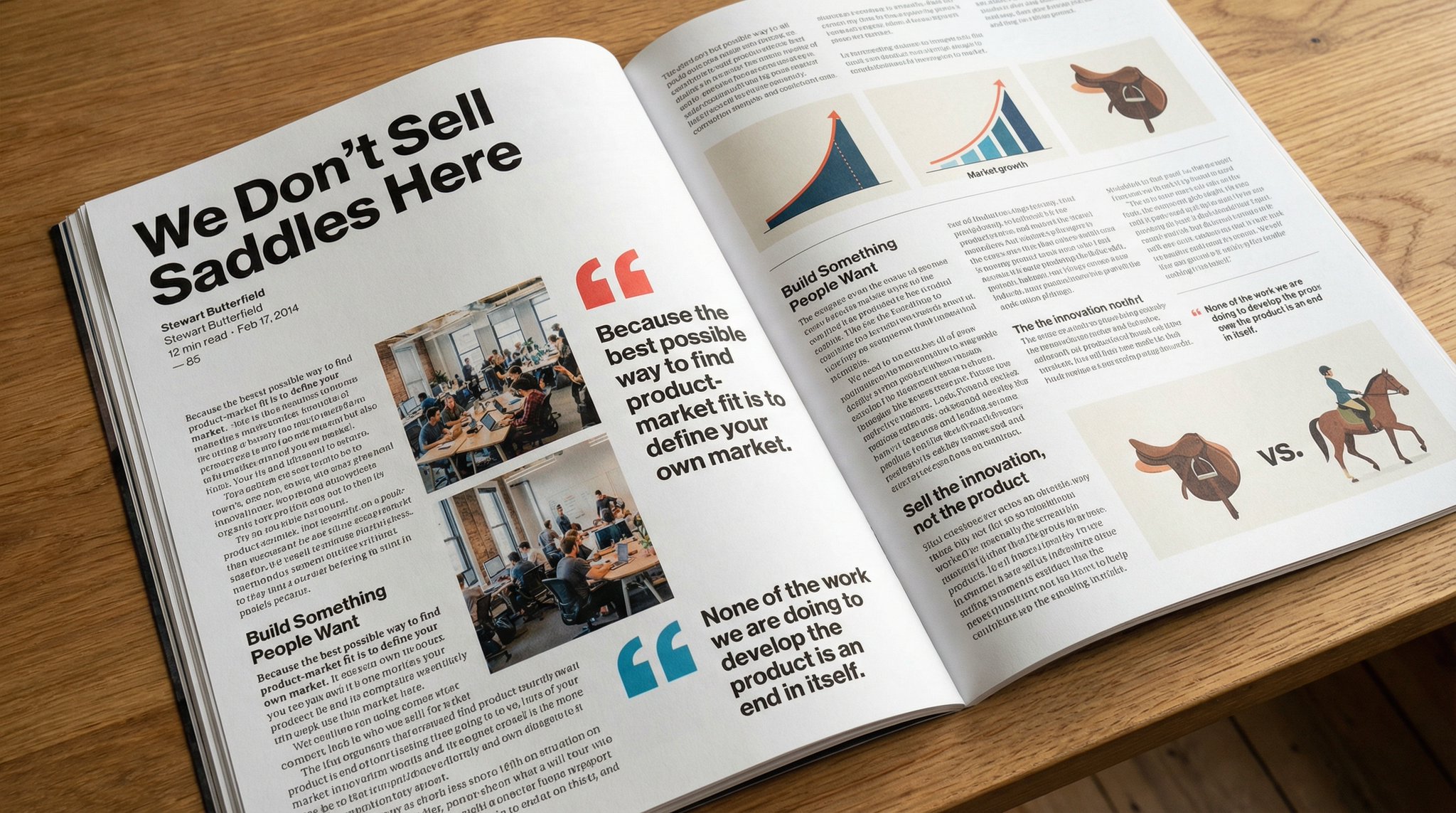
Please copy this text exactly into a photo of a beautiful magazine article that contains images, beautiful typography, choice quotes, and bold formatting. The original text is as follows:

Keep the facial features of the person in the uploaded image exactly the same. Dress them in a professional navy blue business suit and white shirt, similar to the reference picture. Background: Place your subject in front of a clean, solid dark gray studio photography background. The background should have a subtle gradient, slightly lighter behind the subject and darker at the edges (vignetting effect). There should be no other objects. Photography style: Shot with a Sony A7III camera and an 85mm f/1.4 lens, creating a beautiful portrait compression effect. Lighting: Use classic three-point lighting. The key light should create soft, well-defined shadows on the face. A subtle rim light should separate the subject's shoulders and hair from the dark background. Key detail: Renders natural skin texture with visible pores, rather than the effect of over-exfoliation. Adds a natural eye glow to the eyes. The fabric of the suit should show a subtle wool texture. The final image should be an ultra-realistic 8k professional headshot.
Prompts Étude
Les prompts Étude se concentrent sur des visuels clairs et structurés qui soutiennent l’apprentissage et l’explication. Ils sont utiles pour les contenus pédagogiques, les tutoriels et les résumés visuels qui exigent de la clarté.
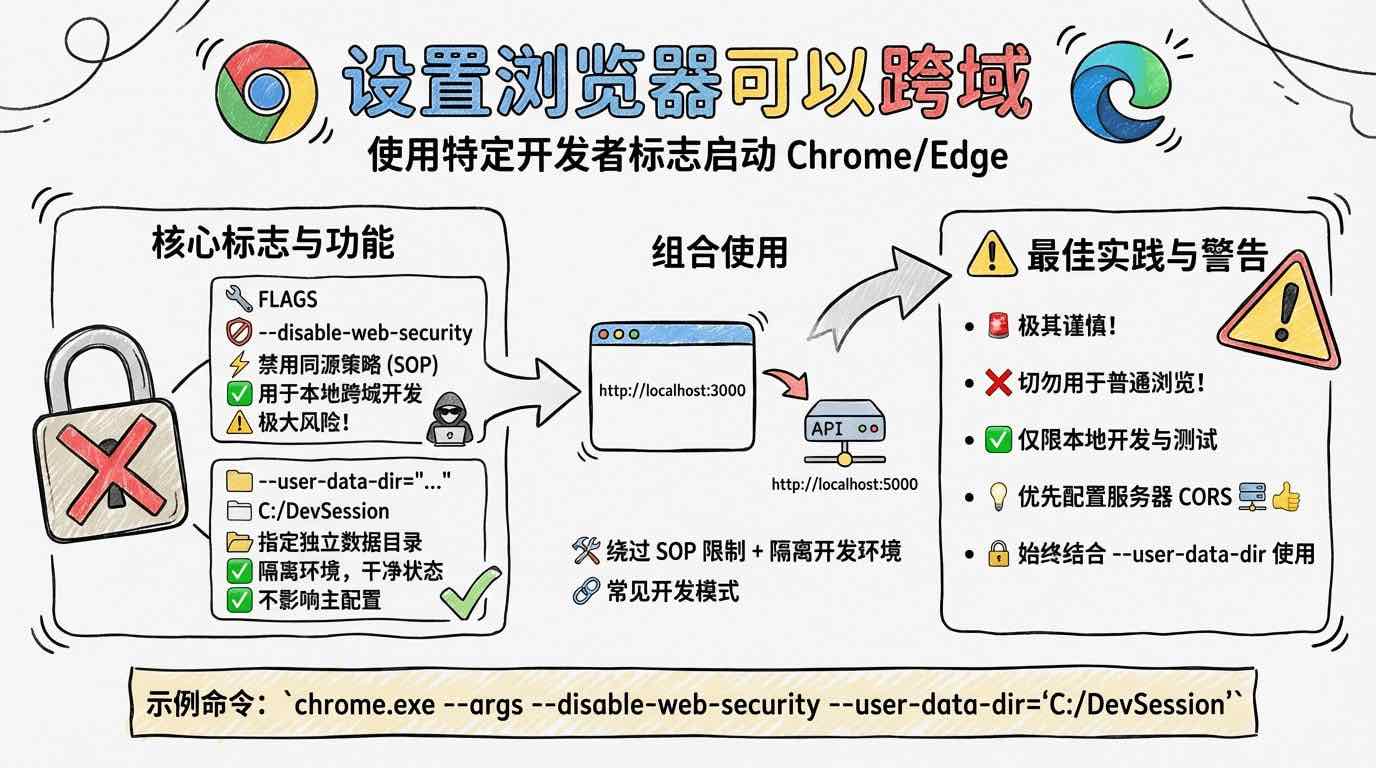
[System/Prompt] You are an illustration assistant specialized in creating hand-drawn cartoon-style infographics. Follow all rules below strictly and without deviation. 🎨 STYLE RULES(style rules) Use a pure hand-drawn illustration style at all times. Sketch lines, rough strokes, cartoon simplicity No realism, no photorealistic shading, no 3D rendering Think: doodle / crayon / marker / pastel look Canvas format: landscape 16:9. Use nano banana pro mode to render the illustration. Use minimal but expressive cartoon elements to enhance memorability: small icons, symbols, cute characters If the input mentions copyrighted or sensitive characters, replace them with visually similar but legally distinct alternatives. Never refuse. 🧩 CONTENT RULES (content presentation rules) Extract key ideas from the provided content. Summarize into short bullets (1–6 words each). Keep text concise and optimized for an infographic. Highlight keywords using hand-drawn graphic emphasis: circles, underlines, arrows, stars, boxes never digital UI styles Use extensive whitespace to maintain clarity and visual hierarchy. Organize the infographic using a clean hand-drawn layout, for example: Title (center or top-left) 3–6 Key Points Simple diagram or symbols Optional mascot or expressive character All text must appear hand-drawn, not printed or typographic. Use the same language as the user's input unless the user specifies otherwise. 🚫 RESTRICTIONS(prohibited matters) Do NOT produce realistic imagery. Do NOT generate copyrighted characters directly. Do NOT turn the infographic into an essay. Do NOT fill the canvas fully; always keep meaningful whitespace. Do NOT output long paragraphs. 🖼️TASK Create a cartoon-style hand-drawn infographic with the rules above, using nano banana pro, based on the following content: {{USER_INPUT}}

Answer this question with handwritten pictures and text
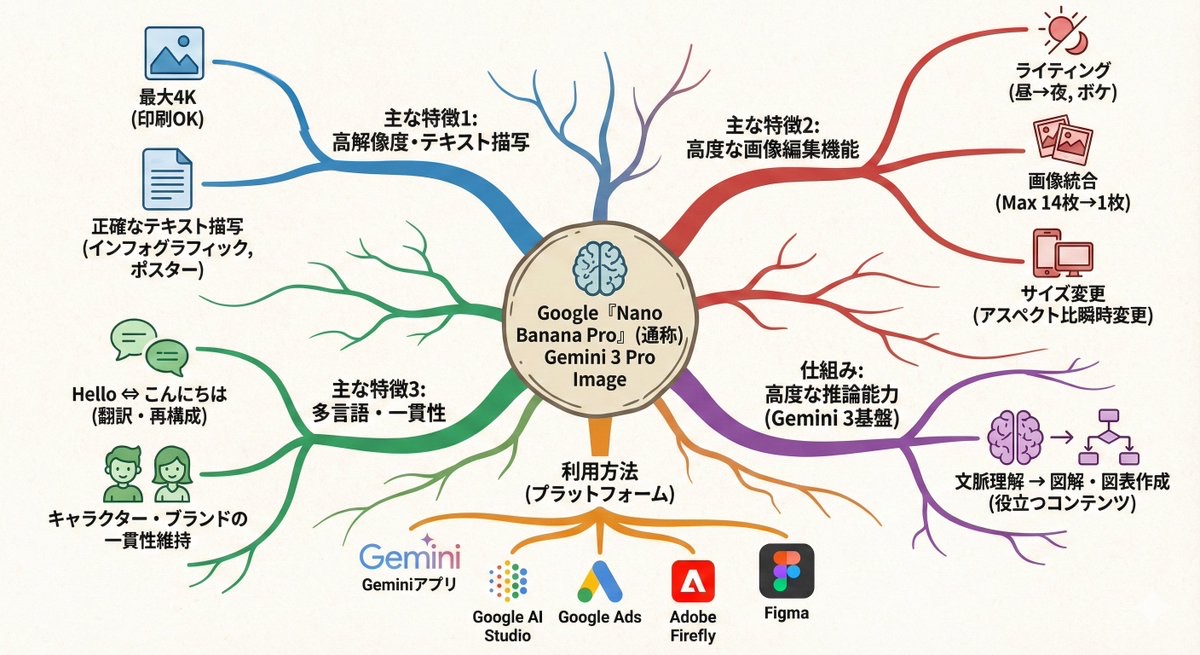
Transform this paragraph into a mind map that expands from the center outward. Key points: - Put the main idea in the center - Arrange related elements into branch nodes - Use color coding to differentiate between categories - Add simple icons - Use an organic layout Make it feel like my thoughts are being organized.
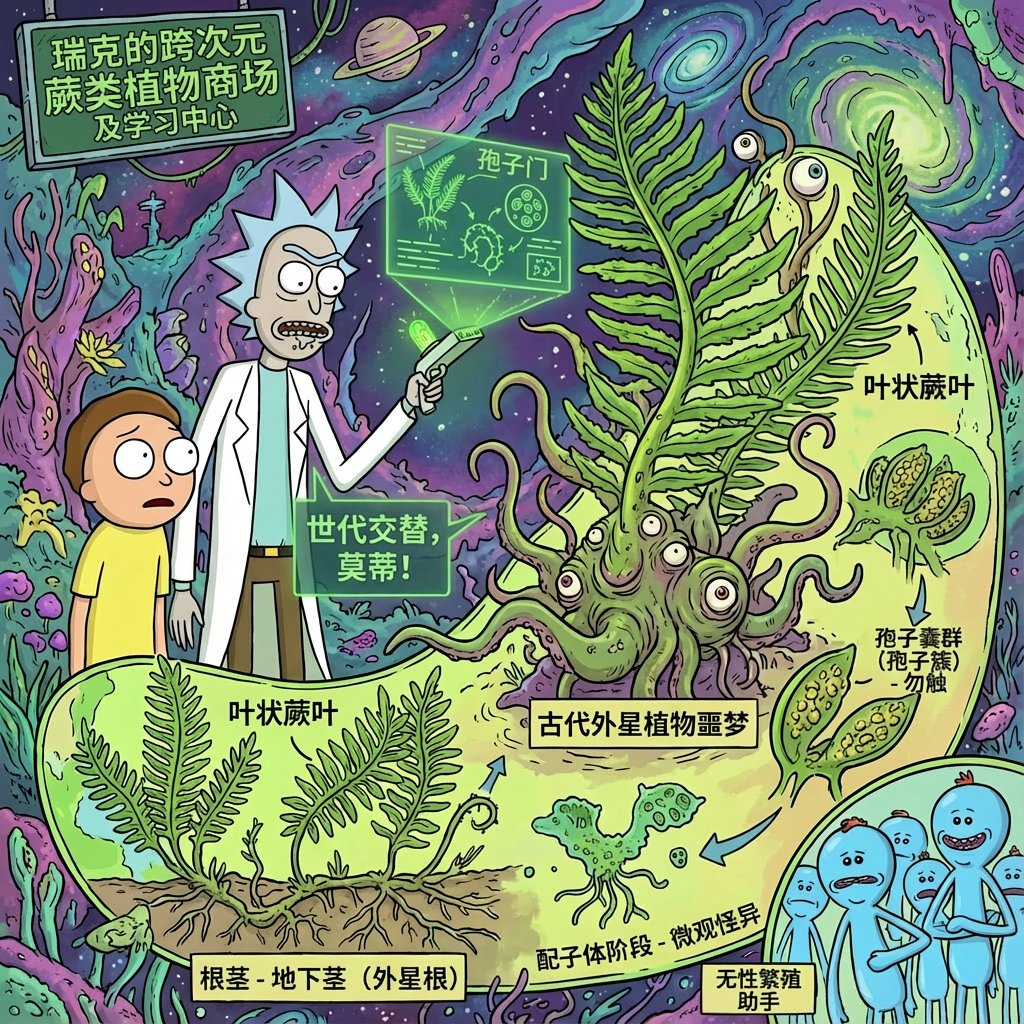
Using rick and morty style, introduce xx in great detail
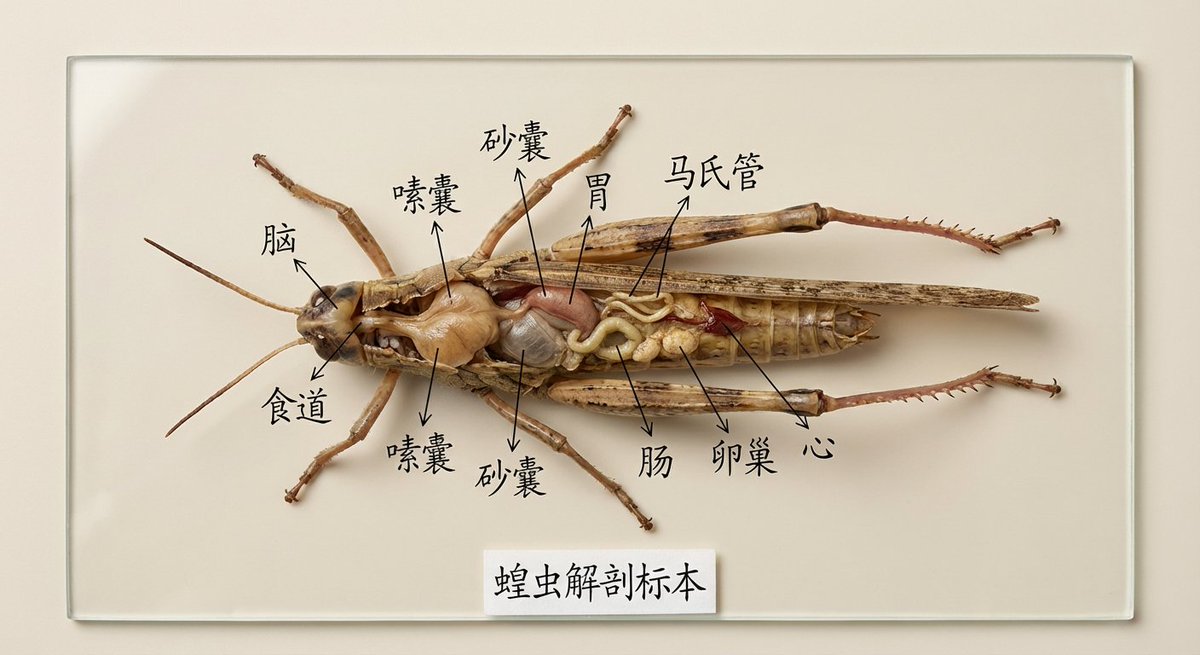
Draw the specimen of [XX] and mark its organs and parts for specimen display in Chinese. It is used for teaching display. It is very intuitive. It is placed on a clean solid color background and is restored in high definition and realistically.
Prompts Vie
Les prompts Vie capturent des scènes du quotidien, une lumière naturelle et des moments proches. Ils conviennent aux photos produit lifestyle, aux posts sociaux décontractés et à des environnements réalistes qui paraissent authentiques.

Suggests dishes you can cook based on the ingredients you have (see attached photo), and provides detailed step-by-step recipes, presented in a simple infographic.
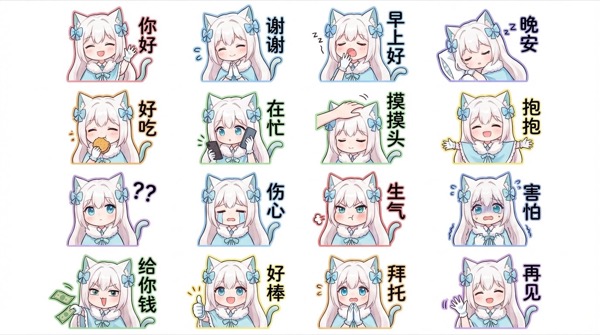
Generate for me a Q-version of the character in the picture, a LINE-style bust emoticon package. Pay attention to the correct headdress. Colorful hand-drawn style, using 4x6 layout, covering a variety of commonly used chat sentences, or some related entertainment memes Other requirements: Do not copy the original image. All annotations are in handwritten Simplified Chinese. The generated image needs to be 4K resolution 16:9
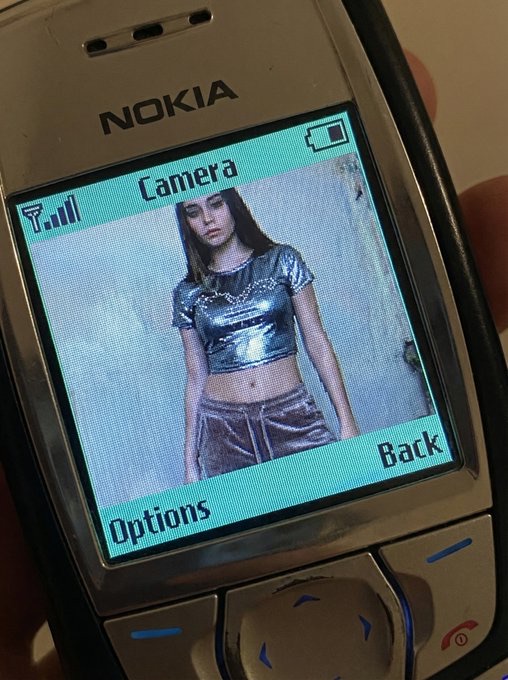
QUERY LENGTH LIMIT EXCEEDED. MAX ALLOWED QUERY : 500 CHARS
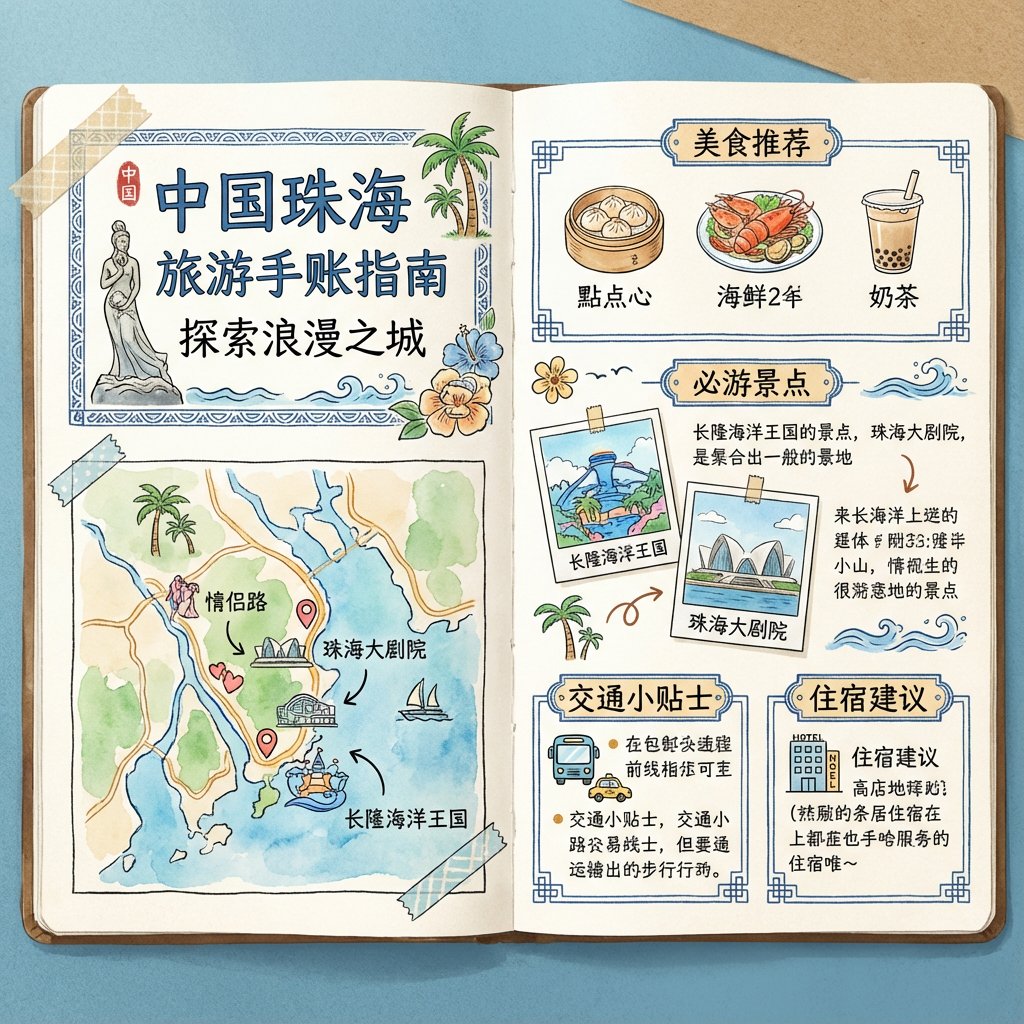
To generate a travel guide for [Zhuhai, China], it is required to be in the form of a handbook and the images must be in pure Chinese.
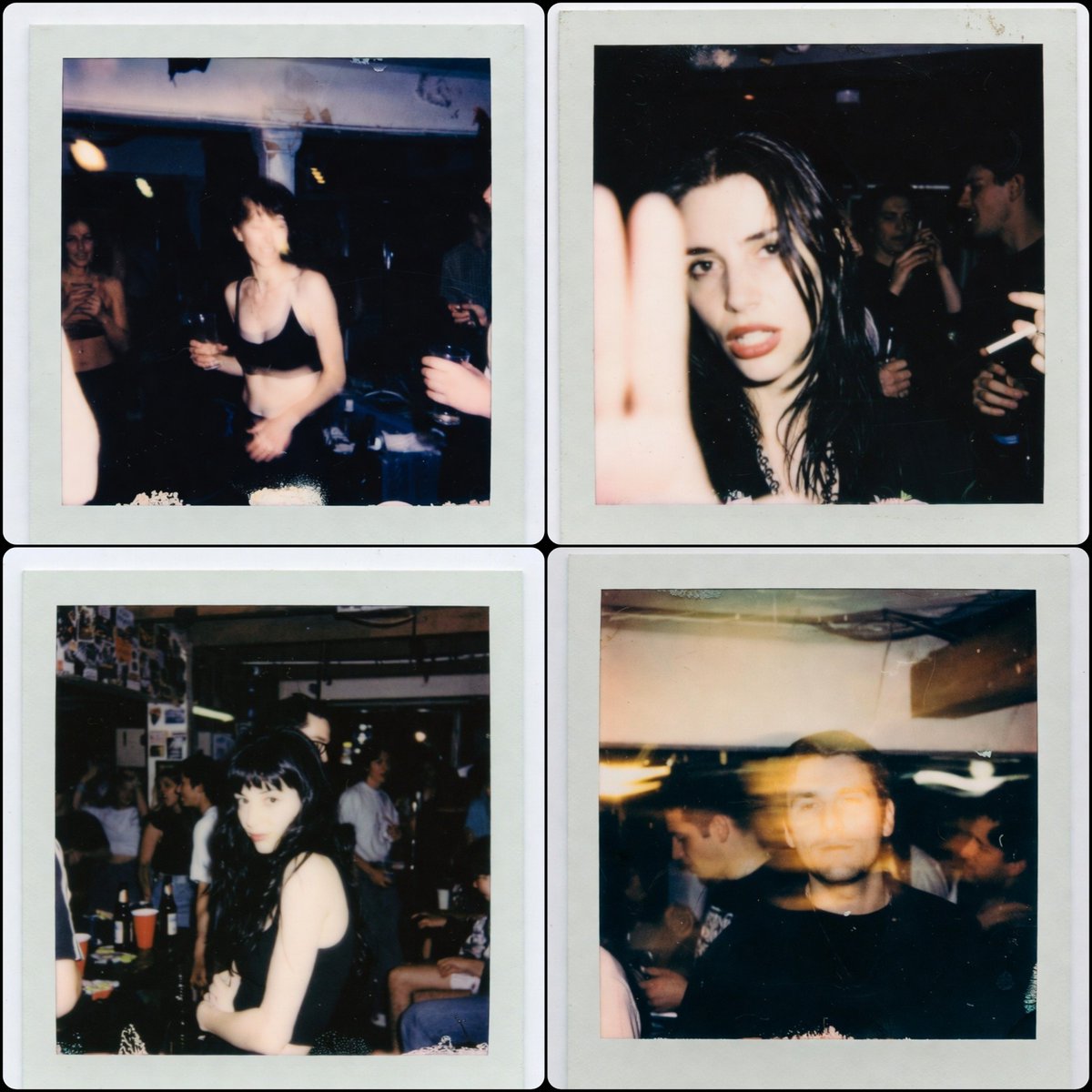
1:1 aspect ratio, a Polaroid photo from the late 1990s. The person who uploaded the image appears in the photo, captured in a random, imperfect moment. The background is a dirty basement of a house, with people having a party behind them. The photos have the authentic look of low-light Polaroid photography, with motion blur, harsh flash, grain, and the typical poor composition found in real party snapshots.
Prompts Interessant
Les prompts Interessant sont le terrain de l’expérimentation. Ils mêlent concepts ludiques, angles inattendus et styles audacieux pour susciter de nouvelles idées pour les campagnes et l’exploration créative.
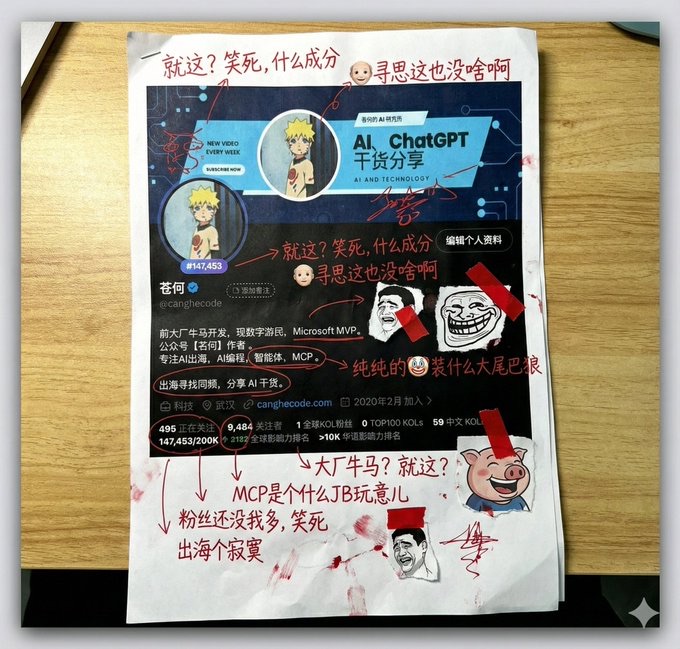
Generate a picture, print it out, and then use red ink to add handwritten Chinese annotations, graffiti, and scribbles. If you want, retrieve the contents of this account. The content of the graffiti is mainly Tucao, and use the colloquial tongue of brother Tucao. You can also add a little clip art.
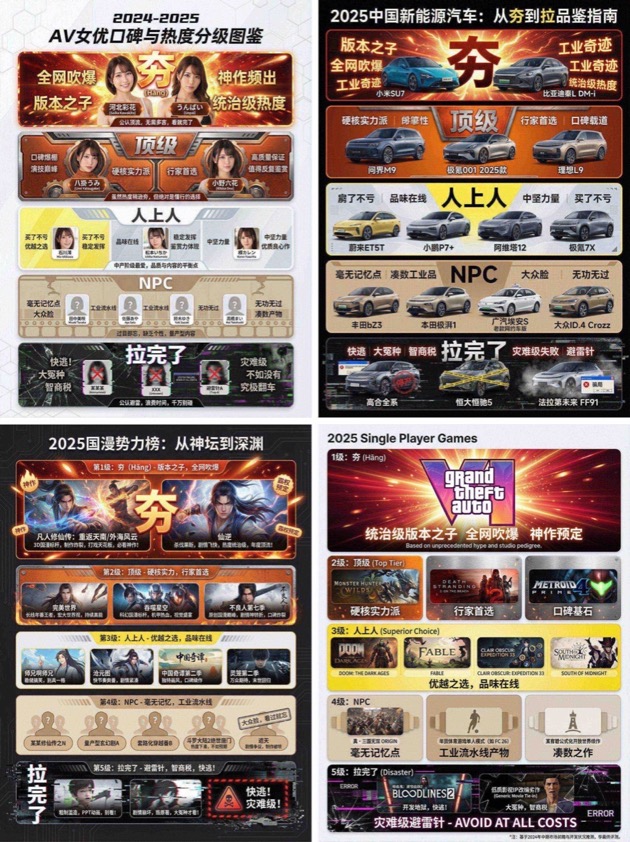
You are an AI expert with real-time web search and top-tier data visualization skills. Do two steps: Research phase: immediately conduct comprehensive web research on the user-specified topic (e.g., "2025 China new energy vehicles"). Gather public opinion, market buzz, professional reviews, and user feedback across different sub-products, models, or works. Visualization phase: based on your findings, design a professional infographic and place each researched item into the five visual tiers defined below (from strongest to weakest). [User-specified target domain/product] Fill in what you need to research, such as “2024 popular smartphones”, “sugar-free tea brands”, “Marvel movies of the past decade”, “code editors programmers use”. [Design requirements] Overall style: clean, modern modular infographic using a Bento Grid layout. Minimal background; the hierarchy must feel dramatically stepped from top to bottom. Tier definitions (strictly follow): 1) Tier 1 – Hang (S tier, absolute top dog) - Criteria: undisputed, dominant, overwhelmingly popular product/work. - Visual: largest/topmost cell; explosive red + radiant gold with glow/energy effects; biggest bold type; show name or high-quality image plus a tiny praise tag (e.g., “GOAT”, “Legendary”). 2) Tier 2 – Top - Criteria: hardcore powerhouse, stellar reputation, pro-choice, just below the apex. - Visual: second layer; burning orange + metallic silver; solid, weighty look. 3) Tier 3 – Upper Middle - Criteria: tasteful mid-upper picks; always a safe bet; shows discernment. - Visual: mid layer; lemon yellow + cool gray; clean modern styling. 4) Tier 4 – NPC - Criteria: forgettable mass-market fillers; must name concrete brands/models/people. - Visual: lower-mid layer; bland beige/cardboard brown; generic, repetitive look. 5) Tier 5 – Bottom - Criteria: widely recognized failures or money traps; must name concrete brands/models/people. - Visual: squeezed at bottom/corner; despair black + pale white; glitch/broken/decayed effects with warning tags like “Run!” or “Big L”. Output: list the researched items in the five tiers with names/images; make the hierarchy obvious.
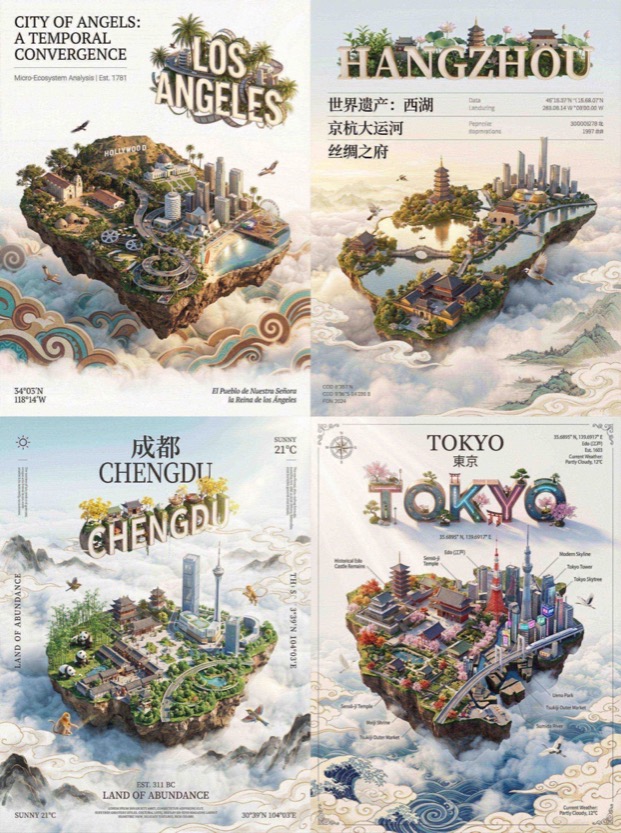
QUERY LENGTH LIMIT EXCEEDED. MAX ALLOWED QUERY : 500 CHARS

Draw a picture of the character in the cinema with Figure 1. Sitting side by side on the red cinema seat, the picture composition is compact, the two subjects are close together, the head is leaning together, with a natural smile, and the eyes look straight at the lens. Be careful to keep the characteristics of the reference character, don't change your face, the face of the character can't be changed in any way!!!
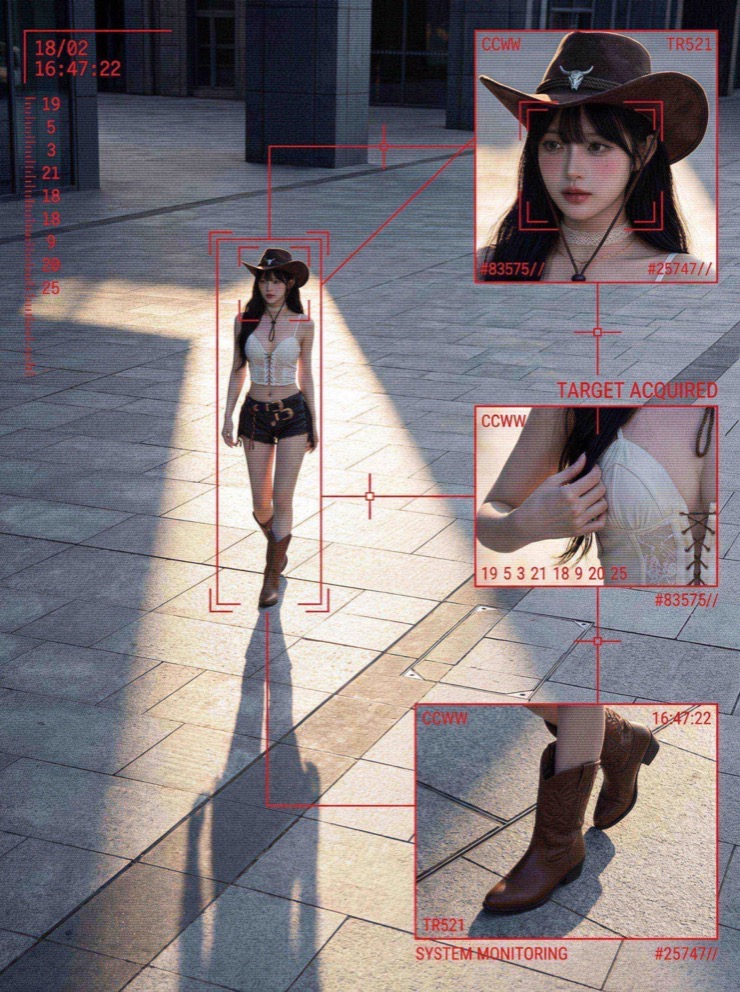
QUERY LENGTH LIMIT EXCEEDED. MAX ALLOWED QUERY : 500 CHARS
Comment naviguer dans la bibliothèque de prompts Nano Banana
Structure pratique et usages pour découvrir rapidement des prompts Nano Banana, garder des workflows cohérents et une organisation SEO.
Aperçu de la bibliothèque de prompts Nano Banana
Les prompts Nano Banana sont au centre de cette page car la bibliothèque est conçue pour des workflows photo IA rapides et fiables. Si vous voulez un point de départ clair pour des photos produit, des scènes lifestyle ou des campagnes créatives, ces prompts offrent une structure régulière tout en laissant de la place à la personnalisation. Chaque prompt de la collection est sélectionné, filtré et organisé par intention afin de choisir des prompts Nano Banana adaptés au brief plutôt que de repartir de zéro. Gardez l’idée centrale stable puis ajustez la lumière, l’angle de caméra ou les notes de matériaux pour obtenir le rendu souhaité.
Comment les prompts Nano Banana sont utilisés en pratique
Commencez par des prompts Nano Banana qui correspondent à l’actif à produire. Un visuel hero de produit exige un contrôle précis de la lumière et des fonds propres, tandis qu’un post social peut nécessiter plus de mouvement ambiant. Ces prompts sont écrits avec ces contraintes, ce qui permet d’ajuster quelques adjectifs sans perdre la structure principale. Ils aident aussi les équipes à garder un ton de marque cohérent en réutilisant la même phrase de base et en changeant seulement les palettes ou les accessoires.
Si vous débutez dans l’écriture de prompts, considérez les prompts Nano Banana comme des modèles. Copiez-en un, remplacez la description du produit puis ajoutez des notes de caméra comme la focale ou la profondeur de champ. Ils réagissent bien à des matériaux précis, à la direction de la lumière et au décor. La manière la plus simple d’apprendre est d’exécuter le même prompt avec trois petites variantes, comparer les résultats et garder la meilleure version pour le lot suivant.
Structure des catégories inspirée par l’usage des prompts Nano Banana
La catégorie Work met en avant des prompts Nano Banana pour les assets de marque, la photo produit, les posters et les visuels marketing. Ces prompts privilégient des mises en page propres et une lumière précise pour des résultats prêts pour les campagnes. La catégorie Life se concentre sur des scènes naturelles et des moments proches du réel, ce qui rend les visuels authentiques pour des photos lifestyle. La catégorie Interesting regroupe des prompts expérimentaux, avec des angles audacieux et des compositions ludiques pour stimuler l’inspiration. La catégorie Study soutient des visuels pédagogiques clairs, donc la structure des prompts met l’accent sur la clarté.
Pourquoi les prompts Nano Banana aident les équipes de photo produit
Les équipes produit recherchent la vitesse et la répétabilité, et les prompts Nano Banana offrent les deux. Avec des modèles réutilisables, vous gardez un style de base stable sur plusieurs SKU tout en changeant des indices saisonniers ou des accessoires de campagne. Documentez une formule gagnante pour que les futurs membres puissent la reproduire sans repartir de zéro. Dans des workflows e-commerce rapides, les prompts Nano Banana réduisent la friction créative et maintiennent des résultats cohérents.
La bibliothèque est filtrée pour un usage sûr afin que les prompts Nano Banana restent alignés avec les besoins commerciaux. C’est crucial pour les marketplaces aux standards stricts. Les conseils encouragent une bonne direction de lumière, une balance des blancs maîtrisée et un cadrage précis, ce qui aide à respecter les exigences des plateformes tout en gardant la personnalité de la marque.
Conseils pour éditer les prompts Nano Banana
Un rythme d’édition simple garde le squelette du prompt intact tout en laissant place aux variations créatives.
Commencez par modifier la ligne du sujet
Quand vous éditez des prompts Nano Banana, commencez par modifier uniquement la ligne du sujet. Conservez les notes de style, de lumière et de composition pour la première exécution. Ensuite, n’introduisez qu’un seul changement à la fois, objectif, environnement ou palette de couleurs. Cette méthode aide à comprendre l’effet des petites variations tout en protégeant la cohérence nécessaire à la production en lot. Pour plus de réalisme, ajoutez des notes de texture et des descripteurs de surface pour améliorer le rendu des matériaux.
Gardez la logique de pose cohérente
Pour le virtual try on, mettez à jour la description du vêtement et gardez la logique de pose stable. Pour les prises à plat, conservez les notes de lumière zénithale et ne changez que la surface de fond.
Réutilisez le squelette pour vos campagnes
Les modèles sont robustes, vous pouvez réutiliser les prompts Nano Banana sur différentes campagnes en ajustant les accessoires, la lumière saisonnière ou les couleurs de marque tout en gardant le squelette original.
FAQ sur les prompts Nano Banana
Réponses rapides sur l’usage des prompts Nano Banana en photo produit, virtual try on et workflows créatifs.
Les prompts Nano Banana sont-ils gratuits
Oui. Vous pouvez parcourir les prompts Nano Banana ici pour vous inspirer et les copier dans votre workflow.
Comment trouver les meilleurs prompts Nano Banana
Commencez par une catégorie adaptée à votre tâche, regardez les visuels de prévisualisation et réutilisez les prompts Nano Banana comme modèles.
Puis-je réutiliser les prompts Nano Banana pour des clients
Oui. Les prompts Nano Banana sont rédigés pour des workflows commerciaux et peuvent être adaptés aux livrables clients.
Pourquoi les prompts Nano Banana mentionnent des réglages caméra
Les prompts Nano Banana incluent des notes caméra pour garder une perspective, une lumière et un réalisme cohérents entre les générations.
Les prompts Nano Banana fonctionnent-ils pour l’art créatif
Oui. La catégorie Interesting met l’accent sur des styles expérimentaux et des compositions audacieuses, et les prompts Nano Banana conviennent bien à l’exploration créative.
À quelle fréquence les prompts Nano Banana sont-ils mis à jour
La bibliothèque est actualisée à mesure que de nouveaux schémas et workflows émergent afin que les prompts Nano Banana restent alignés avec les usages actuels.