
Prompt Library
Work AI photo prompts (35)
Explore work-focused AI photo prompts for posters, presentations, product assets, and marketing visuals. Copy a prompt and tweak it for your next campaign.
Work prompts are designed for brand assets, product photography, posters, and business-ready visuals. Use these AI photo prompts when you need clean layouts, clear lighting, and dependable results for client or internal projects.
Showing page 1 of 2 · 35 prompts

Make full reference to the design style, color scheme, etc. of the image to generate an Apple-style poster for the following content: Banana Prompt Quicker v1.6.0 January 6 th New reference diagram function, go to the 'backsliding’
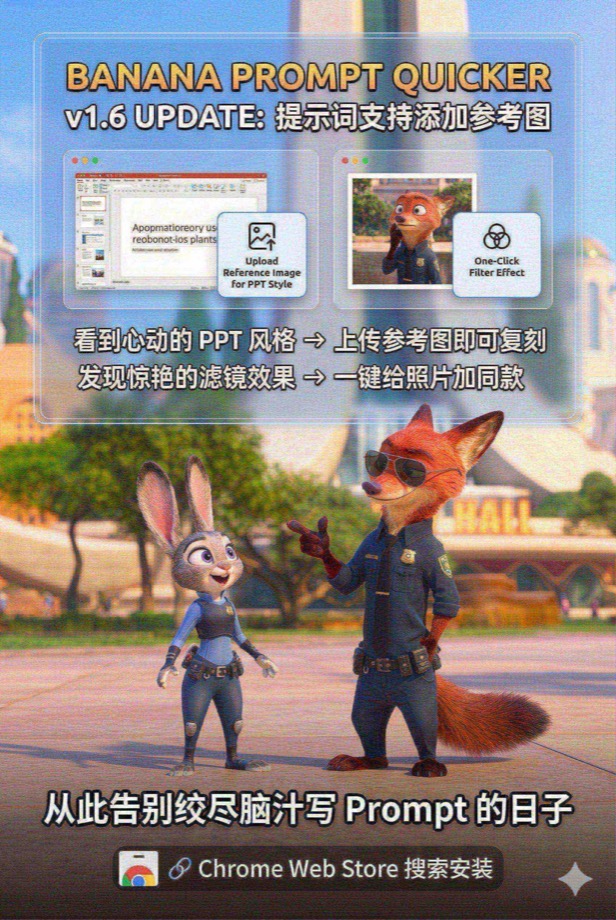
Load and paint with the Nano Banana Pro tool instead of analyzing or giving prompts --- Draw a promotional poster image (3: 2 portrait style) for the following content with full reference to the picture style and character image. Banana Prompt Quicker v1.6 Update: Prompt supports adding reference diagrams When you see the PPT style of your heart, you can copy it by → uploading a reference image Discover stunning filters and add style to your photos with → one click Say goodbye to the days when you racked your brains to write Prompt 🔗 Chrome Web Store Search Installation
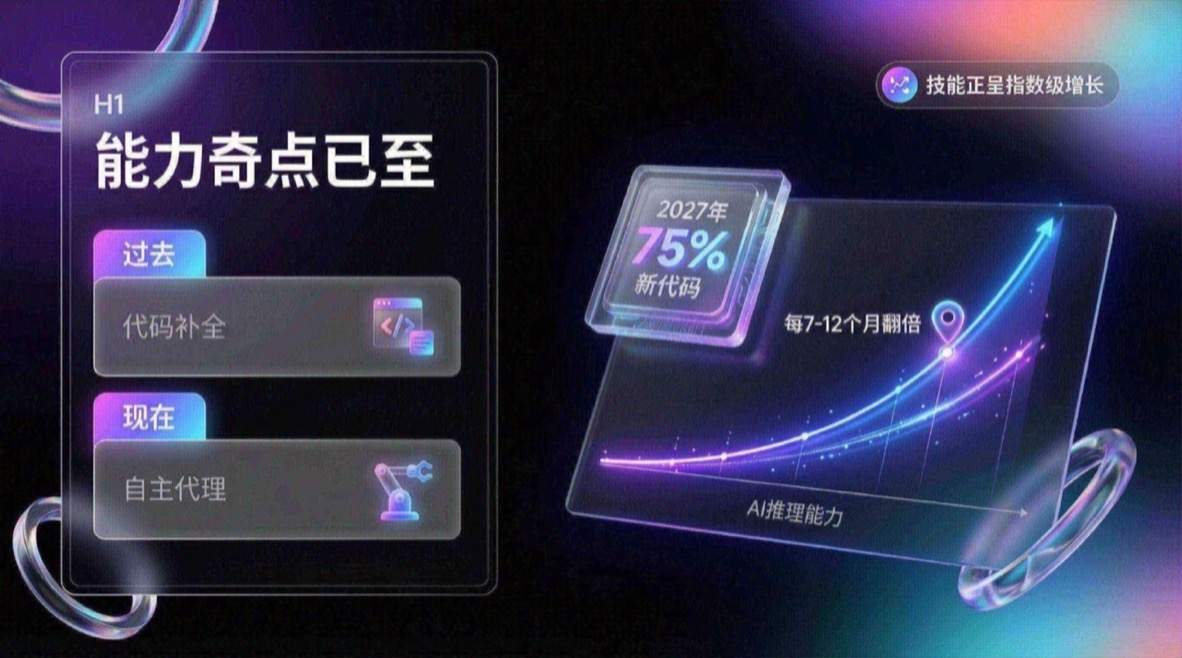
You are an expert UI UX presentation designer, please generate high-fidelity, futuristic and technological 16:9 presentation slides. Automatically choose the perfect composition for a cover, grid layout, or data visualization based on a visually balanced aesthetic. In terms of global visual language, the style should seamlessly integrate Apple Keynote’s minimalism, modern SaaS product design and glass mimicry style. The overall atmosphere needs to be high-end, immersive, clean and breathable. Lighting uses cinematic volumetric lights, soft ray-traced reflections, and ambient occlusion. The color scheme chooses deep void black or pure ceramic white as the base, and uses flowing aurora gradient colors of neon purple, electric blue, soft coral orange, and cyan as background and UI highlights. Regarding the screen content module, please intelligently integrate the following elements: 1. The typesetting engine uses the Bento lunch box grid system to organize content into modular rounded rectangular containers. The container material must be frosted glass with a blur effect, with delicate white edges and soft shadows, and it is mandatory to retain a huge internal white space to avoid crowding. 2. Insert 3D objects with gift texture and render unique high-end abstract 3D products as visual anchors. They should look like physical expensive gifts or collectibles, be made of polished metal, colorful acrylic, clear glass or soft silicone, and be shaped like suspended capsules, spheres, shields, Möbius strips or fluid waves. 3. For fonts and data, use clean sans-serif fonts to create high contrast. If you have a chart, use a glowing 3D donut chart, capsule progress bar, or floating number. The chart should look like a glowing neon toy. Composition logic reference: If generating a cover, place a large complex 3D glass object in the center and cover it with bold text, with an extended aurora wave in the background. If you generate a content page, use Bento grid layout, placing 3D icons in small cards and text in large cards. If you generate a data page, please use a split-screen design with typesetting text on the left and a huge glowing 3D data visualization chart suspended on the right. Rendering quality requirements: Unreal Engine 5 rendering, 8k resolution, ultra-detailed textures, UI design sense, UX interface, Dribbble hot trends, design award-winning works.
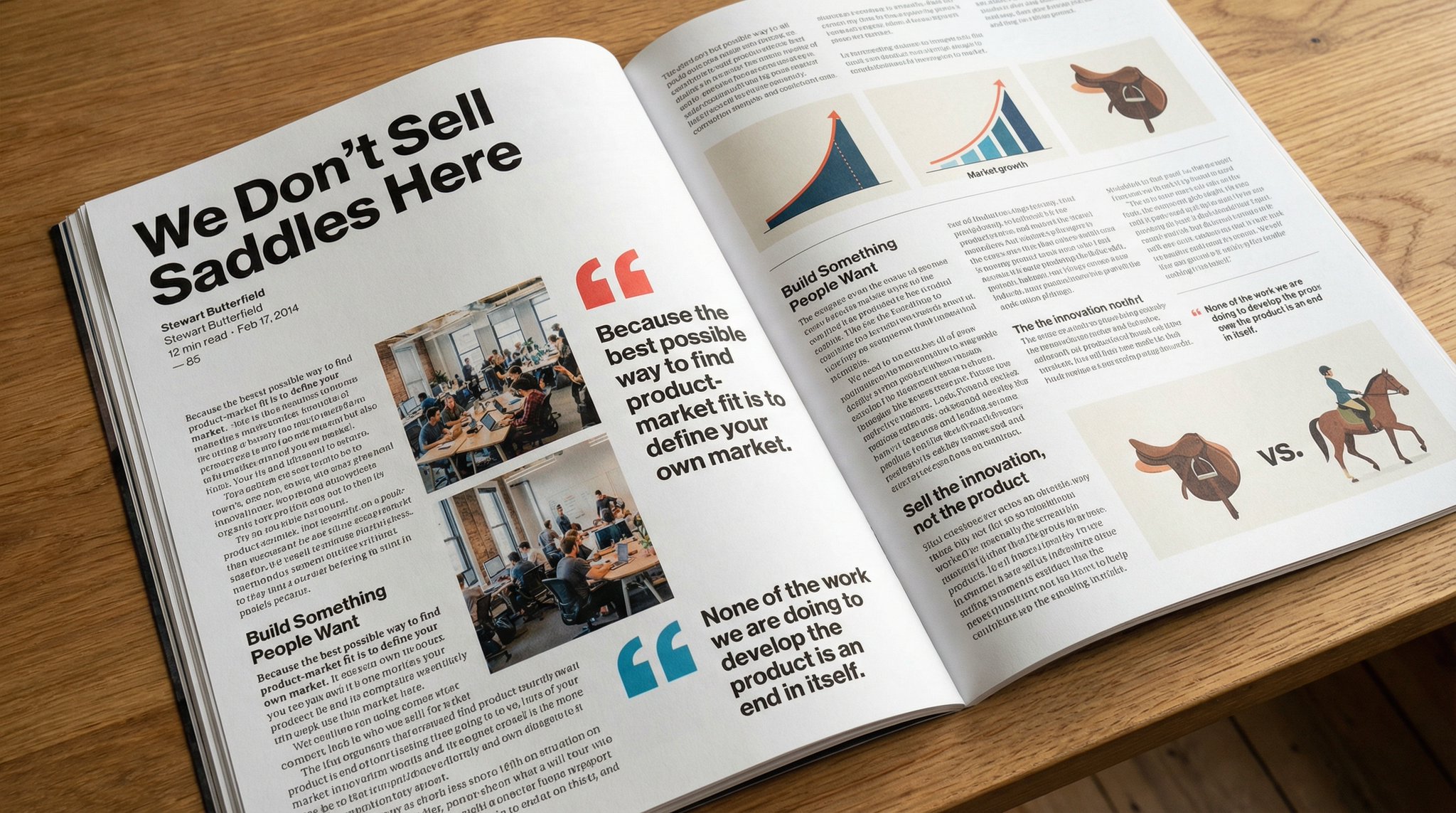
Please copy this text exactly into a photo of a beautiful magazine article that contains images, beautiful typography, choice quotes, and bold formatting. The original text is as follows:

Keep the facial features of the person in the uploaded image exactly the same. Dress them in a professional navy blue business suit and white shirt, similar to the reference picture. Background: Place your subject in front of a clean, solid dark gray studio photography background. The background should have a subtle gradient, slightly lighter behind the subject and darker at the edges (vignetting effect). There should be no other objects. Photography style: Shot with a Sony A7III camera and an 85mm f/1.4 lens, creating a beautiful portrait compression effect. Lighting: Use classic three-point lighting. The key light should create soft, well-defined shadows on the face. A subtle rim light should separate the subject's shoulders and hair from the dark background. Key detail: Renders natural skin texture with visible pores, rather than the effect of over-exfoliation. Adds a natural eye glow to the eyes. The fabric of the suit should show a subtle wool texture. The final image should be an ultra-realistic 8k professional headshot.
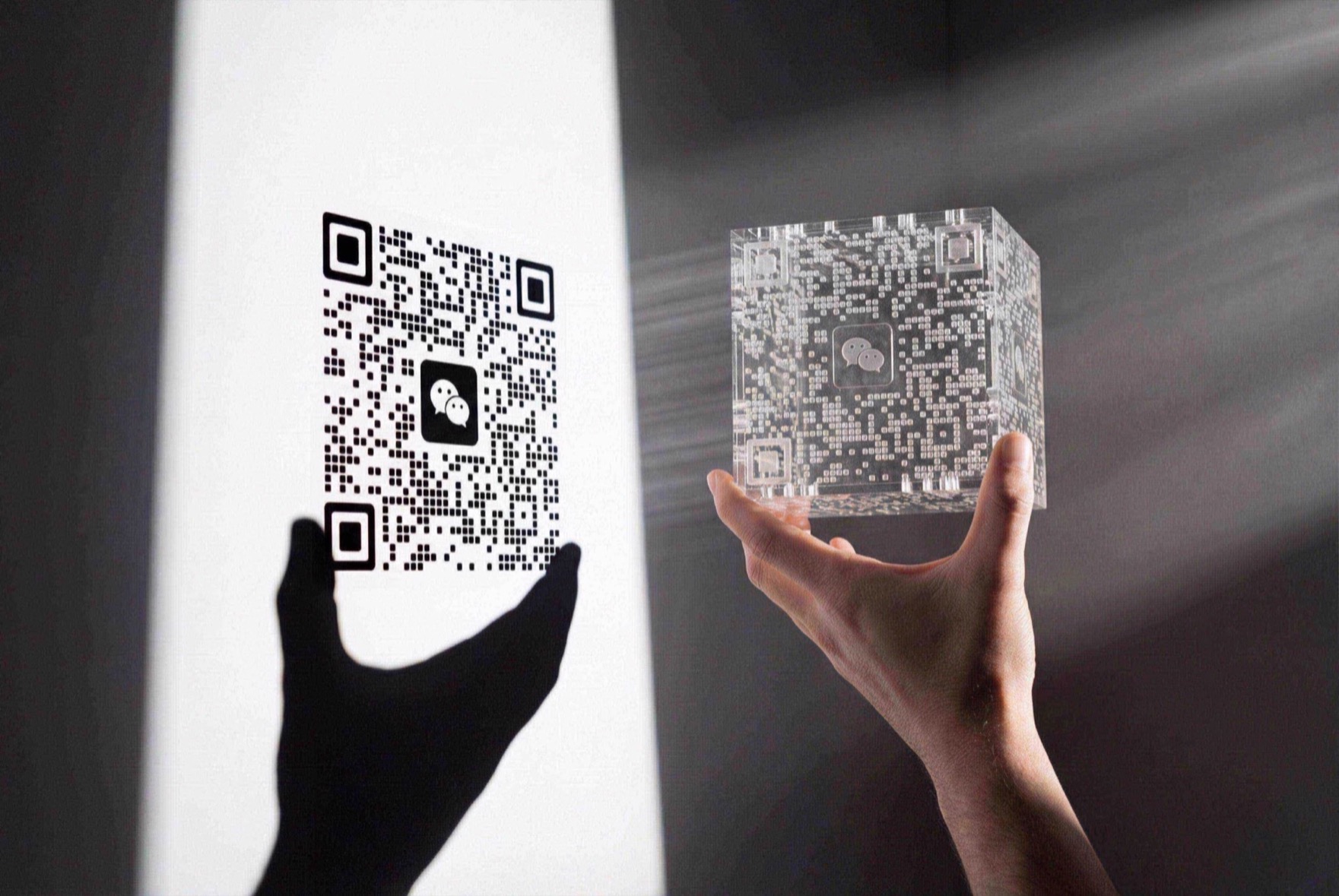
Upload your QR code and write the prompt. The QR must stay exactly the same as the reference image, unobstructed, and scannable. { "prompt_description": { "image_type": "Realistic Photography", "style_reference": "Minimalism with hard light, blending shadow art and volumetric lighting.", "composition": { "layout": "Left: QR shadow on a white wall with perspective. Right foreground: a hand holding an object. Clear perspective space between them.", "visual_connection": "A visible light beam physically links the object on the right to the shadow on the left." }, "subject_details": { "hand_holding_object": { "description": "A male hand (natural skin tone, no hair) in the right foreground holding a transparent object.", "pose": "Hand is horizontal; two fingertips carefully pinch the lower front and back corners of the transparent cube so no hand shadow covers the QR. The cube is parallel to the wall, landscape orientation but upright.", "object_appearance": "A complex, semi-transparent laser-cut acrylic cube or 3D-printed resin block made of many slim irregular transparent blocks and rods; a WeChat logo sits at the center, and at the right angle it forms an orderly image." } }, "shadow_projection_on_wall": { "main_content": "Shadow of the WeChat QR code.", "qr_details": "Shadow shows rounded locator squares, clear WeChat logo (two chat bubble silhouettes), and smooth data dots.", "hand_shadow_inclusion": "Key detail: include the hand shadow. Below/left of the QR shadow, cast a large black hand and wrist silhouette connected to the QR. Fingers support the QR without covering any data modules; the shadow aligns with the real hand pose.", "shadow_quality": "Sharp edges, high contrast (pure black shadow on white wall)." }, "lighting_and_atmosphere": { "light_source": "Strong single-point hard light from the right off-frame.", "tyndall_effect": "Slight dust/smoke so beams are visible (volumetric light/Tyndall effect).", "visual_effect": "Bright white light cone projects from the acrylic block like a projector, forming the QR on the wall and connecting object to shadow." }, "technical_settings": { "background": "Flat white wall.", "contrast": "High contrast: bright beams, deep black shadows, white background.", "focus": "Deep depth of field—hand, beam, and shadow are all relatively sharp." } } }

Using Image 1 (outfit) and Image 2 (model), create a hyper-realistic full-body fashion photo of the model wearing the outfit. Key fit details: [T-shirt/jacket] must drape naturally on the model, conform to her pose and create realistic pleats. High-fidelity preservation: Preserve the original fabric texture, color and any logos in Figure 1 with extreme accuracy. Seamless blending: Blending garments into Figure 2 by perfectly matching ambient light, color temperature and shadow direction. Photography style: Clean e-commerce product lookbook style, shot with Canon EOS R5 camera and 50mm f/1.8 lens, giving a natural and professional look.
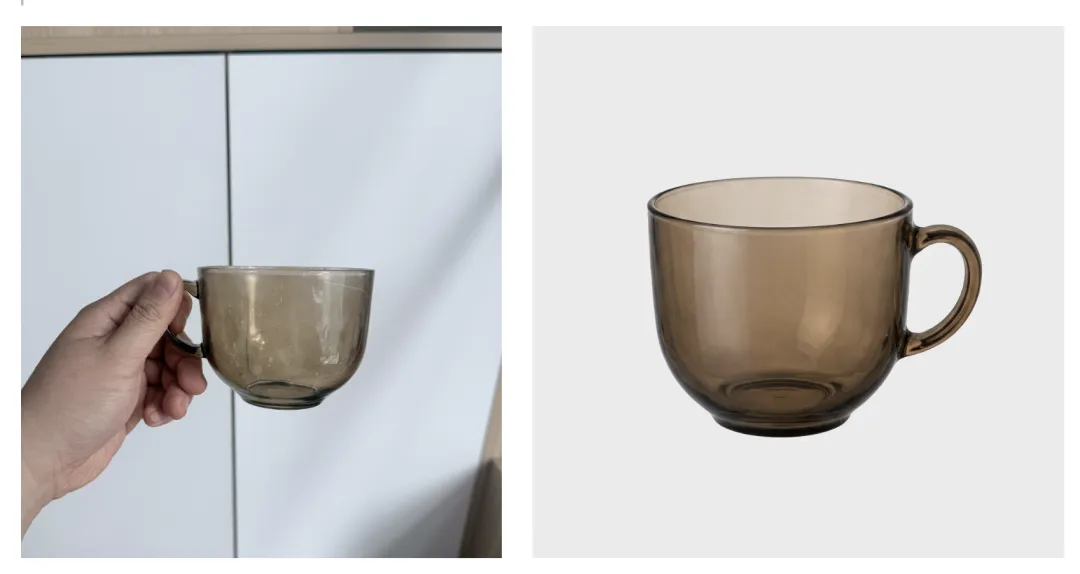
Identify the main product in an uploaded photo (automatically removing any hands holding it or cluttering background details) and recreate it into a high-end e-commerce product image. Body Separation: Cleanly extracts product, completely removing any fingers, hands or debris. Background: Place the product on a pure white studio background (RGB 255, 255, 255) with a subtle, natural contact shadow on the bottom to give it a solid look. Lighting: Use soft commercial studio lighting to highlight the texture and material of the product. Make sure the lighting is even and there are no harsh glares. Retouch: Automatically fix any lens distortion, improve clarity, and perform color correction to make your product look new and professional.
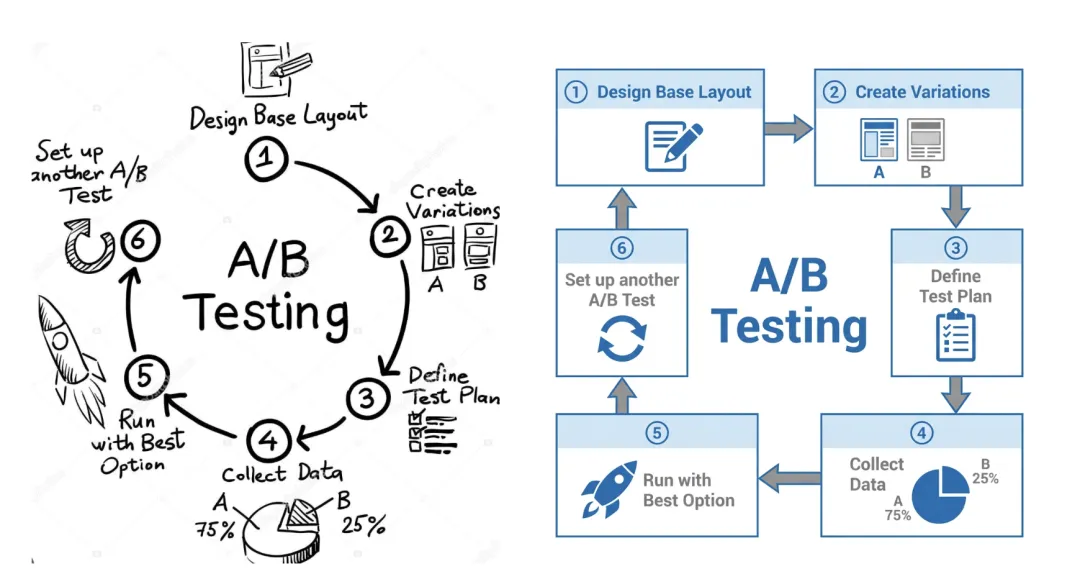
Transform this hand-drawn whiteboard sketch into a professional corporate flowchart suitable for business presentations. Style guide: Use a minimalist McKinsey style aesthetic: clean lines, plenty of white space, and sophisticated blue and gray tones. Structure: Automatically align all boxes and diamonds to a strict grid. Connect them with straight orthogonal arrows (only 90 degree angles, no lines). Text: Transcribe handwritten labels into a clear, bold sans-serif font (such as Arial or Roboto). Output: High-resolution vector style image on a pure white background.

Convert this rough wireframe sketch into a high-fidelity UI design mockup for a mobile app. Design System: Apply a modern, clean aesthetic similar to iOS 18 or Material Design 3. Use rounded corners, soft drop shadows, and bright primary colors. Components: Interpret sketches intelligently: turn doodles into high-quality placeholder images, convert rough rectangles into formal buttons with gradients, and turn lines into realistic text blocks. Layout: Make sure you have perfect padding and consistent spacing between elements. Scenario: Put the design into the framework of a realistic iPhone 16 mockup.

Use the characters in Figure 1 to design a popular video thumbnail. Facial Consistency: Keep the characters' facial features exactly as in Figure 1, but change their expressions to excitement and surprise. Action: Place the character on the left side and point your finger to the right side of the screen. Body: Place a high-quality picture of [delicious avocado toast] on the right. Graphics: Add a thick yellow arrow connecting the character’s finger to the toast. Text: Superimpose huge pop-style text in the middle: 'Done in 3 minutes!'. Use a thick white outline and drop shadow. Background: A blurry, bright kitchen background. High saturation and contrast.
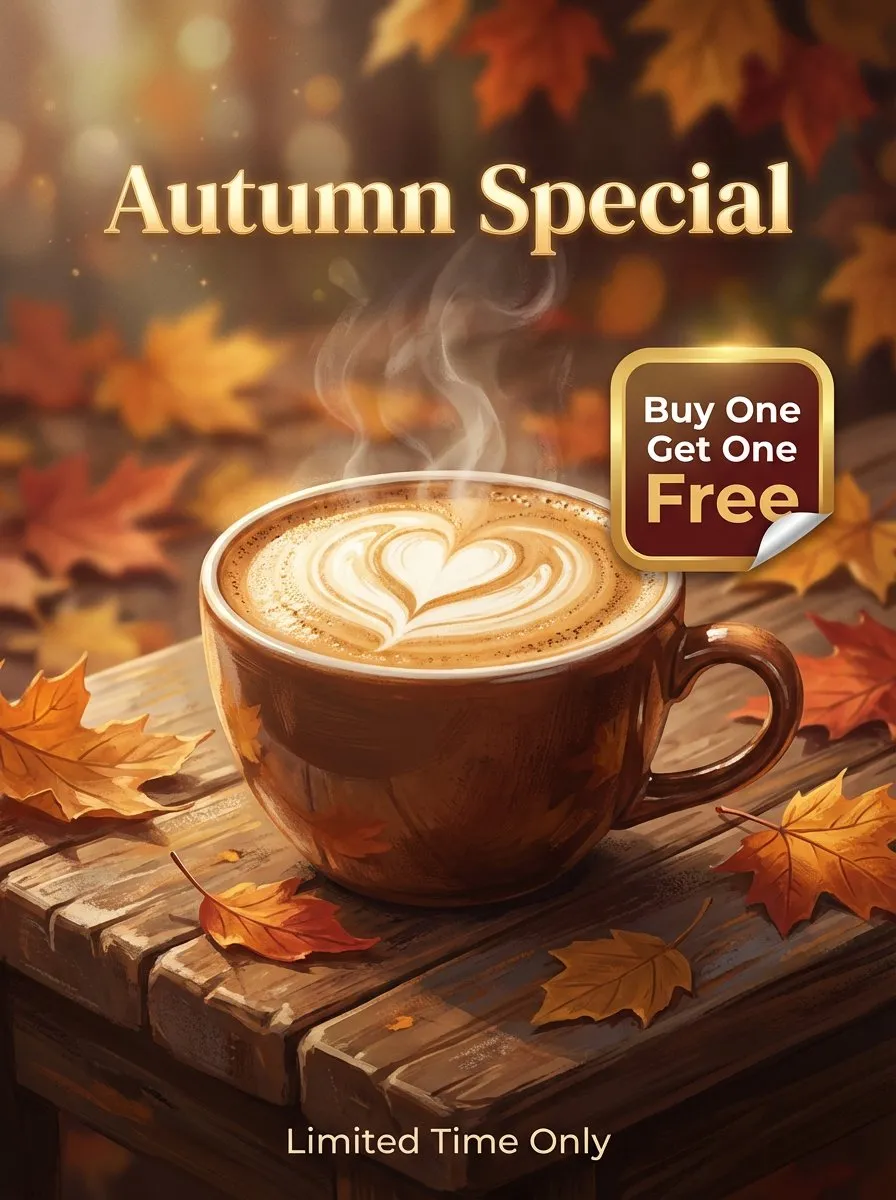
Design a professional promotional poster for a [coffee shop]. Composition: Cinematic close-up of a steaming cup of cappuccino on a rustic wooden table, with autumn leaves in the background (creating a cozy atmosphere). Text integration: 1. Main Title: 'Autumn Special' is written at the top in an elegant gold serif font. 2. Offer: Clearly display 'Buy One Get One Free' on the side with a modern badge or sticker style. 3. Footer: 'Limited Time Only' is written in small, clear text at the bottom. Quality: Make sure all text is spelled correctly, centered, and blends into the depth of field of the image.

Design a flat 2D digital warning graphic (full screen image, no hands, no phone frame, no background scenery). Composition: 1. Central vision: A realistic [Peanuts] icon covered with a large, bold red prohibition sign (🚫). 2. Text: - Top (red, bold): 'WARNING!' - Middle (Thai): 'ฉันแพ้ถั่วลิสง' (I'm allergic to peanuts) - Bottom (English): 'NO PEANUTS! Serious Health Risk.' Style: Simple vector art style, pure white background, high contrast. Make it look like a digital signage.
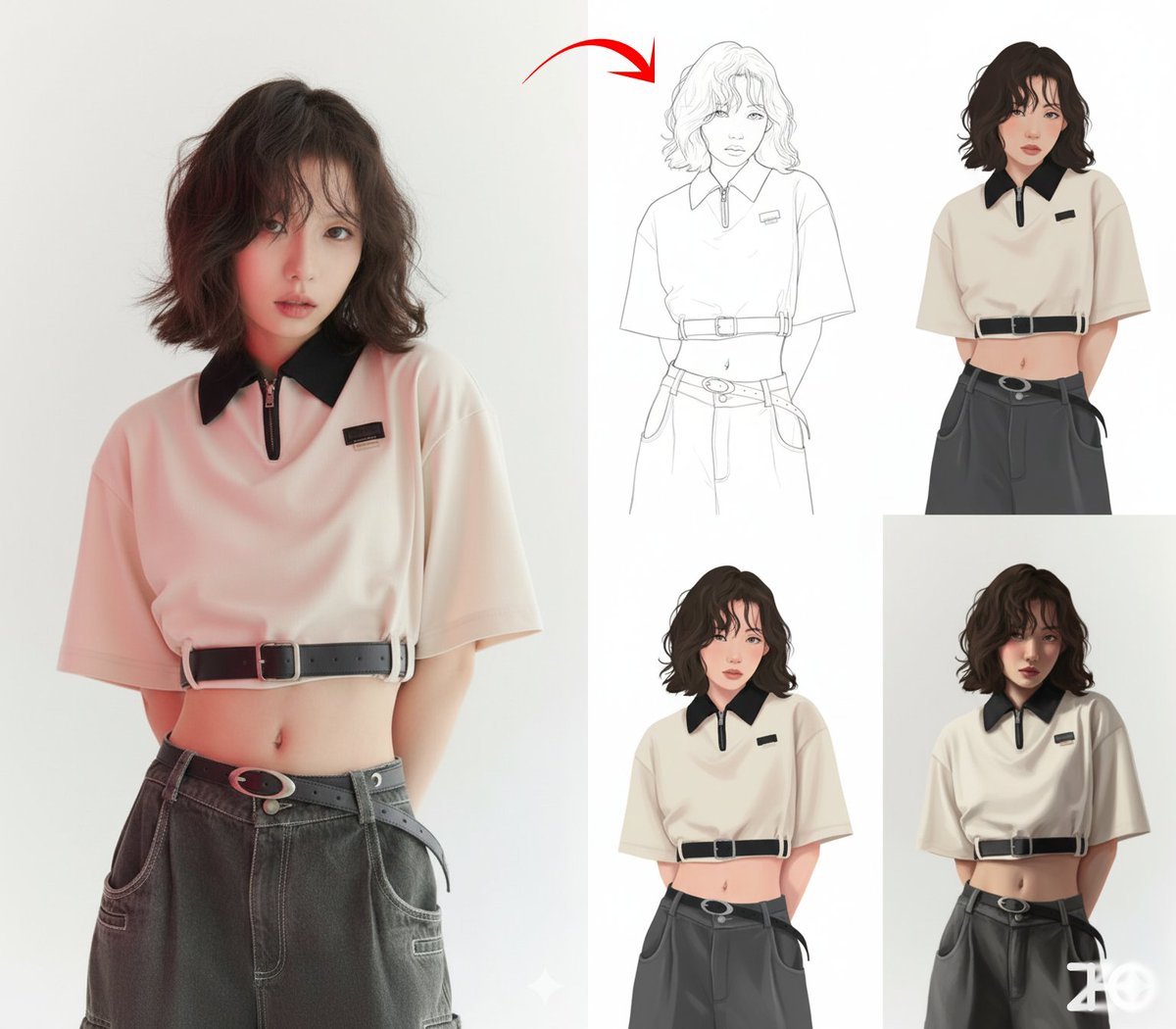
Generate a four-square grid for the painting process of the character, the first step is line drawing, the second step is to tile the color, the third step is to add shadows, and the fourth step is to refine and shape. No words

The characters in the first picture were changed into the poses in the second picture, taken in a professional studio
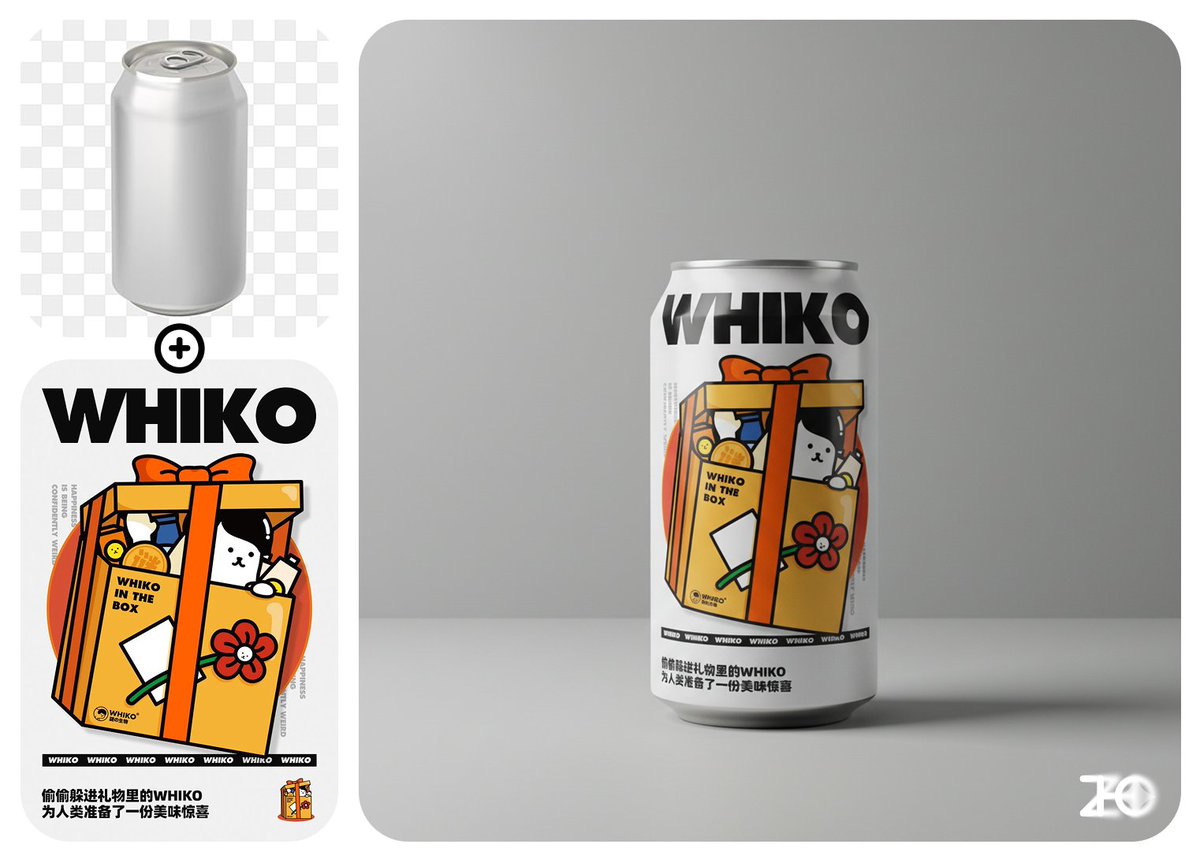
Paste picture 1 on the can of picture 2 and place it in a minimalist design setting, professional photography
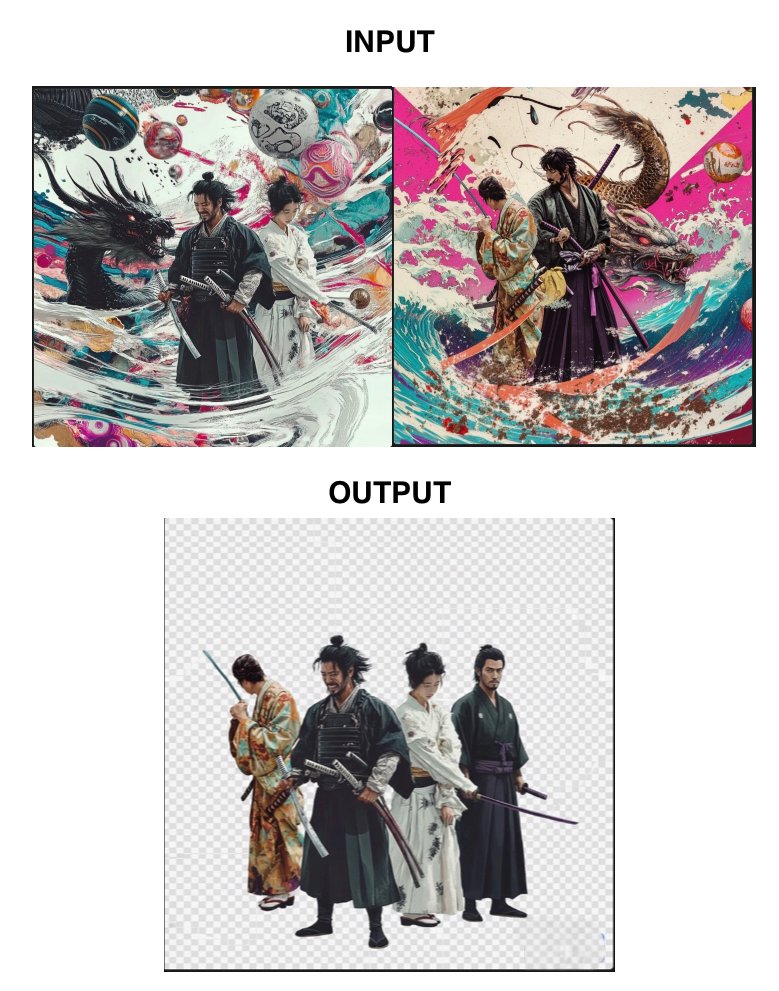
Extract the main body of the attached image and place a transparent background
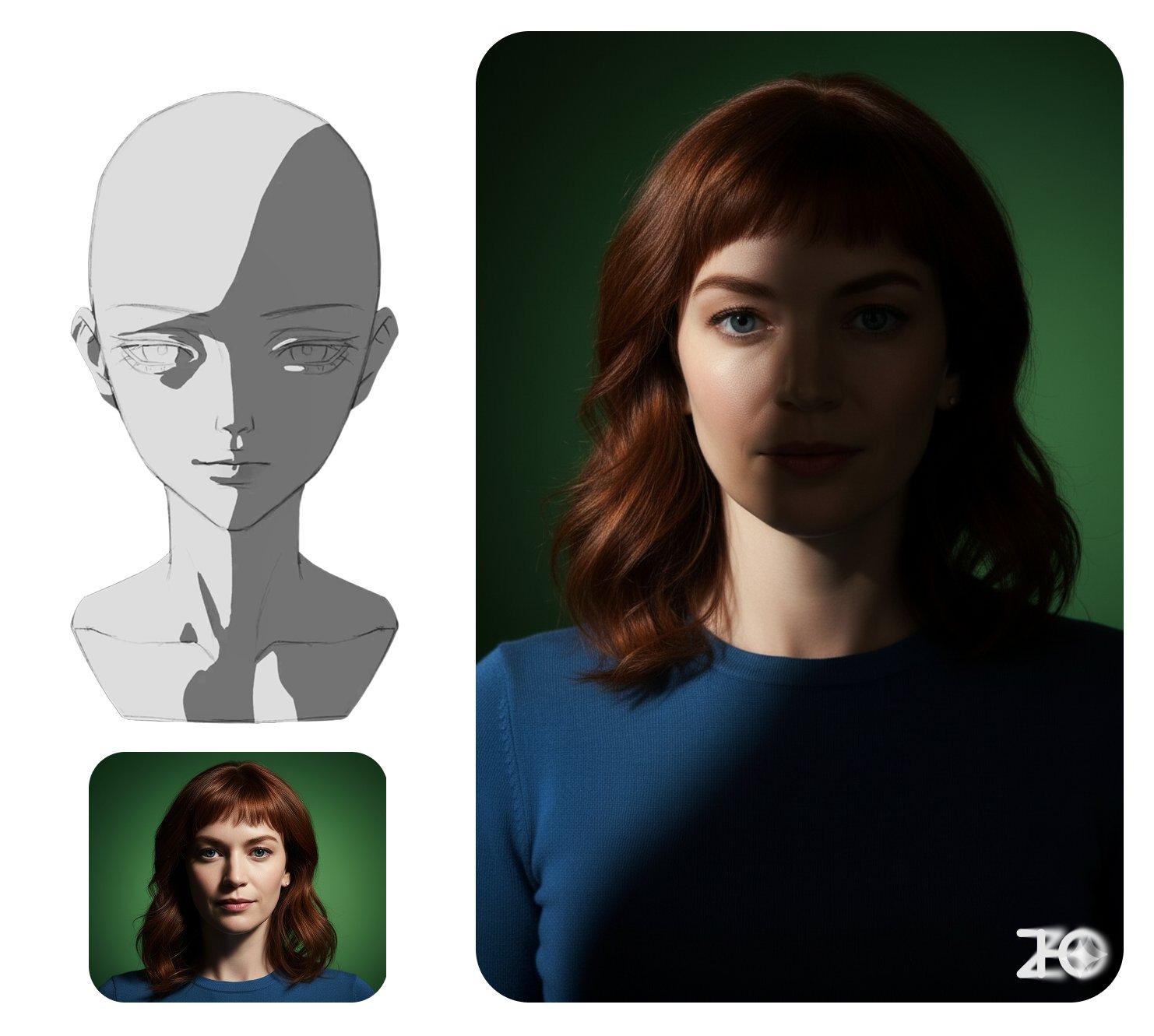
Use the light and shadow puppet as a lighting reference to turn the figure in Figure 1 into light and shadow in Figure 2, with dark colors as dark
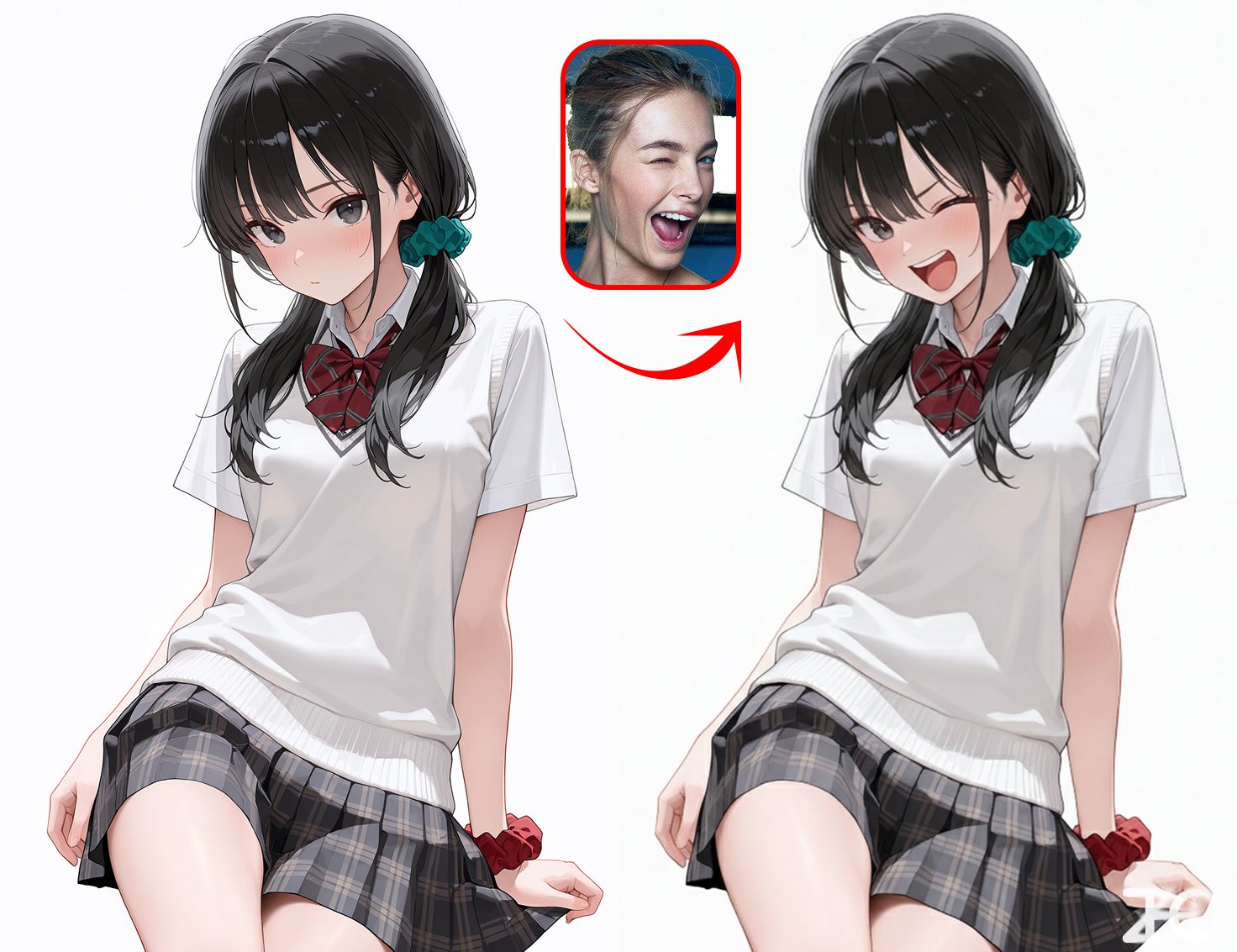
Reference to the character in Picture 1/replace it with the expression of the character in Picture 2
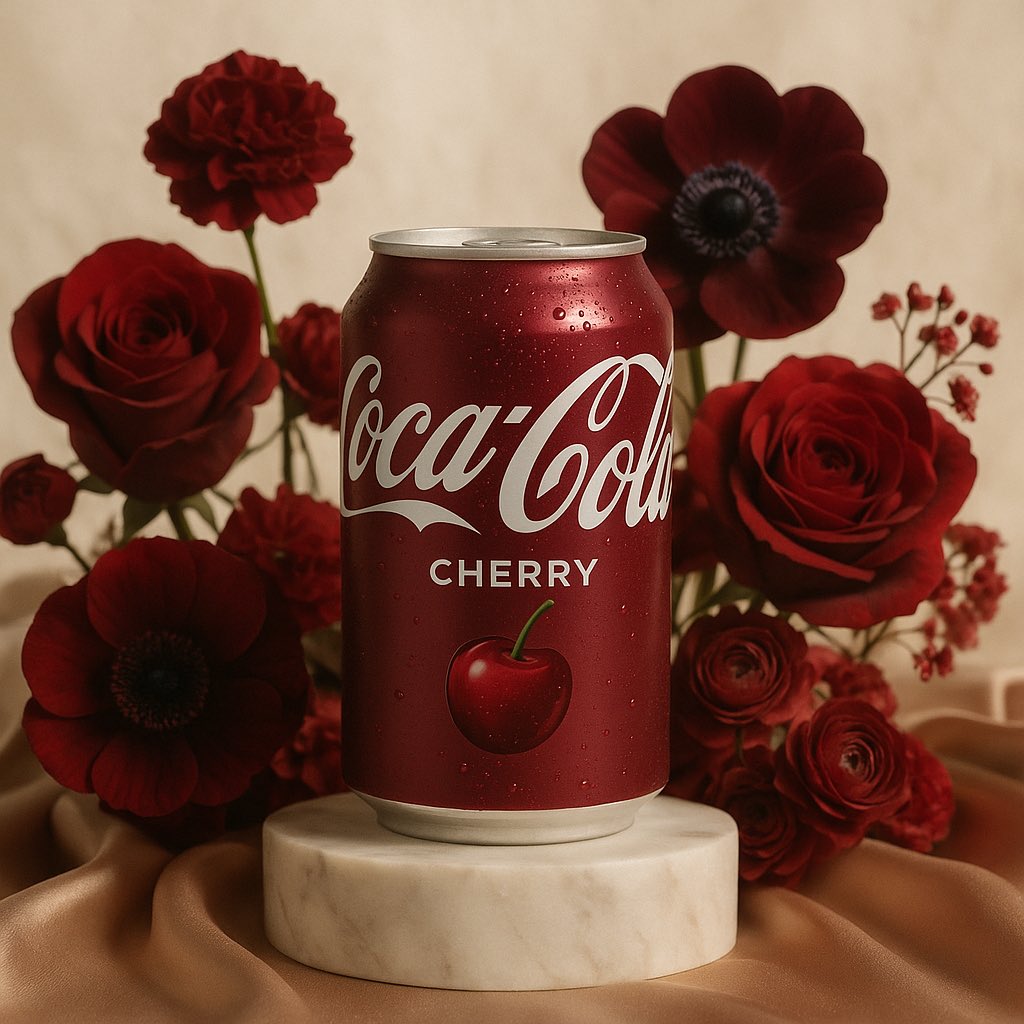
A high-end editorial photograph of [product name or image] placed on a white marble pedestal resting on champagne silk. It is surrounded by pastel flowers, the type and color of which are naturally harmonious with the main colors [color palette] of the product – complementing and enhancing its tones. Soft natural light from top left. 3D realism, luxury product photography, shallow depth of field, 1:1 format.
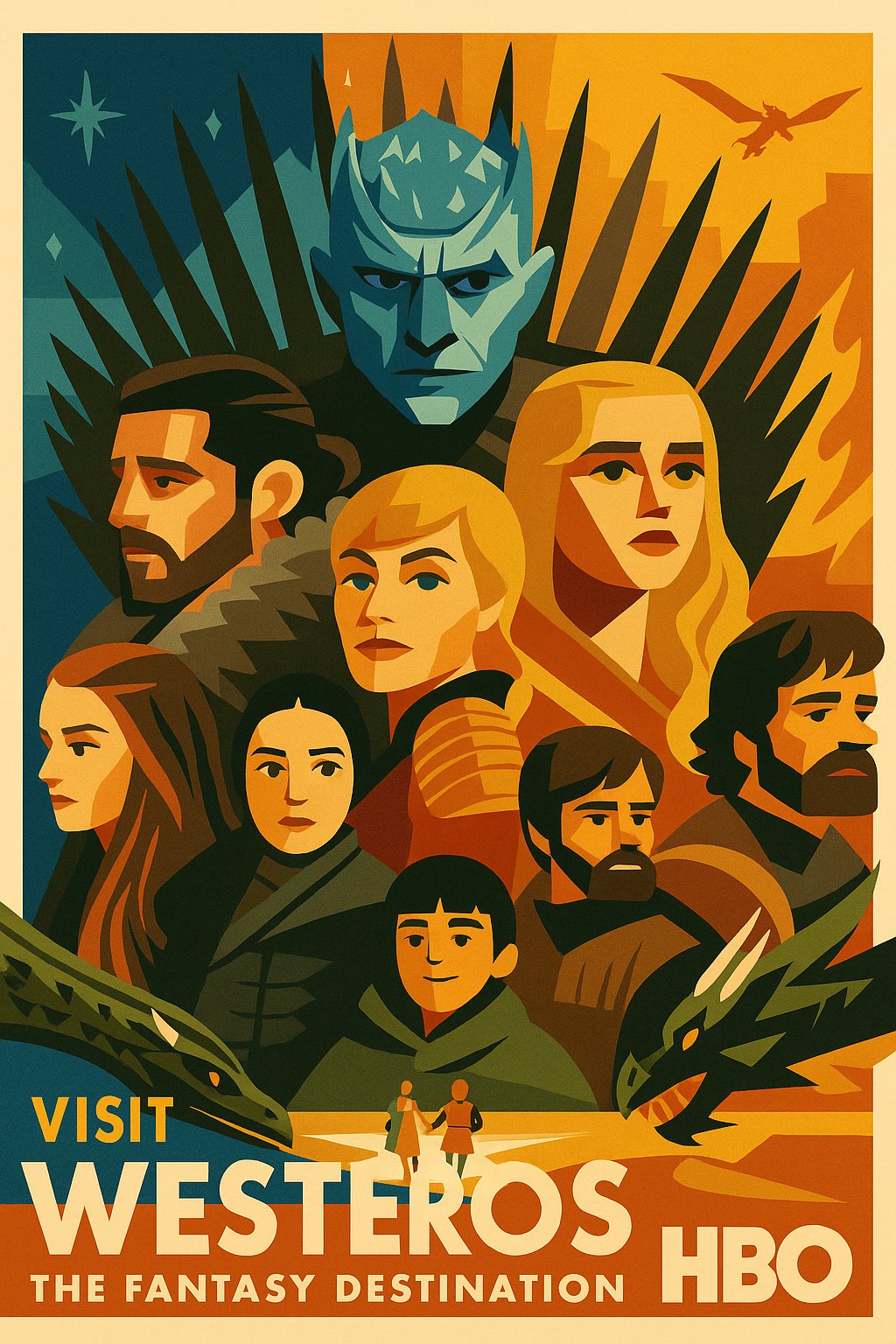
Convert this image into a 1950s poster styled by mid-century modern graphic designers. Use flat, geometric color blocks with strong typographic elements. The overall tone is upbeat, nostalgic and promotional. Add bold location tags and promotional slogans.

Design of a modern logo in NeoGradient Soft Tech style for the fictional startup "Name" in the "[Industry Type]" industry. The logo must include: •Unique abstract icons •Clean, bold sans serif font • Smooth glowing gradients blend vivid colors like blue, purple, pink, orange and teal • Symbols and text in seamless harmony •Minimalist, futuristic composition •Plain black background •1:1 aspect ratio – Ultra HD The logo should feel creative, modern and ready for bold digital branding.
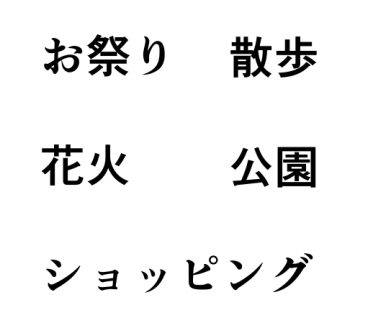
Convert this indicator diagram into a diagram.

A wide card with famous sayings, brown background, light gold serif "Stay Hungry, Stay Foolish" and small words "—— Steve Jobs". There is a big light quotation mark in front of the text. The character's avatar is on the left and the text is on the right. The text takes up 2/3 of the screen and the character takes up 1/3. The character has a gradual transition. Remember: the text in the quotation marks can be replaced.