
Prompt Library
All AI photo prompts (289)
Explore every prompt in the PicPhoto library. Use filters to jump to a category or browse page by page.
Showing page 2 of 13 · 289 prompts
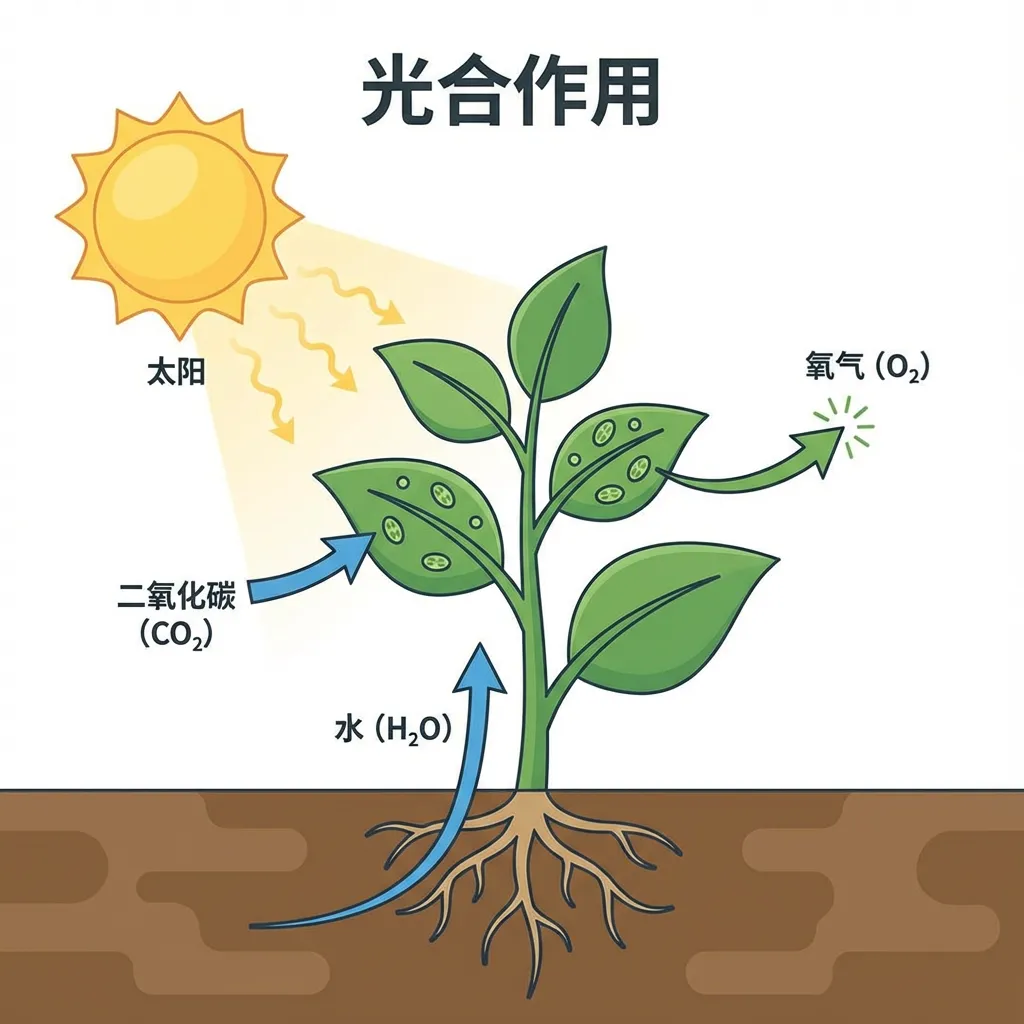
Create an educational infographic explaining [photosynthesis]. Visual Elements: Shows the key components: the sun, a green plant, water (H2O) entering the roots, carbon dioxide (CO2) entering the leaves, and oxygen (O2) being released. Style: Simple, flat vector illustration suitable for a high school science textbook. Use arrows to represent the flow of energy and matter. Labels: Clearly label each element in simplified Chinese.

Upscale this image to 4K resolution.
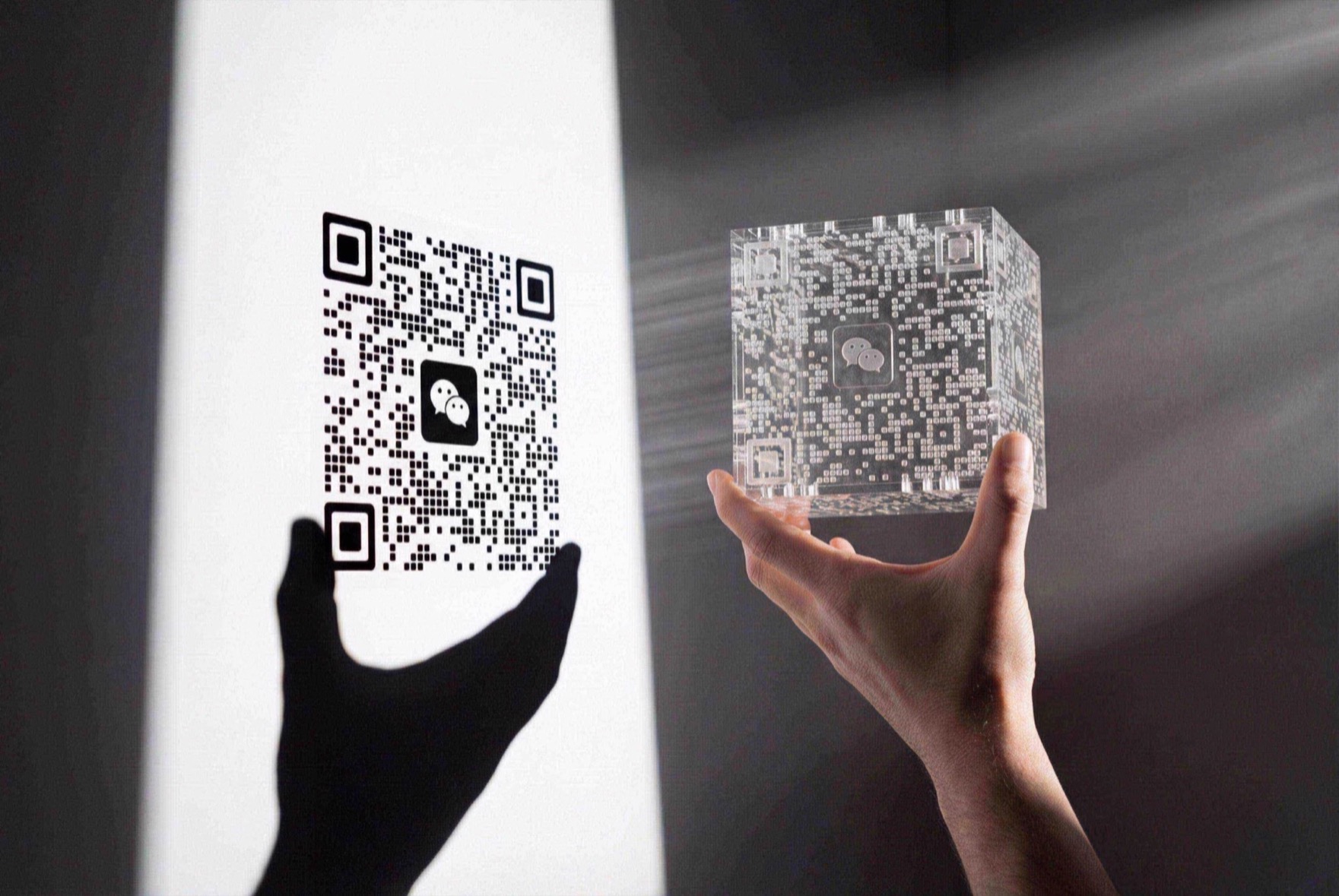
Upload your QR code and write the prompt. The QR must stay exactly the same as the reference image, unobstructed, and scannable. { "prompt_description": { "image_type": "Realistic Photography", "style_reference": "Minimalism with hard light, blending shadow art and volumetric lighting.", "composition": { "layout": "Left: QR shadow on a white wall with perspective. Right foreground: a hand holding an object. Clear perspective space between them.", "visual_connection": "A visible light beam physically links the object on the right to the shadow on the left." }, "subject_details": { "hand_holding_object": { "description": "A male hand (natural skin tone, no hair) in the right foreground holding a transparent object.", "pose": "Hand is horizontal; two fingertips carefully pinch the lower front and back corners of the transparent cube so no hand shadow covers the QR. The cube is parallel to the wall, landscape orientation but upright.", "object_appearance": "A complex, semi-transparent laser-cut acrylic cube or 3D-printed resin block made of many slim irregular transparent blocks and rods; a WeChat logo sits at the center, and at the right angle it forms an orderly image." } }, "shadow_projection_on_wall": { "main_content": "Shadow of the WeChat QR code.", "qr_details": "Shadow shows rounded locator squares, clear WeChat logo (two chat bubble silhouettes), and smooth data dots.", "hand_shadow_inclusion": "Key detail: include the hand shadow. Below/left of the QR shadow, cast a large black hand and wrist silhouette connected to the QR. Fingers support the QR without covering any data modules; the shadow aligns with the real hand pose.", "shadow_quality": "Sharp edges, high contrast (pure black shadow on white wall)." }, "lighting_and_atmosphere": { "light_source": "Strong single-point hard light from the right off-frame.", "tyndall_effect": "Slight dust/smoke so beams are visible (volumetric light/Tyndall effect).", "visual_effect": "Bright white light cone projects from the acrylic block like a projector, forming the QR on the wall and connecting object to shadow." }, "technical_settings": { "background": "Flat white wall.", "contrast": "High contrast: bright beams, deep black shadows, white background.", "focus": "Deep depth of field—hand, beam, and shadow are all relatively sharp." } } }

Replace the clothing of the person in the input image with the target clothing shown in the reference image. Keep the character's pose, facial expressions, background, and overall realism intact. Make new garments look natural, form-fitting, and consistent with light and shadow. Don’t change the character’s identity or circumstances—just the clothes

Please analyze the photos I provided carefully. Your task is to give the main character in the photo a new hairstyle, and you must strictly abide by the following rules: 1. **Identity Preservation**: The character’s facial features, facial features, skin texture and expression must be completely preserved to ensure that they look like the same person. 2. **Background remains unchanged**: The background, environment and lighting conditions where the characters are located must remain the same without any changes. 3. **Body posture remains unchanged**: The character’s head posture, body posture and clothing must remain unchanged. 4. **Seamless fusion**: The new hairstyle needs to be intelligently adjusted according to the character's head shape, face shape and on-site lighting to ensure that the texture, gloss and shadow of the hair are perfectly integrated with the original photo to achieve a highly realistic and seamless effect. --- **Women’s hairstyle reference:** * Flowing long straight hair * Romantic wavy curls * Playful short bob * Elegant French bangs with shoulder-length hair * Exquisite vintage updo * Chic and neat pixie cut * Fluffy afro curls * High ponytail * Dreadlocks *Silver-grey ombre long hair **Men’s Hairstyle Reference:** * Classic business slick-back * Modern textured short hair / Quiff * Clean buzz cut * Retro middle part hairstyle * Fluffy Korean-style curly hair * Casual shoulder-length long hair * Undercut hairstyle (short on the sides, long on the top) (Undercut) *Mohawk * Samurai bun/man bun --- Please change the character's hairstyle to: Playful short bob
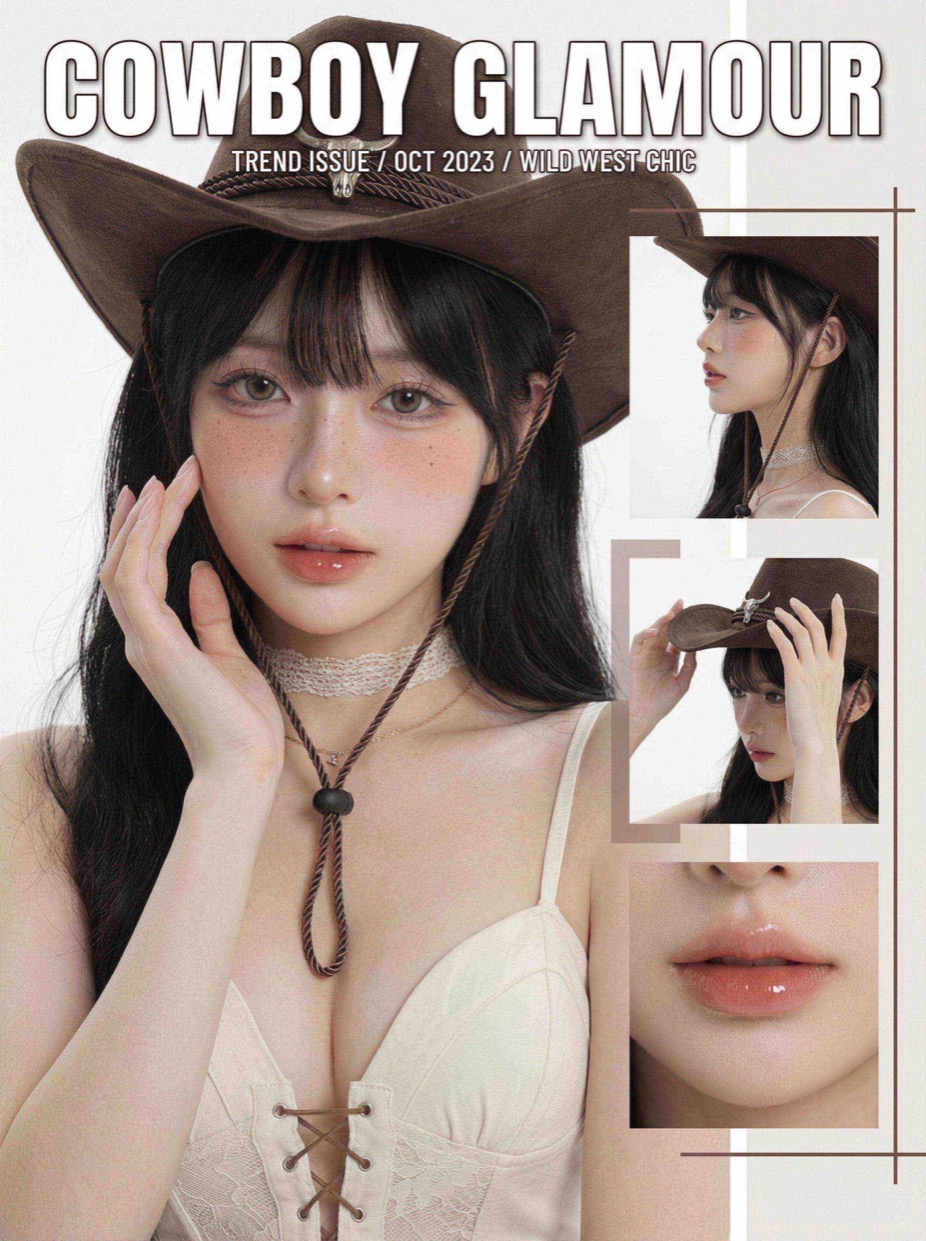
Goal: use the uploaded reference portrait to extract temperament, makeup style, lighting, and palette, then create a unique fashion portrait collage. Keep facial structure and vibe; do not trace. Stay in the same style family but vary makeup and composition creatively. Reference photo: clear frontal or 3/4 portrait showing features, skin texture, and lighting mood. Extract skin tone, makeup strength, main colors, light direction, vibe, and outfit colors. Composition & output: - Main frame: face close-up/medium close-up; head & shoulders dominate; gaze follows the reference vibe. - Collage: add small inserts (side face close-up, hand detail, makeup detail) for a magazine layout feel. - Background: clean solid or soft gradient to highlight subject and makeup. Text & graphics: - Title: large magazine-style heading at top, bold, centered/upper-center. - Subtitle/body: a few neat lines on one side or bottom (theme, name, date). - Geometric accents: fine lines and translucent/narrow blocks around the subject for graphic structure. Style inheritance: - Color: follow reference tone/contrast/warm–cool mood; main color comes from the most eye-catching makeup or outfit color. - Lighting: mirror reference direction/softness (keep soft light if source is soft; keep some hardness if contrasty). - Makeup: keep same intensity level (sheer/bold/experimental/natural) and vary eyes/cheeks/lips slightly. - Mood: keep the emotional vibe (cool/sweet/rebellious/mysterious) in expression and pose. Creative variations: - Makeup: exaggerate blush range, strengthen lip gradient, add freckles or highlight dots. - Composition: tweak head angle, crop, and collage placement to make each render unique. - Accessories: add simple, design-forward jewelry on neck/ears/hands that echoes the main color without copying the ref. - Gestures: add hand touches to lips/cheek/under-eye for story feel. Polish: - Clarity: keep pores/details; avoid over-smoothing; gently soften non-focus areas. - Color grading: keep palette unified; suppress stray colors; emphasize main and accent hues. - Emotion: control expression/eyes to retain the reference vibe while giving the piece its own character. Use the uploaded reference photo to auto-read style cues and create accordingly.
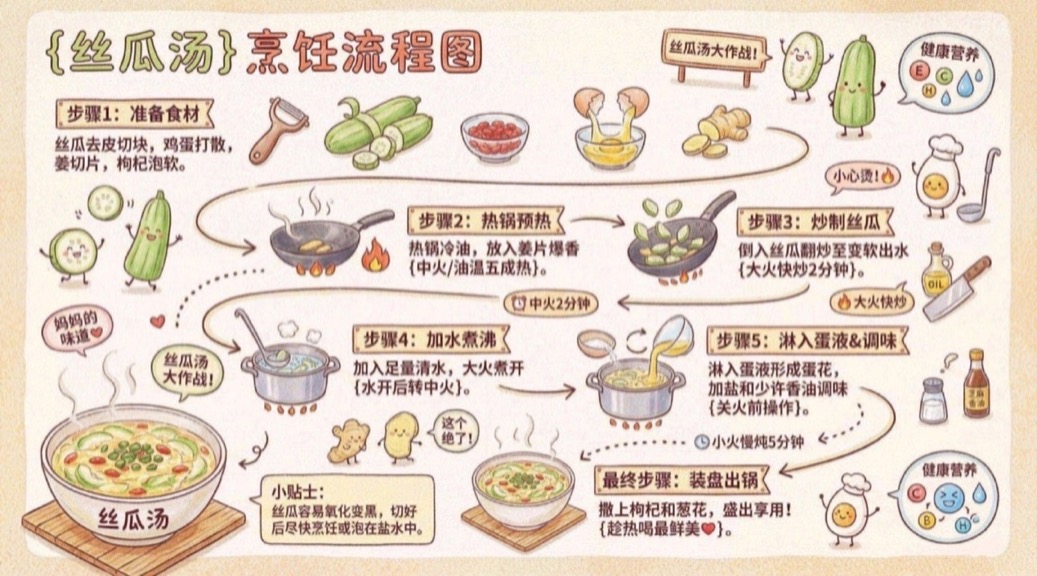
Please create a warm, hand-drawn recipe style (16:9) illustration titled "{Dish Name} Cooking Flow Chart". The overall design should present a kitchen diary style, use a warm cream background (such as light beige #FFF8E7), and match it with food colors: tomato red, carrot orange, lettuce green, butter yellow, etc. to create a warm family kitchen atmosphere. I. Main scene: cooking step flow line Draw a "wavy/zigzag cooking flow line" in the center, connecting the steps with arrows and dotted lines. The cooking steps are automatically generated based on the {dish name} and {difficulty level} input by the user: - "Step 1: Prepare ingredients {ingredient list + preprocessing method}" - "Step 2: Preheat the hot pot {Oil temperature/heat tips}" - "Step 3: {Key cooking actions + time}" - "Step 4: {Seasoning + Ingredients Ratio}" - "Final step: Plate and serve {Plating skills + Enjoy warm words}" II. Surrounding decorative elements Add tons of cute kitchen doodle elements around the flow lines: - Anthropomorphic food characters (tomatoes, eggs, carrots, etc.) - Q version kitchen utensil icons (spatula, spoon, kitchen knife, condiment jar) - Cooking reminder placards ("Be careful!", "This step is the most critical!", "Keep the heat right~") - Sticker-style phrases ("Mom's Taste", "{Dish Name} Battle!", "Even Novices Can Do It!") - Cute ingredients/seasoning icons, the Three Musketeers of Onion, Ginger and Garlic - Cooking emotion expression and time/heat reminder bubbles
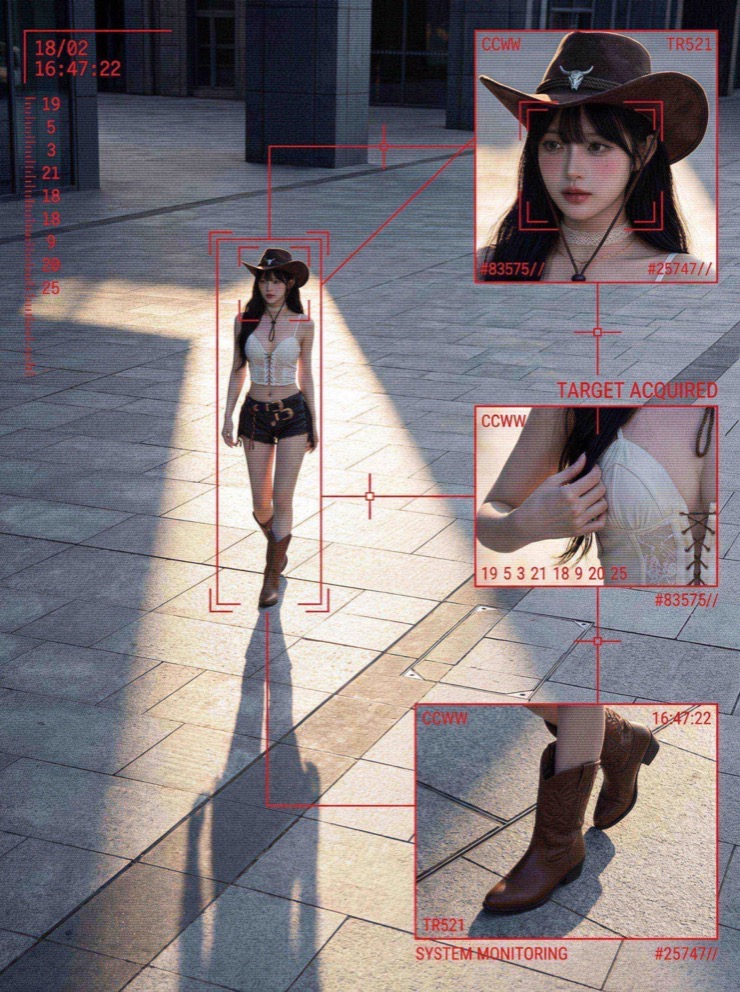
QUERY LENGTH LIMIT EXCEEDED. MAX ALLOWED QUERY : 500 CHARS
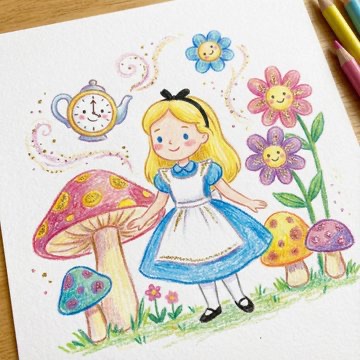
Drawing a drawing of [Character], crayon on white paper, in the style of a children's book illustration – simple, cute, and full-color, with [two glitter accent colors] glitter accents and high detail.
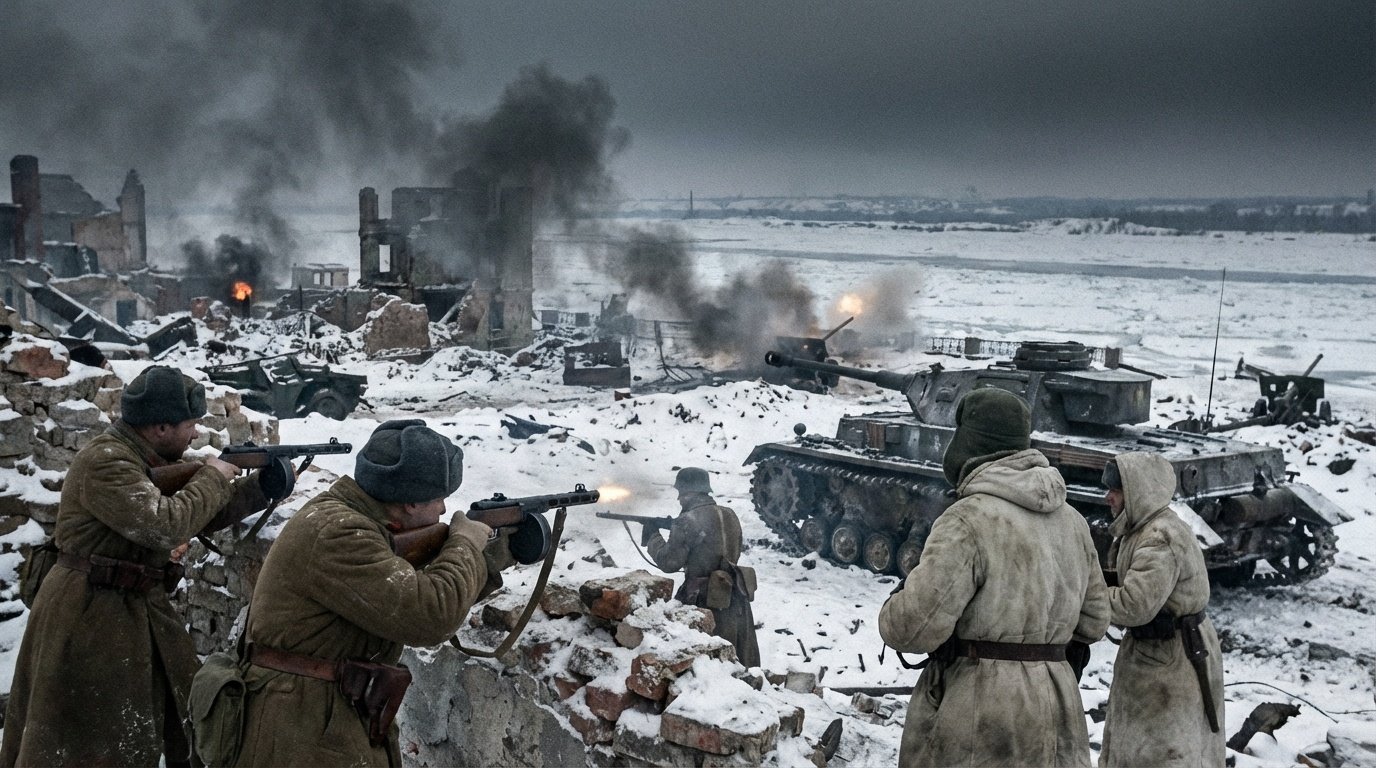
Create image of {geographical coordinates}, {when}

Make a $1 bill for this person, keeping the original bill dimensions

Draw a 3D cross-sectional design diagram showing the working principle of a car engine, and present its internal structure in a highly restored way. Each component is disassembled and arranged in an orderly manner. Each part is equipped with clear English labels, indicating the structure name and function description. The overall layout is both professional and visually logical, presenting a clear, neat and technologically analytic schematic diagram.
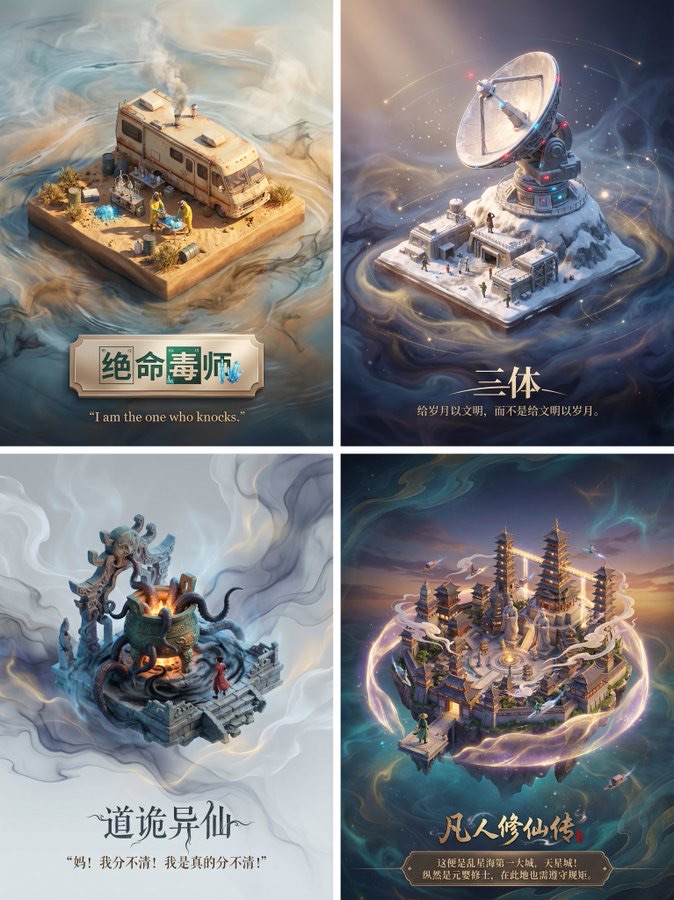
Please design a high-quality 3D poster for the TV series/novel "Name Needs to Be Added", which needs to be retrieved first for TV series/novel information and famous clip scenes. First of all, please use your knowledge base to search the content of this drama/novel to find the most representative famous scene or core location.In the center of the screen, build this scene into a sophisticated 3D miniature of the shaft side viewing angle.The style should adopt the delicate and soft rendering style of DreamWorks animation.You need to restore the architectural details, character dynamics, and ambiance of the time, whether it is a storm or a quiet afternoon, it should be naturally integrated into the light and shadow of the model. Regarding the background, do not use a simple pure white background.Please create an empty environment with light and fresh water ink stains and flowing light fog around the model, with elegant tones, so that the picture looks breathtaking and deep, setting off the preciousness of the central model. Finally, the typography at the bottom, please generate Chinese text.Write the name of the novel in the center, and the font should have a sense of design that matches the original style.Under the title, automatically retrieve and type a classic description or line of the scene from the original, using elegant serif fonts.The overall layout should be as delicately balanced as an advanced museum collection nameplate.

Using Image 1 (outfit) and Image 2 (model), create a hyper-realistic full-body fashion photo of the model wearing the outfit. Key fit details: [T-shirt/jacket] must drape naturally on the model, conform to her pose and create realistic pleats. High-fidelity preservation: Preserve the original fabric texture, color and any logos in Figure 1 with extreme accuracy. Seamless blending: Blending garments into Figure 2 by perfectly matching ambient light, color temperature and shadow direction. Photography style: Clean e-commerce product lookbook style, shot with Canon EOS R5 camera and 50mm f/1.8 lens, giving a natural and professional look.
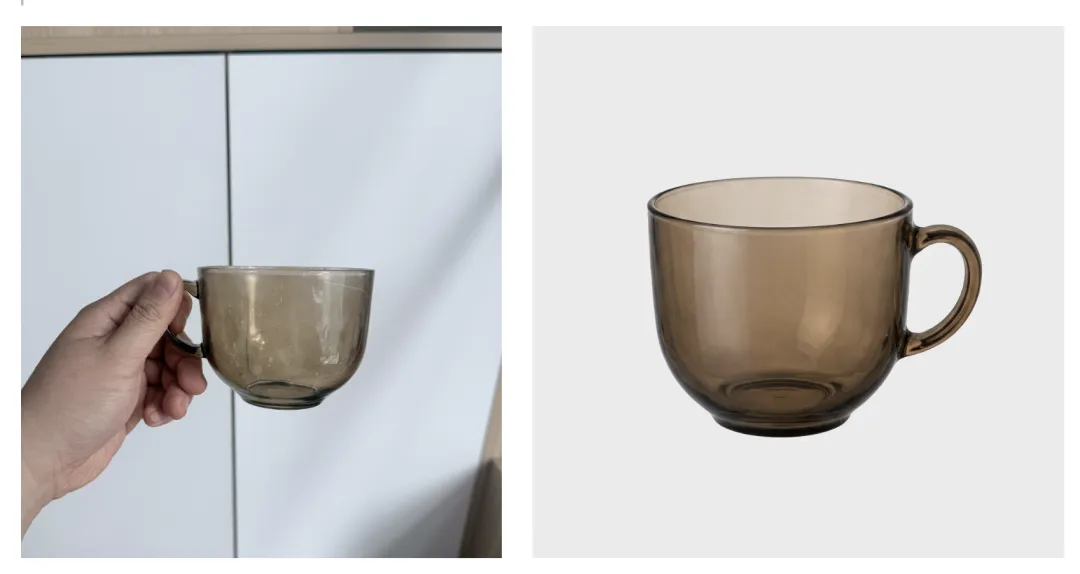
Identify the main product in an uploaded photo (automatically removing any hands holding it or cluttering background details) and recreate it into a high-end e-commerce product image. Body Separation: Cleanly extracts product, completely removing any fingers, hands or debris. Background: Place the product on a pure white studio background (RGB 255, 255, 255) with a subtle, natural contact shadow on the bottom to give it a solid look. Lighting: Use soft commercial studio lighting to highlight the texture and material of the product. Make sure the lighting is even and there are no harsh glares. Retouch: Automatically fix any lens distortion, improve clarity, and perform color correction to make your product look new and professional.
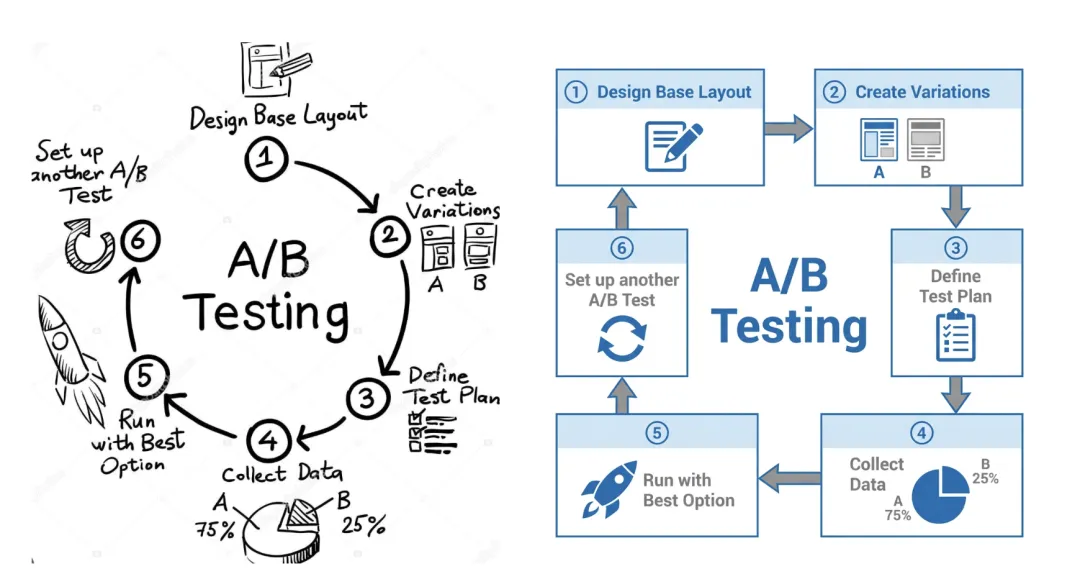
Transform this hand-drawn whiteboard sketch into a professional corporate flowchart suitable for business presentations. Style guide: Use a minimalist McKinsey style aesthetic: clean lines, plenty of white space, and sophisticated blue and gray tones. Structure: Automatically align all boxes and diamonds to a strict grid. Connect them with straight orthogonal arrows (only 90 degree angles, no lines). Text: Transcribe handwritten labels into a clear, bold sans-serif font (such as Arial or Roboto). Output: High-resolution vector style image on a pure white background.

Convert this rough wireframe sketch into a high-fidelity UI design mockup for a mobile app. Design System: Apply a modern, clean aesthetic similar to iOS 18 or Material Design 3. Use rounded corners, soft drop shadows, and bright primary colors. Components: Interpret sketches intelligently: turn doodles into high-quality placeholder images, convert rough rectangles into formal buttons with gradients, and turn lines into realistic text blocks. Layout: Make sure you have perfect padding and consistent spacing between elements. Scenario: Put the design into the framework of a realistic iPhone 16 mockup.
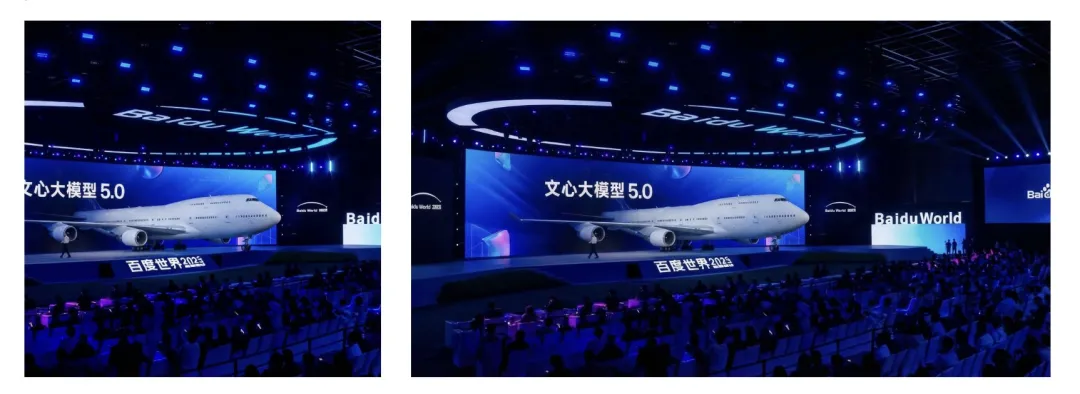
Shrink and expand this image to a 16:9 aspect ratio (computer wallpaper size). Situation Awareness: Seamlessly expand scenes on the left and right sides. Perfectly matched to original light, weather and textures. Logical completion: If there are cut-off objects on the boundary (such as shoulders, tree branches, or building edges), naturally complete them based on logical reasoning. Do not distort the original center image.
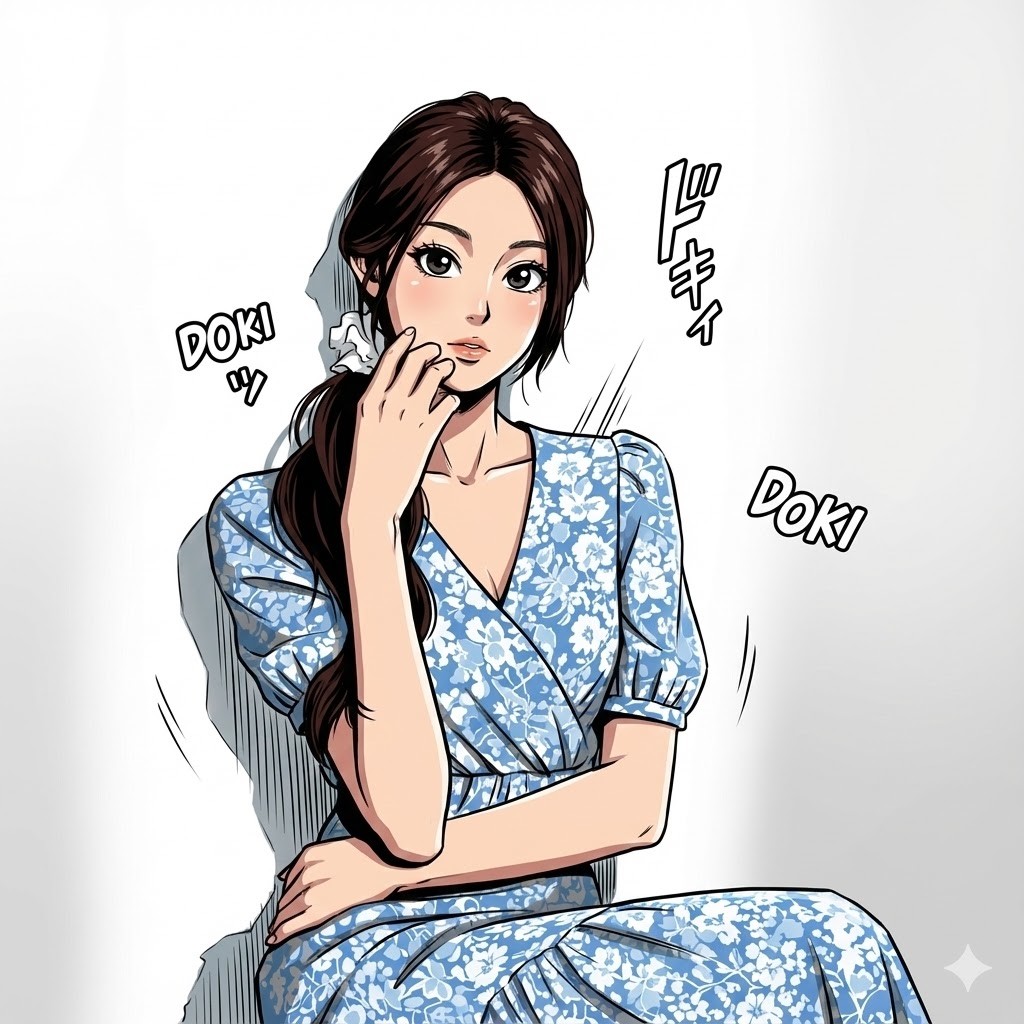
Converted to Akira Toriyama style
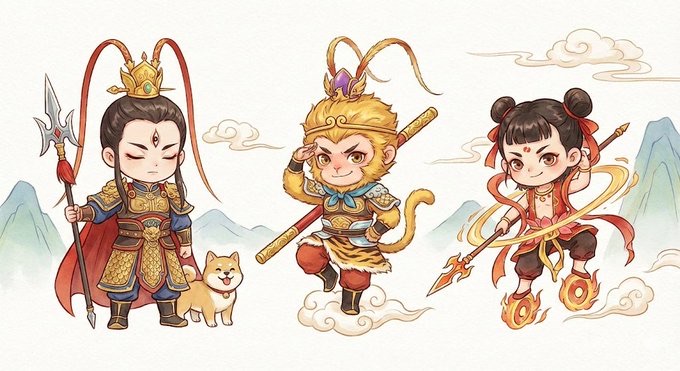
Chinese mythological character combination illustrations, the three classic characters Erlang Shen, Sun Wukong and Nezha, Q version cute style, dynamic and lively
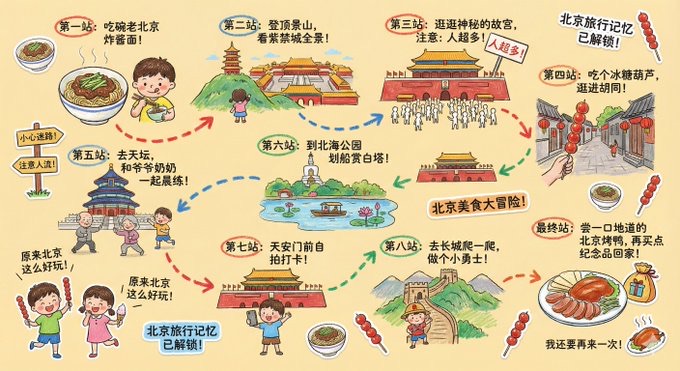
Please draw a colorful, vertical (9:16) hand-drawn "{City Name} Travel Notebook Illustration". The painting style seems to be created by a curious child with crayons. The overall use is a soft and warm light-colored background (such as light yellow), paired with bright tones such as red, blue, green, etc., to create a warm, childlike, and full of travel atmosphere. 1. Main screen: handbook travel route Draw a "winding travel route" in the center of the illustration. The route uses arrows + dotted lines to connect multiple locations. Recommended attractions are automatically generated based on the {number of days} daily itinerary: - "Stop 1: {Attraction 1 recommendation + short and interesting description}" - "Stop 2: {Attraction 2 recommendations + short and interesting description}" - "Stop 3: {Attraction 3 recommendations + short and interesting description}" -… - "Final stop: {Local signature food/souvenirs + warm closing remarks}" > The number of journey stops is automatically generated with the number of days: > If the user does not enter the number of days, the default 1 day / essence route will be generated. 2. Surrounding interesting elements (all automatically replaced according to the city) Add lots of little playful elements around the route, such as: - Cute travel characters: "Kid holding local snacks", "Adventurous kid carrying travel bag", etc. - Childlike Q-version hand-drawings of local landmark buildings: such as "{city landmark 1}", "{city landmark 2}", "{city landmark 3}". - Interesting reminder signs: "Be careful to get lost!", "Pay attention to the flow of people!", "There's delicious food ahead!" (can be adjusted according to the urban context). - Sticker-style slogans: "{city name} travel memory has been unlocked!" "{city name} food adventure!" "Where to go next?" - Cute little icons of local food: such as "{City Food 1}", "{City Food 2}", "{City Food 3}". - Exclamation (keep the innocence): "It turns out {city name} is so fun!" "I want to do it again!" 3. Overall style requirements -Hand-drawn crayon style/children’s travel journal style - Bright colors, rich composition but warm - Emphasize the joy of travel and sense of exploration - All text in cute handwritten fonts - Make the entire screen look like a childlike travel diary page
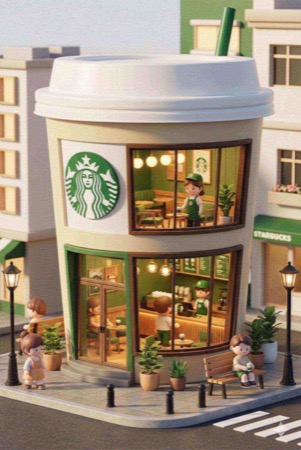
3D chibi-style miniature concept store of {Brand Name}, creatively designed with an exterior inspired by the brand's most iconic product or packaging (such as a giant {brand's core product, e.g., chicken bucket/hamburger/donut/roast duck}). The store features two floors with large glass windows clearly showcasing the cozy and finely decorated interior: {brand's primary color}-themed decor, warm lighting, and busy staff dressed in outfits matching the brand. Adorable tiny figures stroll or sit along the street, surrounded by benches, street lamps, and potted plants, creating a charming urban scene. Rendered in a miniature cityscape style using Cinema 4D, with a blind-box toy aesthetic, rich in details and realism, and bathed in soft lighting that evokes a relaxing afternoon atmosphere. --ar 2:3
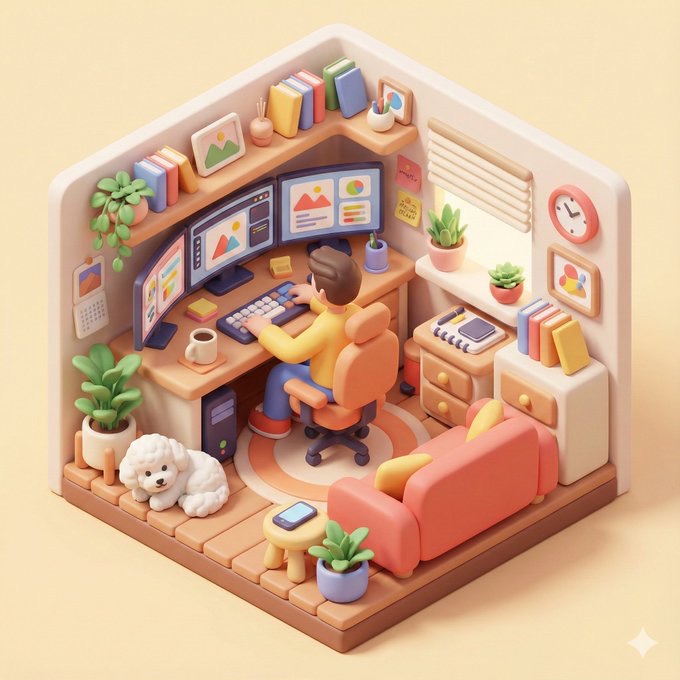
Based on what you know about me, please generate a color illustration of the 3D isometric viewing angle I am working from home, including various details of the interior, showing a rounded, exquisite and interesting visual style.--ar 1: 1 [Additional details: I have 3 monitors, and there is a bears dog]
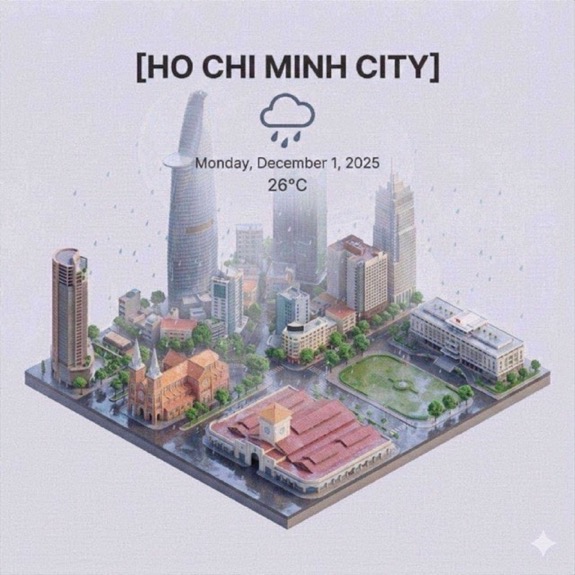
Presents a clear isometric mini 3D cartoon scene with a 45° bird's-eye view, showing the most iconic landmarks and architectural elements of [city]. It uses delicate and soft textures with real physical rendering (PBR) materials, and natural and soft light and shadow effects. Seamlessly integrate real-time weather conditions into urban environments to create an immersive atmosphere. The composition is simple and white, and a solid-color soft-light background is used. Place the bold title "[City]" in the center of the top of the screen, with a conspicuous weather icon below it, then display the date in small text, and mark the temperature in medium text. All text should be centered and spaced uniformly, and should overlap the top of the building slightly. Square canvas size 1080×1080 pixels. (Explanation of key elements:) Isometric perspective: Using a 45° oblique perspective to present a three-dimensional city miniature landscape Style processing: Cartoon modeling combined with PBR materials to achieve delicate texture Dynamic weather: Render rain, snow/clear sky and other weather effects based on actual data Information level: title>weather icon>three-section layout of date and temperature Visual balance: The building group and the text form an organic overlap without overpowering the focus.